DonationCoder.com forum
 
Read-only archive. This is a static copy of the DonationCoder.com forum. Reading and searching work as before; logging in, posting and private messages do not.
Archive of 2026-10-21 · About this archive · Main site

Author Topic: Visual Corruption  (Read 6,550 times)

Toxster

  • Supporting Member
  • Joined in 2017
  • **
  • Posts: 4
Visual Corruption
« on: April 24, 2019, 05:07 PM »
Hi all.
Just a couple of questions.
Firstly, my version of LBC is 1.154.02 which I was curious about as the latest is listed as 1.154.01. Was this version pulled and should I install 1.154.01?
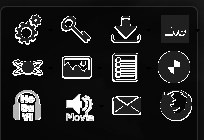
Secondly, the toolbar display often gets corrupted when launched. This can be resolved by changing the skin then reverting it but I have to do that every time. The context menu to rebuild the toolbar doesn't fix the problem.

I've attached a screenshot.
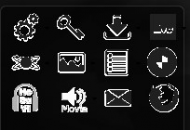
LBC1.jpg

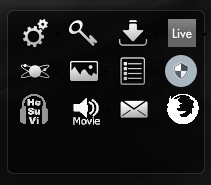
This is what it should look like.

LBC2.jpg

mouser

  • First Author
  • Administrator
  • Joined in 2005
  • *****
  • Posts: 40,931
    • Gathering Badge
    • Plugin Coding Medal
    • Participated in NANY Challenge Seventeen Times
    • Cody Award
    • Coding Snacks
    • Volunteers/Staff
Re: Visual Corruption
« Reply #1 on: April 24, 2019, 05:42 PM »
The version update is not important -- it just means you have the latest and I haven't bothered updating the web page version listed yet.

The corruption issue is strange.  Does it doesn't matter which skin you are using?

Toxster

  • Supporting Member
  • Joined in 2017
  • **
  • Posts: 4
Re: Visual Corruption
« Reply #2 on: April 24, 2019, 08:53 PM »
Hi, just testing now.

It may make a difference, it's kind of hard to troubleshoot. The config UI gets corrupted too if the default skin is enabled.
Edit but not every time.
I've restarted it and now it's behaving. It will likely stop displaying correctly next time I wake the PC from sleep or reboot.

mouser

  • First Author
  • Administrator
  • Joined in 2005
  • *****
  • Posts: 40,931
    • Gathering Badge
    • Plugin Coding Medal
    • Participated in NANY Challenge Seventeen Times
    • Cody Award
    • Coding Snacks
    • Volunteers/Staff
Re: Visual Corruption
« Reply #3 on: April 24, 2019, 09:57 PM »
I wonder if it could be an issue with the driver for your graphics card, which might need an update..  Normally the chance of this is pretty slim, but it can happen.. It's worth checking if there is an updated driver for your graphics card, or if you have any other advanced software that could be messing with the screen (e.g. remote desktop software, etc.).

Toxster

  • Supporting Member
  • Joined in 2017
  • **
  • Posts: 4
Re: Visual Corruption
« Reply #4 on: April 25, 2019, 09:01 AM »
Yeah, I'll check that, if no one else has reported these issues it's probably some strange interaction.

Thanks for continuing to support LBC :)
« Last Edit: April 25, 2019, 09:11 AM by Toxster »

Original address: https://www.donationcoder.com/forum/index.php?topic=47583.0