DonationCoder.com forum
 
Read-only archive. This is a static copy of the DonationCoder.com forum. Reading and searching work as before; logging in, posting and private messages do not.
Archive of 2026-10-21 · About this archive · Main site

Author Topic: Write-protected usb device and question  (Read 4,264 times)

snorlax212

  • Participant
  • Joined in 2019
  • *
  • Posts: 1
Write-protected usb device and question
« on: February 10, 2019, 03:15 PM »
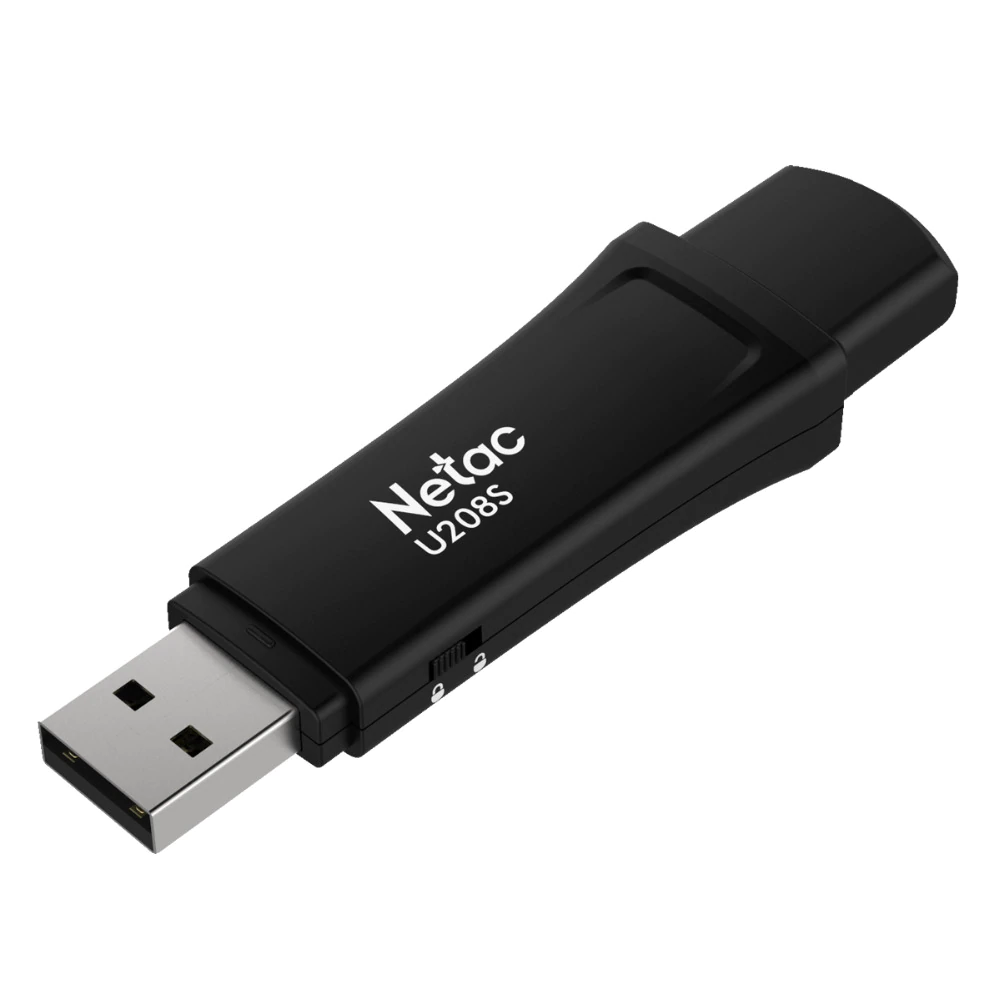
Hi. Im using ScreenshotCaptor on pictured usb device with write-protect switch.
Netac-u208s-USB-2-0-Flash-Drive.png
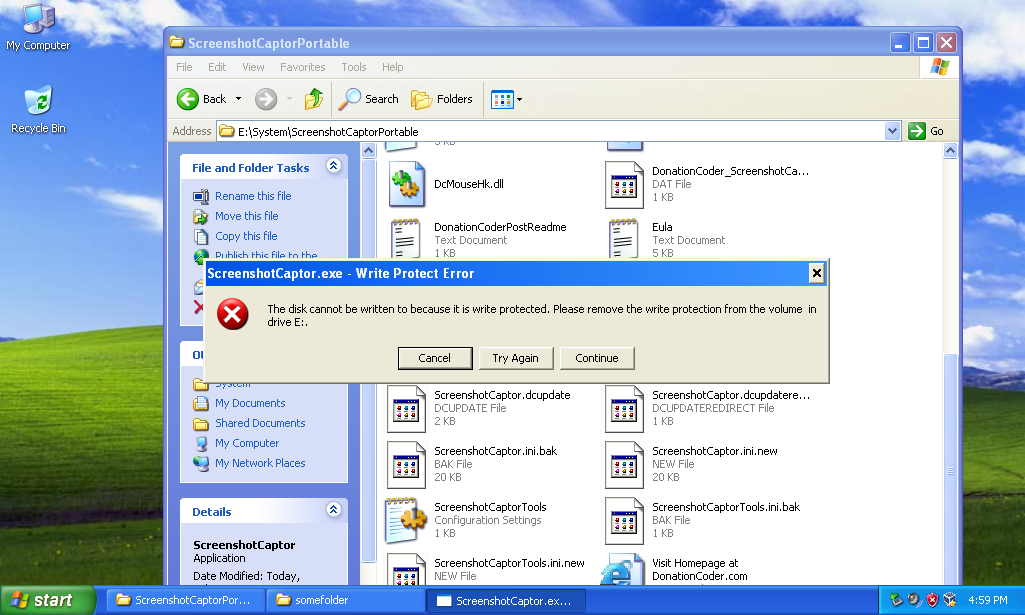
When I launch it i receive "Write protect error", press continue and get it 3 more times.
sc1.PNG
Is there way to configure software to avoid this messages?
Also, is there way to bypass PopUp choice dialog and go directly to "Save As" prompt when I do screenshot? Thank you.
mouser

  • First Author
  • Administrator
  • Joined in 2005
  • *****
  • Posts: 40,931
    • Gathering Badge
    • Plugin Coding Medal
    • Participated in NANY Challenge Seventeen Times
    • Cody Award
    • Coding Snacks
    • Volunteers/Staff
Re: Write-protected usb device and question
« Reply #1 on: February 22, 2019, 05:22 AM »
Hi snorlax.

Interesting questions.. SC wants to make sure it can write files out to its Screenshot directory, or else switch someplace where it can.. I suppose that I could add an option to let you specify the windows TEMP directory for people who didn't want to actually save screenshots permanently..  It's an interesting idea.

Your second question is sort of related -- in that the fastest way to use SC is not to use the SaveAs prompt at all, and let SC always save to its screenshot directory and never bother you with a pop-up at all.  Your idea is interesting.. Can I point out that you can just hit Alt+A to trigger SaveAs from the pop-up dialog -- still shows the pop-up dialog but it's just one more keypress..

Original address: https://www.donationcoder.com/forum/index.php?topic=47160.0