DonationCoder.com forum
 
Read-only archive. This is a static copy of the DonationCoder.com forum. Reading and searching work as before; logging in, posting and private messages do not.
Archive of 2026-10-21 · About this archive · Main site

Author Topic: How to stack windows side by side in Windows 10?  (Read 7,440 times)

ycomp

  • Participant
  • Joined in 2011
  • *
  • Posts: 21
How to stack windows side by side in Windows 10?
« on: February 07, 2019, 09:42 AM »
Hi, can someone recommend some relatively light-weight software (e.g. not something like this crappy display fusion) that will stack side by side windows for me? sounds easy right? well I can't for the life of me figure out how to do this on windows 10 on a virtual desktop without it stacking windows also on other virtual desktops, which makes it completely useless to me.. since now instead of 3 windows filling up the screen i have 3 tiny windows on 2 desktops.

Curt

  • Supporting Member
  • Joined in 2006
  • **
  • Posts: 7,565
Re: How to stack windows side by side in Windows 10?
« Reply #1 on: February 07, 2019, 12:35 PM »
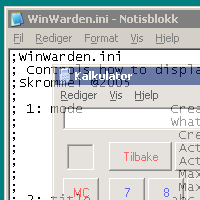
WinWarden (from skrommel & Tim Morck) works well on Win 10, but I have never tested it on plural windows screens.

http://www.dcmembers.com/skrommel/download/winwarden/

[attach=#]

mouser

  • First Author
  • Administrator
  • Joined in 2005
  • *****
  • Posts: 40,931
    • Gathering Badge
    • Plugin Coding Medal
    • Participated in NANY Challenge Seventeen Times
    • Cody Award
    • Coding Snacks
    • Volunteers/Staff
Re: How to stack windows side by side in Windows 10?
« Reply #2 on: February 07, 2019, 01:52 PM »
Gridmove, by our own jgpaiva:
http://www.dcmembers.com/jgpaiva/

ycomp

  • Participant
  • Joined in 2011
  • *
  • Posts: 21
Re: How to stack windows side by side in Windows 10?
« Reply #3 on: February 07, 2019, 01:58 PM »
thanks for the suggestions guys but I was hoping for something really easy... for now I'm using WinSplit Revolution which is my go-to on my main computer.. but the more windows, the longer it takes - have to manually place them one by one, it is quick but annoying for what I need it for on my VPS... Tiling handles it all in one fell-swoop, theoretically, if it didn't have this windows 10 bug.

chashnniel

  • Member
  • Joined in 2018
  • **
  • Posts: 127
Re: How to stack windows side by side in Windows 10?
« Reply #4 on: February 07, 2019, 02:29 PM »
maybe another alternative AltDrag

Deozaan

  • Charter Member
  • Joined in 2006
  • ***
  • Posts: 9,827
    • Participated in NANY Challenge Eight Times
    • Cody Award
Re: How to stack windows side by side in Windows 10?
« Reply #5 on: February 07, 2019, 04:42 PM »
Drag the windows into the corners/edges of the screen and Windows 10 will snap them into halves or quadrants of the screen for you.

Ath

  • Supporting Member
  • Joined in 2006
  • **
  • Posts: 3,649
    • Participated in NANY Challenge Eleven Times
    • Coding Snacks
    • Linux User
    • Hardware Hacker
Re: How to stack windows side by side in Windows 10?
« Reply #6 on: February 07, 2019, 07:35 PM »
And use the <Win>-(cursor-keys) hotkeys to move and resize the current window...
/Ton
Ath's software collection, Quote: "A problem well stated is a problem half-solved." (Charles Kettering)

Original address: https://www.donationcoder.com/forum/index.php?topic=47151.0