DonationCoder.com forum
 
Read-only archive. This is a static copy of the DonationCoder.com forum. Reading and searching work as before; logging in, posting and private messages do not.
Archive of 2026-10-21 · About this archive · Main site

Author Topic: Google Drive Option  (Read 10,999 times)

jax200

  • Supporting Member
  • Joined in 2016
  • **
  • Posts: 25
Google Drive Option
« on: December 23, 2018, 12:43 AM »
Hi  I would appreciate any help how to upload an image to my Google Drive.

4wd

  • Pedantic Old Bastard
  • Supporting Member
  • Joined in 2006
  • **
  • Posts: 5,652
    • Coding Snacks
Re: Google Drive Option
« Reply #1 on: December 23, 2018, 01:35 AM »
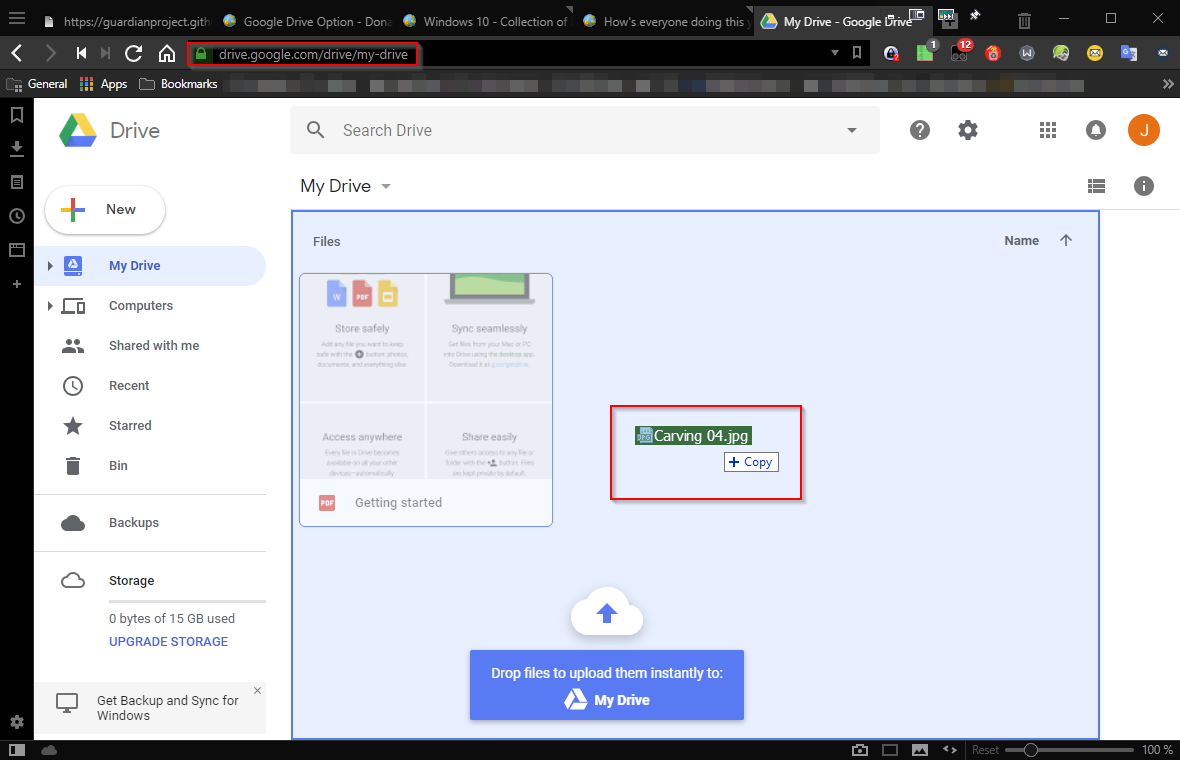
Log into your Google Drive via a browser: https://drive.google.com
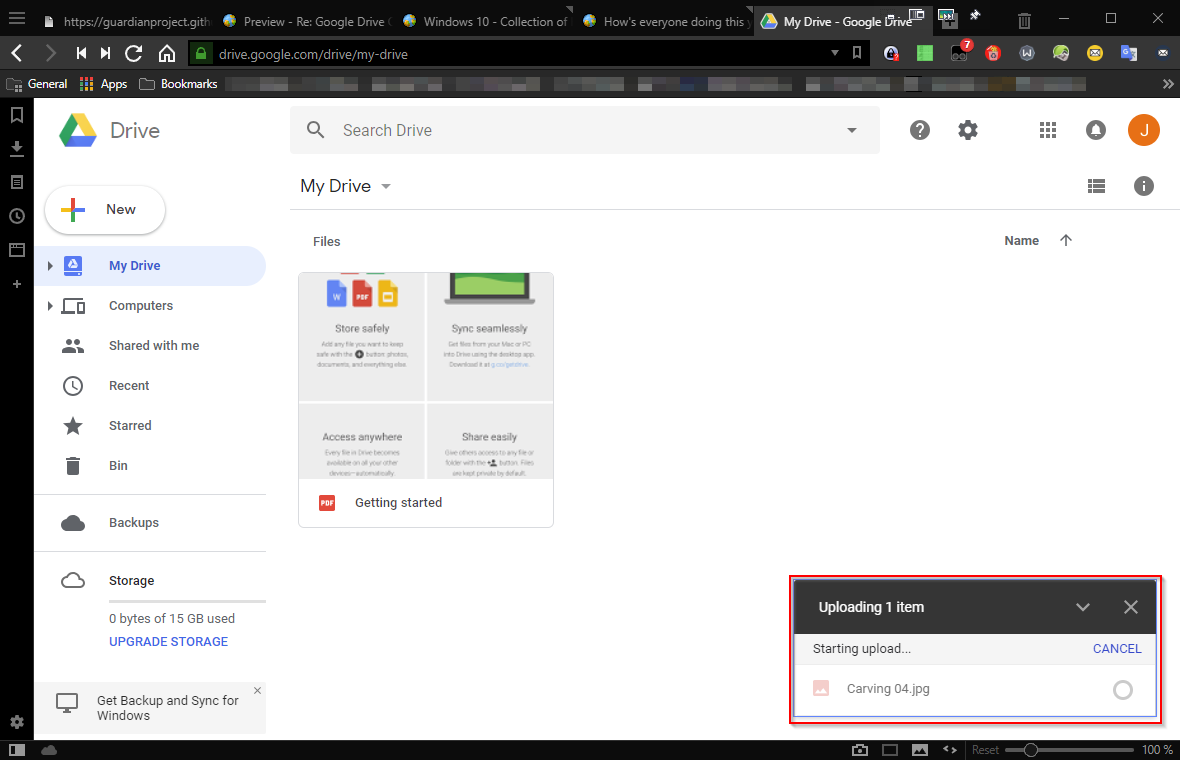
Then just drag'n'drop images/files onto the browser window.

2018-12-23 12_27_53-My Drive - Google Drive - Vivaldi.png

2018-12-23 12_30_59-My Drive - Google Drive - Vivaldi.png

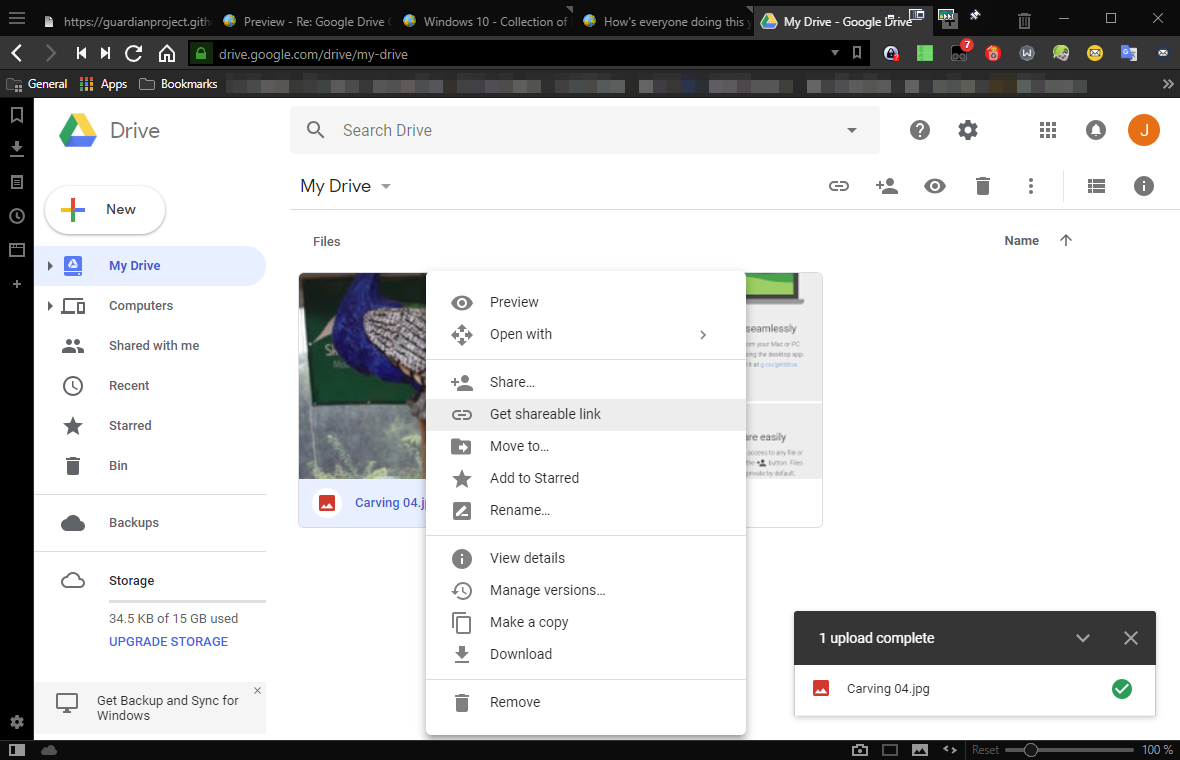
To share it, right-click on it and choose Share... or Get shareable link:

2018-12-23 12_31_18-My Drive - Google Drive - Vivaldi.png
"I will not follow where the path may lead, but I will go where there is no path, and I will leave a trail." - Muriel Strode, 1903

jax200

  • Supporting Member
  • Joined in 2016
  • **
  • Posts: 25
Re: Google Drive Option
« Reply #2 on: December 23, 2018, 03:24 AM »
This I know. I was referring to how it could be done from Screen Capture with Send To, or using an Auto upload function.

4wd

  • Pedantic Old Bastard
  • Supporting Member
  • Joined in 2006
  • **
  • Posts: 5,652
    • Coding Snacks
Re: Google Drive Option
« Reply #3 on: December 23, 2018, 12:01 PM »
Ah, my bad ... didn't notice what forum section it was in, not enough sleep lately ... just put me on ignore  :)
"I will not follow where the path may lead, but I will go where there is no path, and I will leave a trail." - Muriel Strode, 1903

mouser

  • First Author
  • Administrator
  • Joined in 2005
  • *****
  • Posts: 40,931
    • Gathering Badge
    • Plugin Coding Medal
    • Participated in NANY Challenge Seventeen Times
    • Cody Award
    • Coding Snacks
    • Volunteers/Staff
Re: Google Drive Option
« Reply #4 on: December 23, 2018, 01:20 PM »
There are a couple of options:

  • If you can find a commandline utility that sends an image to google drive, you could easily add it as a Tool item to the Screenshot Captor menu.  This is probably the cleanest and simplest way.  If someone finds such a tool I can help show you how to make a screenshot captor tool configuration that will make it easier to share this tool (see the Tools/ directory in Screenshot Captor folder for example tools).
  • If you can find a right-click context menu utility that sends an image to google drive you could right-click on the image in thumbnail to send it to google drive.
  • If you can find a tool that lets you map a folder to google drive, you could do that and simply copy your images to that folder from the MoveTo menu.

Maestr0

  • Participant
  • Joined in 2010
  • *
  • Posts: 30
    • Participated in NANY Challenge Once
Re: Google Drive Option
« Reply #5 on: December 23, 2018, 01:34 PM »
Alternatively, you can use dropbox and imgur.com.

The benefit of dropbox is that it could upload files automatically.

Imgur has an API which you could use. Examples of that you can see here: https://help.imgur.com/hc/en-us/articles/209592766-Tools-for-Imgur

hollowlife1987

  • Honorary Member
  • Joined in 2006
  • **
  • Posts: 92
    • Participated in NANY Challenge Three Times
Re: Google Drive Option
« Reply #6 on: December 23, 2018, 03:14 PM »
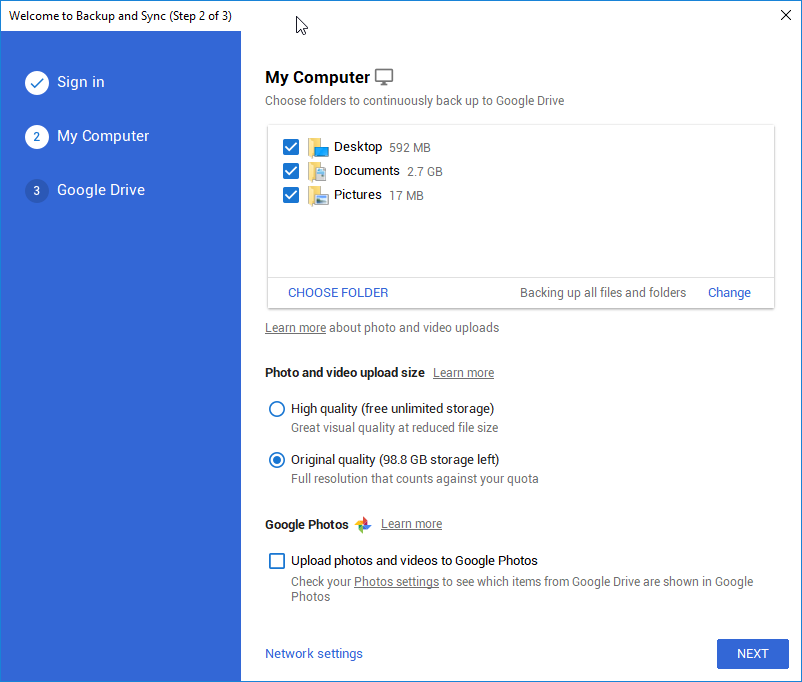
Easiest way I know of to do this would be to use Google Drive's Backup and Sync program.

https://www.google.com/drive/download/

During the install and setup of it it asks which folders you wish to sync.  Just choose to include your screenshot folder

KynloStephen66515

  • Animated Giffer in Chief
  • Honorary Member
  • Joined in 2010
  • **
  • Posts: 3,772
    • Participated in NANY Challenge Three Times
    • Cody Award
    • Coding Snacks
    • Official Forum Clown
    • Volunteers/Staff
    • Writer
    • Hardware Hacker
    • DJ Badge - DJ
    • Linux User
Re: Google Drive Option
« Reply #7 on: December 23, 2018, 03:32 PM »
No idea if this works but I remember seeing it a while ago so figured I'd hunt it down and paste it here:

https://olivermarshall.net/how-to-upload-a-file-to-google-drive-from-the-command-line/

jax200

  • Supporting Member
  • Joined in 2016
  • **
  • Posts: 25
Re: Google Drive Option
« Reply #8 on: December 24, 2018, 12:08 AM »
Thanks for the helpful suggestions.

1. Regarding a Google Drive command line utility, I found the app "gdrive" provides this function and can be downloaded from github (https://olivermarshall.net/how-to-upload-a-file-to-google-drive-from-the-command-line/). ; I was able to successfully configure the SC tool with this app.  However, to be on the safe side I used a gmail/gdrive account that is not my primary one.

2. Regarding right-click functionality, I tried this with Right Click Enhancer Pro (https://rbsoft.org/downloads/right-click-enhancer/), or by adding my "Send to" folder without luck.  Part of the problem here is I don't see a "Google Drive" to send files to like that of Dropbox or One Drive.  The new google drive cloud doesn't work that way.[attachment 1 not found]

3. Mapping is possible (https://www.insynchq.com/blog/map-google-drive-any-folder/) but I think it keeps copies on both ends?  I was looking to just upload the file and delete on the PC.

4. Yes, Dropbox is straightforward, but my goal is to use Google Drive.

5. Backup and sync is also easy if I just connect with the Screenshot Captor folder and it saves all the many files I make, but my goal was to click on a file I want specially to upload to a GDrive folder.

6. The last suggestion is what I found too (#1)!

« Last Edit: December 24, 2018, 12:15 AM by jax200 »

IainB

  • @Slartibartfarst
  • Supporting Member
  • Joined in 2008
  • **
  • Posts: 7,544
Re: Google Drive Option
« Reply #9 on: December 24, 2018, 12:38 AM »
I was going to suggest Google Drive's Backup and Sync program, but saw that @hollowlife1987 had already done it:
Easiest way I know of to do this would be to use Google Drive's Backup and Sync program.
https://www.google.com/drive/download/

And I had forgotten about gdrive, which seems to have been much improved and is definitely a nifty approach:
No idea if this works but I remember seeing it a while ago so figured I'd hunt it down and paste it here:
https://olivermarshall.net/how-to-upload-a-file-to-google-drive-from-the-command-line/

What I didn't realise until he stated it is that @jax200 had another requirement:
...I was looking to just upload the file and delete on the PC.
So @jax200, are you going to use send to gdrive and then delete the image from disk?
I'd not recommend it (I might be misunderstanding something here, but there seem to be insufficient belts and braces).
My training is that, ideally, one should have the primary copy of a file and one backup, at least.

4wd

  • Pedantic Old Bastard
  • Supporting Member
  • Joined in 2006
  • **
  • Posts: 5,652
    • Coding Snacks
Re: Google Drive Option
« Reply #10 on: December 24, 2018, 03:45 AM »
Another alternative, (this time I'm awake), is CarotDAV.

Add your GDrive account and then enable it's WebDAV server and assign a drive letter, then it's just a matter of copying/moving files to/from it as per normal Windows operations.
"I will not follow where the path may lead, but I will go where there is no path, and I will leave a trail." - Muriel Strode, 1903

jax200

  • Supporting Member
  • Joined in 2016
  • **
  • Posts: 25
Re: Google Drive Option
« Reply #11 on: December 24, 2018, 07:54 PM »
CarotDAV looks like a nice utility, but when I load files to the Upload folder nothing happens...?

Original address: https://www.donationcoder.com/forum/index.php?topic=46925.0