DonationCoder.com forum
 
Read-only archive. This is a static copy of the DonationCoder.com forum. Reading and searching work as before; logging in, posting and private messages do not.
Archive of 2026-10-21 · About this archive · Main site

Author Topic: Extension Filtering still shows folders  (Read 5,037 times)

ahri

  • Participant
  • Joined in 2015
  • *
  • Posts: 1
Extension Filtering still shows folders
« on: August 22, 2018, 12:05 PM »
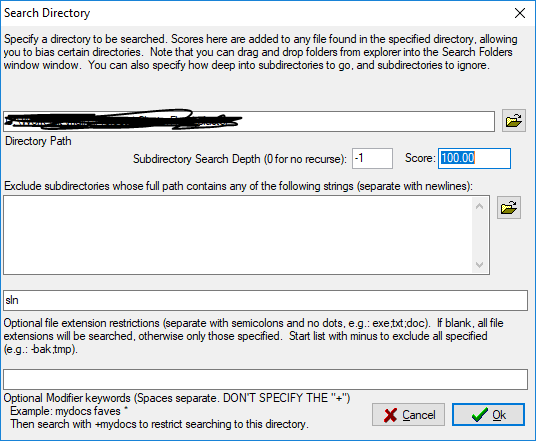
In "Options -> Lists -> Search Folders" I added a folder and selected an extension under the "Optional file extension restrictions".
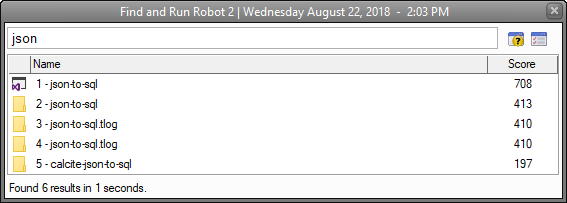
Still, if I search for a specific keyword, the folders with said keyword are still shown in the result window.
I just want to see files, not folders.

Any idea how to make this work?

Thank you
Capture.PNG
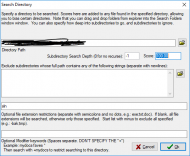
Capture2.PNG

Nod5

  • Supporting Member
  • Joined in 2006
  • **
  • Posts: 1,175
    • Coding Snacks
    • Participated in NANY Challenge Three Times
    • Plugin Coding Medal
Re: Extension Filtering still shows folders
« Reply #1 on: August 31, 2018, 10:02 AM »
I don't think you can exclude subfolders in the "Search Folders" settings window.

You can do it with a custom search folder and an Alias though. Here is an example

1. create a Search folder.
Directory path:  C:\folder\this
optional file extension restrictions:  sln
optional modifier keyword: my_search_no_folders

2. go to options > alias and create a new Alias.
Alias: my custom search
regular expression: ^(?:m|my) (..*)
results: dosearch -alias +my_search_no_folders $$1 -\


After that you can type m xyz or my xyz into FARR and the results will be a list of files with the string xyz in the name and the extension .sln and that reside in the folder C:\folder\this or its subfolders. The results will not list any folders.

Original address: https://www.donationcoder.com/forum/index.php?topic=46020.0