


Just throwing together my other 2019 applications before writing new ones...
Description
logpad simulates the Windows Notepad logging behavior by automatically inserting the current timestamp on top of a file which starts with ".LOG".
Features
- Automatically creates a journal for you.
Screenshots
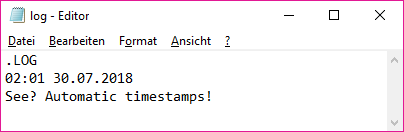
Usage
Installation
- logpad.vim: Download the script file and load it with your preferred package manager (or manually).
- logpad.el: Download logpad via MELPA and start logpad-mode: M-x logpad-mode.
Using the Application
All you need is logpad (or Notepad ) and a file that starts with ".LOG". Everything else is automagic.
Known Issues
The GNU Emacs variant could be more flexible.
NANY 2019 Entry Information
| Application Name | logpad |
| Short Description | Writing a journal with Vim and GNU Emacs. |
| Supported OSes | Any which have Vim or GNU Emacs. |
| Web Page | https://www.donationcoder.com/forum/index.php?topic=45696 |
| Download Link | Vim script, GNU Emacs plugin. |
| System Requirements |
|
| Author | me (both) |
Description
logpad simulates the Windows Notepad logging behavior by automatically inserting the current timestamp on top of a file which starts with ".LOG".
Features
- Automatically creates a journal for you.
Screenshots
Usage
Installation
- logpad.vim: Download the script file and load it with your preferred package manager (or manually).
- logpad.el: Download logpad via MELPA and start logpad-mode: M-x logpad-mode.
Using the Application
All you need is logpad (or Notepad
) and a file that starts with ".LOG". Everything else is automagic.Known Issues
The GNU Emacs variant could be more flexible.