DonationCoder.com forum
 
Read-only archive. This is a static copy of the DonationCoder.com forum. Reading and searching work as before; logging in, posting and private messages do not.
Archive of 2026-10-21 · About this archive · Main site

Author Topic: How can i add text or a Jpg image to 'Explorer' pane , see Example Below  (Read 7,005 times)

screenshot1

  • Participant
  • Joined in 2008
  • *
  • Posts: 42
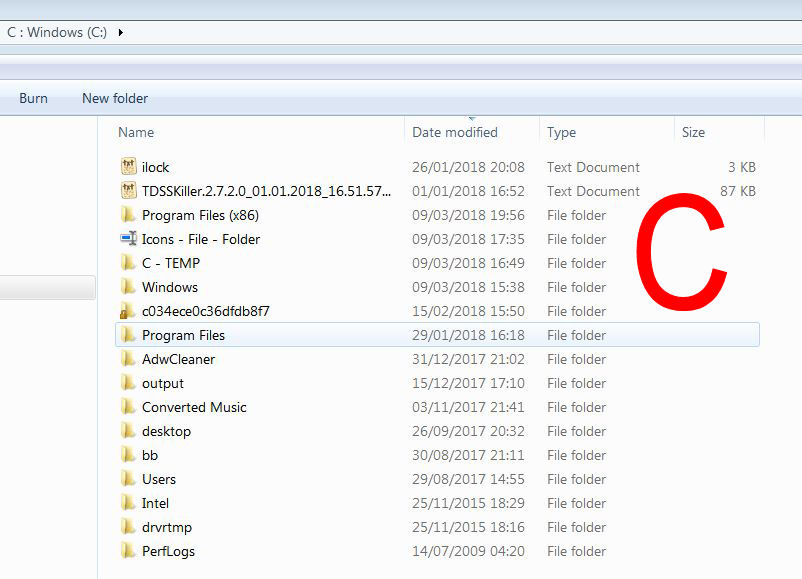
How can i add text or a Jpg image to 'Explorer' pane , see Example Below
( I need a way of distinguishing all my 'Drives' when all open, gets confusing which is which ! )
tomos

  • Charter Member
  • Joined in 2006
  • ***
  • Posts: 11,970
    • Gathering Badge
    • Participated in NANY Challenge Once
I dont think that's possible.

There are two indicators of where you're at in terms of drives:
  1. the address bar -- as in your screenshot
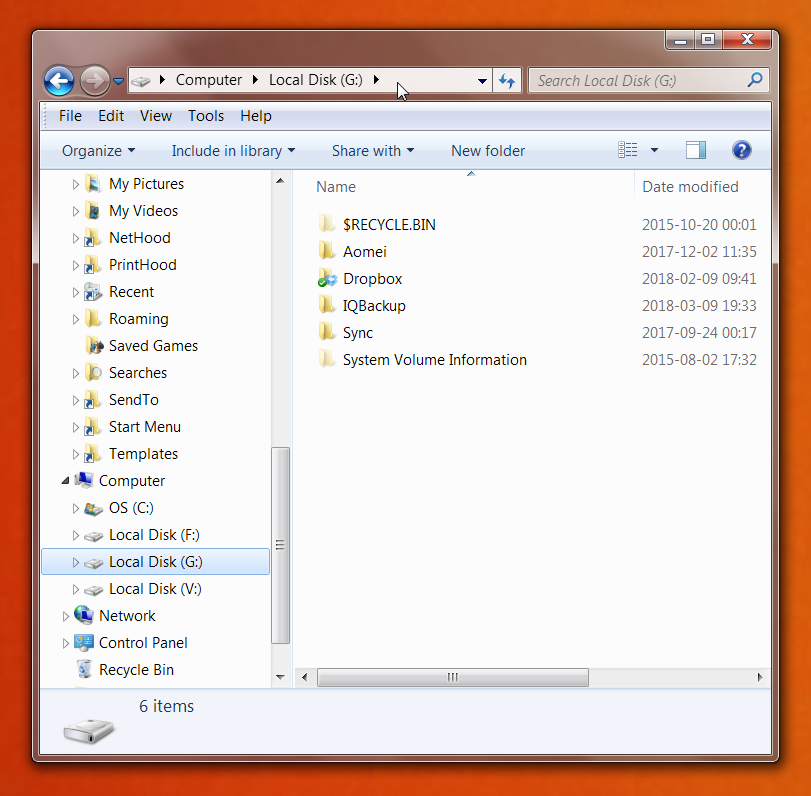
  2. the tree in the left panel (cropped in your screenshot, shown below)

Screenshot - 2018-03-09 , 23_08_24.png
Tom

screenshot1

  • Participant
  • Joined in 2008
  • *
  • Posts: 42

Ath

  • Supporting Member
  • Joined in 2006
  • **
  • Posts: 3,649
    • Participated in NANY Challenge Eleven Times
    • Coding Snacks
    • Linux User
    • Hardware Hacker
I was thinking of Stick a Note by our member anandcoral, with a small note window showing the desired label (not a jpg though). It has some restrictions I just filed feature requests for.
/Ton
Ath's software collection, Quote: "A problem well stated is a problem half-solved." (Charles Kettering)

screenshot1

  • Participant
  • Joined in 2008
  • *
  • Posts: 42
I was thinking of Stick a Note by our member anandcoral, with a small note window showing the desired label (not a jpg though). It has some restrictions I just filed feature requests for.
Thanks for the Link ..I will give it a Try  :Thmbsup:

marisaga

  • Supporting Member
  • Joined in 2018
  • **
  • Posts: 5
Not sure this is what you mean. Surely it's not, but...Opening details panel? I'd upload the screencapture I've just made of mine, if I knew how. Unfortunately, I don't. What I did was: Create 2 files within the drive: 1. Autorun.inf with this text: '[autorun] ICON=Drive.ico' 2. An icon (like the letter C in your image) with the name Drive.ico. 2. Set both's attibutes to 'hidden' That's all. Next time you open the details pane, the letter C will show in the details panel. I'm sorry if this is not what you were asking

Original address: https://www.donationcoder.com/forum/index.php?topic=45160.0