


NANY 2018 Entry Information
| Application Name | SubAHK |
| Supported OSes | Windows 7 (Probably works, but not tested, on Windows XP/Vista/8/10) |
| Web Page | Website |
| Download Link | Download |
| Author | Jody Holmes (Skwire Empire) |
Description
Subsonic desktop client. I’ve run my own personal Subsonic server for many years and make use of several different clients depending on platform. However, none have the sort of easy playlist manipulation I want, so I started writing SubAHK.
- To make use of SubAHK, you must run, or have access to, a fully licensed Subsonic server (or use one of the license-not-needed forks mentioned below). That said, please consider running the official Subsonic product and supporting its author with a paid Premium License.
- SubAHK is not feature complete at this time. This release of SubAHK only has the playlist manipulation features I wanted. That is, currently, it doesn’t even support playback of files. I do plan to further develop SubAHK as time allows.
- SubAHK makes use of the official Subsonic API. Therefore, I have no idea if it works with any of the Subsonic forks out there such as MadSonic, AirSonic, etc. If these forks support the official Subsonic API, they should work. No promises, though.
Screenshots
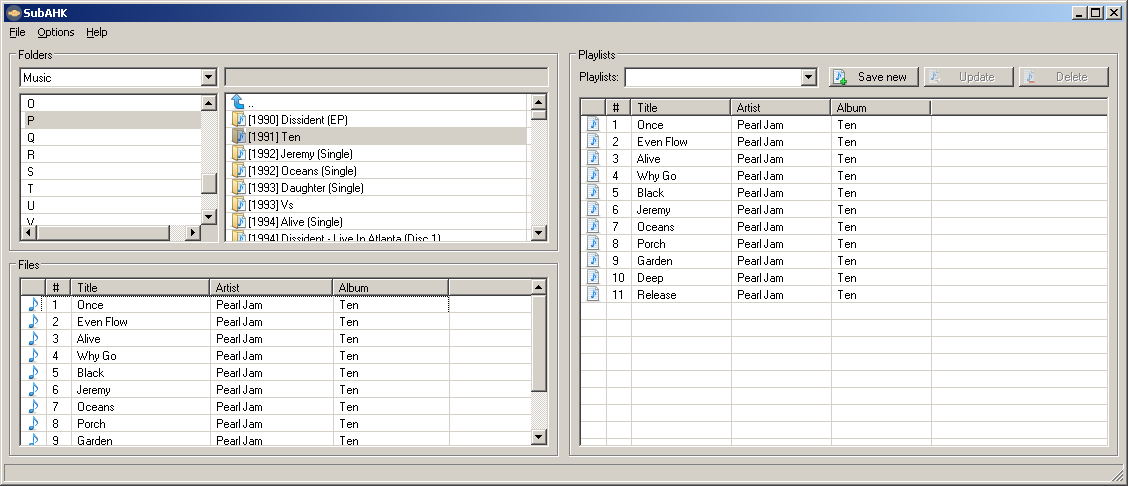
Usage
Installation
Download the zip file and extract its contents into a new folder. Run SubAHK.exe and choose Options from the menu. Enter your server credentials and off you go.
Uninstallation
Exit the application and delete the folder you unzipped it to.



 But at the moment I'm not one such user.


