


A program to create hotstring shortcuts for applications, documents, web pages and regular text. Users can drag existing shortcuts or documents over the program window and it will prompt for each item asking what letters you wish to use to launch each item. The program actively updates a running Shortcuts script so it requires users to install AutoHotkey. The program looks to see if items are already in an active window and brings it to the front before launching any item.
Most hot string shortcuts can safely be typed from anywhere, but, users can also press both Shift keys to display a Shortcuts Launcher window.
Main Window
![2017-09-23 18_59_01-Shortcuts Creator [ESC to Close].png](/forum/attachments/102926/2017-09-23_18_59_01-Shortcuts_Creator_[ESC_to_Close]_thumb.png)
Secondary launch window
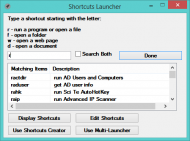
List of existing shortcuts window
![2017-09-23 19_03_03-MY SHORTCUTS LIST [ESC to Close].png](/forum/attachments/102930/2017-09-23_19_03_03-MY_SHORTCUTS_LIST_[ESC_to_Close]_thumb.png)
Most hot string shortcuts can safely be typed from anywhere, but, users can also press both Shift keys to display a Shortcuts Launcher window.
| Application Name | Shortcuts Reminder |
| Version | 1.18 |
| Short Description | A launcher that uses hotstring combinations |
| Supported OSes | Windows 7 and higher |
| Web Page / More Info | http://s355751075.onlinehome.us/automating_windows/ |
| Download Link | Same as above |
| System Requirements | Windows OS |
| Author | Michael Todd |
Main Window
![2017-09-23 18_59_01-Shortcuts Creator [ESC to Close].png](/forum/attachments/102925/2017-09-23_18_59_01-Shortcuts_Creator_[ESC_to_Close].png)
Secondary launch window
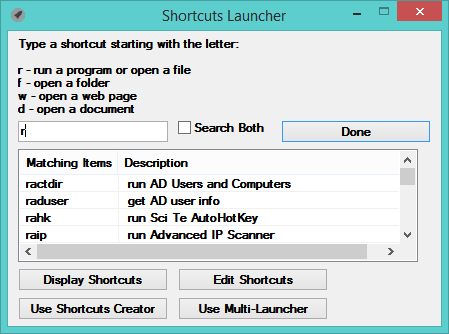
List of existing shortcuts window
![2017-09-23 19_03_03-MY SHORTCUTS LIST [ESC to Close].png](/forum/attachments/102929/2017-09-23_19_03_03-MY_SHORTCUTS_LIST_[ESC_to_Close].png)


