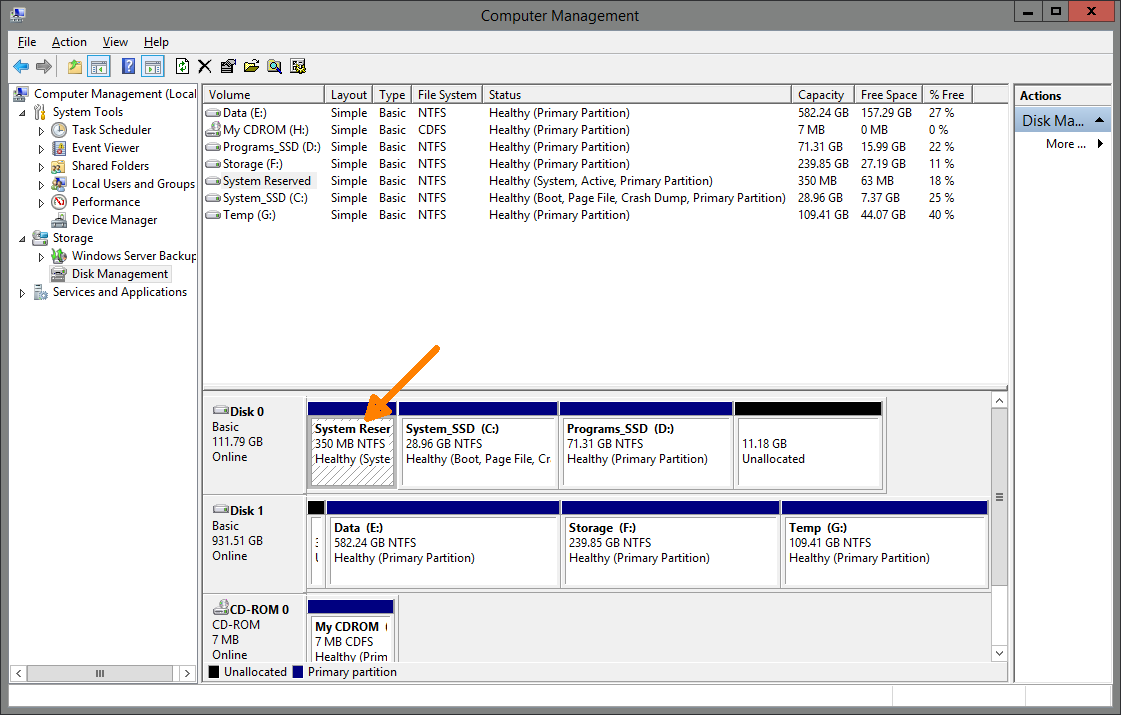
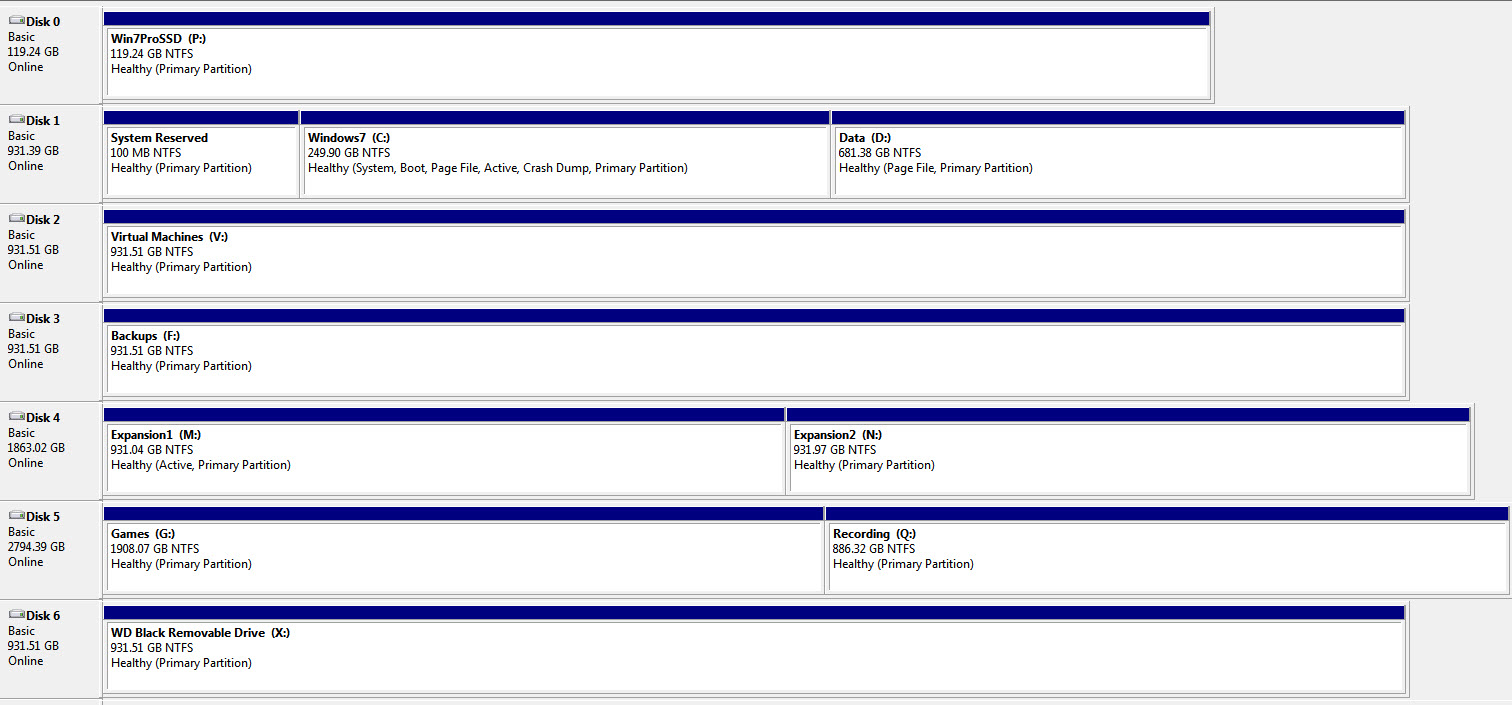
I 'had' a dual boot system of Windows 7 Ultimate on hard disk and Windows 7 Pro on an SSD!
Windows 7 Ult is my main OS on a large hard disk and I used the free period to install upgrade to Windows 10 on an SSD in dual boot mode to get the free license for future upgrade.
I use Windows 10 on my laptop all the time so rarely on my desktop PC which usually boots into Windows 7.
Dual booting has worked fine and I could use the system properties to set the default operating system (worked fine).
Stupidly yesterday I booted Windows 10 and decided to run Windows update and leave it over night. Because it had a Windows version update to do I switched to automatically boot into Window 10 so it could get on with it while I was asleep.
Got up this morning to a blue screen"DPC_WATCHDOG_VIOLATION"
I rebooted and on restart got missing/damage \Boot\BCD error with error code 0xc000014c
I thought - no big problem and bunged in Windows 10 Recovery CD and booted from that - it failed to find Windows 10 - instead it found Windows 7 Ult (phew) and the legacy Windows 7 Pro folder (Windows.old which is still there from the Windows 10 upgrade).
After a lot of faffing, swearing and stomping around, and in the end using a windows 7 recovery disk, I finally managed to get Windows 7 Ult running again.
Anyone any idea how to fix the Windows 10 installation to dual boot again so that I can try to get it running and updated properly?
I am stumped - almost all the info I can find on dual booting is a mix of Windows and Linux.
To give a bit more description:
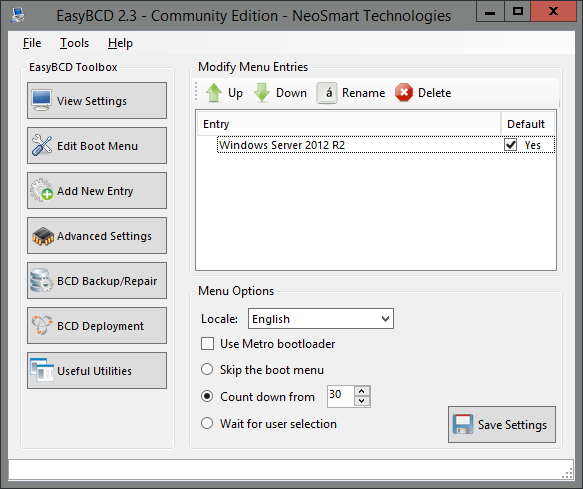
When Windows 7 was set as default the 'Select operating system' screen during boot up was the Windows 7 version, but when I switched to Windows 10 default it swapped to the Windows 10 version.
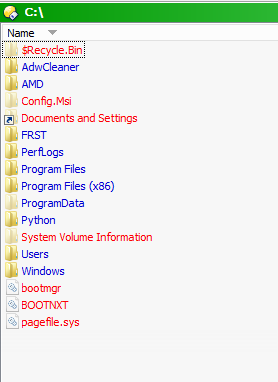
Also no I can find a Boot folder on either drive (hidden or not)
Windows 7 Ult is my main OS on a large hard disk and I used the free period to install upgrade to Windows 10 on an SSD in dual boot mode to get the free license for future upgrade.
I use Windows 10 on my laptop all the time so rarely on my desktop PC which usually boots into Windows 7.
Dual booting has worked fine and I could use the system properties to set the default operating system (worked fine).
Stupidly yesterday I booted Windows 10 and decided to run Windows update and leave it over night. Because it had a Windows version update to do I switched to automatically boot into Window 10 so it could get on with it while I was asleep.
Got up this morning to a blue screen"DPC_WATCHDOG_VIOLATION"
I rebooted and on restart got missing/damage \Boot\BCD error with error code 0xc000014c
I thought - no big problem and bunged in Windows 10 Recovery CD and booted from that - it failed to find Windows 10 - instead it found Windows 7 Ult (phew) and the legacy Windows 7 Pro folder (Windows.old which is still there from the Windows 10 upgrade).
After a lot of faffing, swearing and stomping around, and in the end using a windows 7 recovery disk, I finally managed to get Windows 7 Ult running again.
Anyone any idea how to fix the Windows 10 installation to dual boot again so that I can try to get it running and updated properly?
I am stumped - almost all the info I can find on dual booting is a mix of Windows and Linux.
To give a bit more description:
When Windows 7 was set as default the 'Select operating system' screen during boot up was the Windows 7 version, but when I switched to Windows 10 default it swapped to the Windows 10 version.
Also no I can find a Boot folder on either drive (hidden or not)