Hello, I would like to know if it is possible to scan multiple pages into one file, please, so page 1 0f 4, page 2 of 4, etc.
Regards,
James48
Regards,
James48

 Topic: Scan options Screenshot Captor (Read 9,008 times)



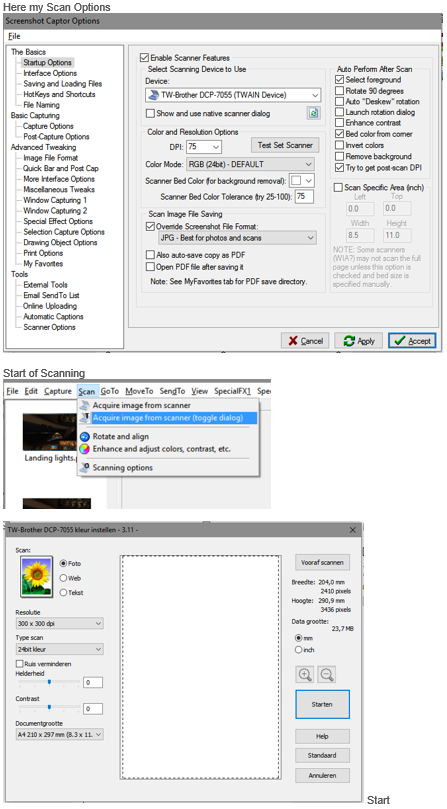 Multiple Scan Pages 1 of 2.png
(182.9 KB, 447x809 - viewed 516 times.)
Multiple Scan Pages 1 of 2.png
(182.9 KB, 447x809 - viewed 516 times.)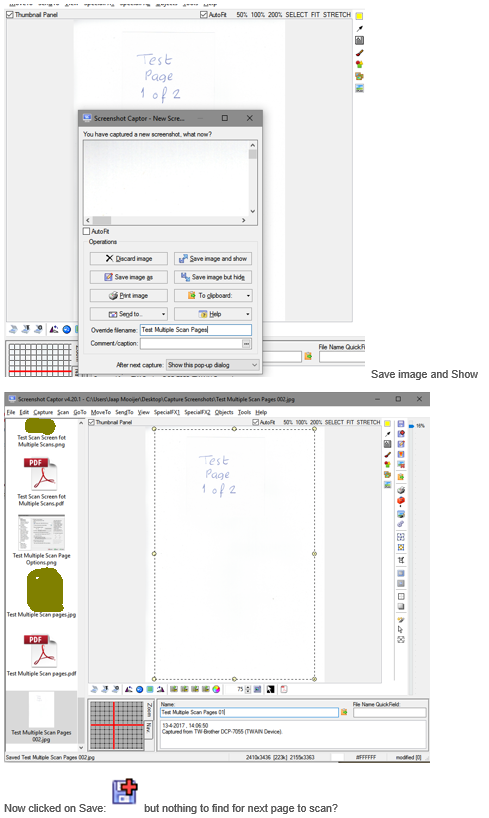 Multiple Scan Pages 2 of 2.png
(163.9 KB, 489x818 - viewed 564 times.)
Multiple Scan Pages 2 of 2.png
(163.9 KB, 489x818 - viewed 564 times.)Thank you Tomos for replying, I tried as you explained it to me, but it does not work, I sent two sample sheets.hi James,


Just drag and drop the images onto each other in Screenshot Captor. That will allow you to combine the images into a single image.Thanks, the multiple files must be saved as a PDF?
BUT, if this is something you do a lot, you should probably use a "proper" tool for scanning, that has more features designed for creating multi-page scans and documents.Yes, when I make a scan in "Control Center 4" I can make more page's they will be combined.
I think what james is wanting is to be able to like quickly scan 5 pages and generate a 5-page pdf, with one page for each scan.
You can do this with SC with a little bit of effort -- scanning each image separately, then selecting them all and choosing File -> Combine Multiple Images -> PDF.
Original address: https://www.donationcoder.com/forum/index.php?topic=43721.0