Read-only archive. This is a static copy of the DonationCoder.com forum. Reading and searching work as before; logging in, posting and private messages do not.
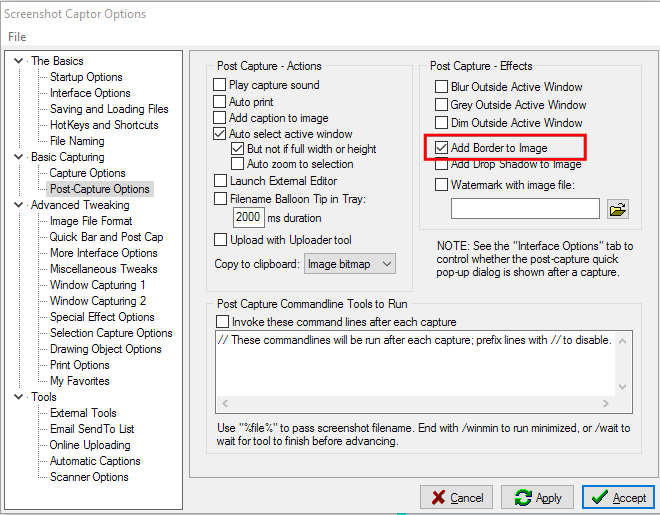
It may be because you are using the "post capture pop-up dialog" option? If you tell SC to just show it's main window (or hide it's main window) after capture, does that solve the problem?
That's not your fault -- that should probably be considered a bug that it doesn't apply that when showing the post capture pop-up dialog -- i will fix.
Thanks, Mouser ~ What I didn't tell you is that Screenshot Captor is the utility I use more than any other, there's not a day goes by that I don't use it at least 3 or 4 times, and not uncommonly 10 or 15.
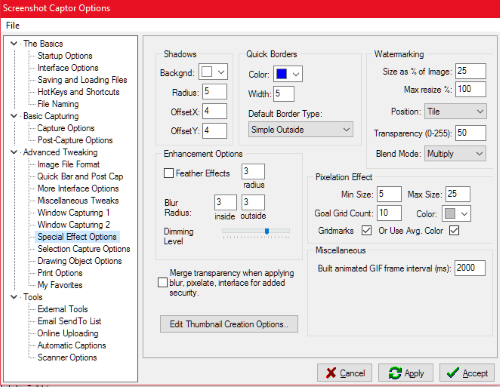
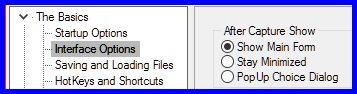
Once again the same problem has recurred — no border — even though I have: Special Effect Options: Quick Borders > blue > width 3 > simple outside and The Basics > Interface Options > Show Main Form
How many screenshots did you make like that since the computer was last (re)started? Or since SSC was last (re)started? Wichever was the most recent action.
/Ton Ath's software collection, Quote: "A problem well stated is a problem half-solved." (Charles Kettering)
Sorry, Ath, I don't understand your question. I frequently make many screenshots every day, I don't recall what day it was the borders stopped working. Maybe I'll try re-installing.
I'm trying to determine if you make many screenshots without restarting screenshotcaptor and/or your computer. If so it might be a minor glitch in SSC, not releasing a resource when adding that border, resulting in an internal failure (that is not shown to the end-user) and the auto-added border not working as expected any more.
Does many, in this context, mean tens, hundreds or thousands?
/Ton Ath's software collection, Quote: "A problem well stated is a problem half-solved." (Charles Kettering)
Hi Ath ~ I might make two to three dozen screenshots per day, then on another day only a couple of individual shots. I've just closed SSC and re-run it, and still no border