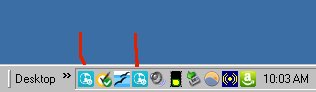
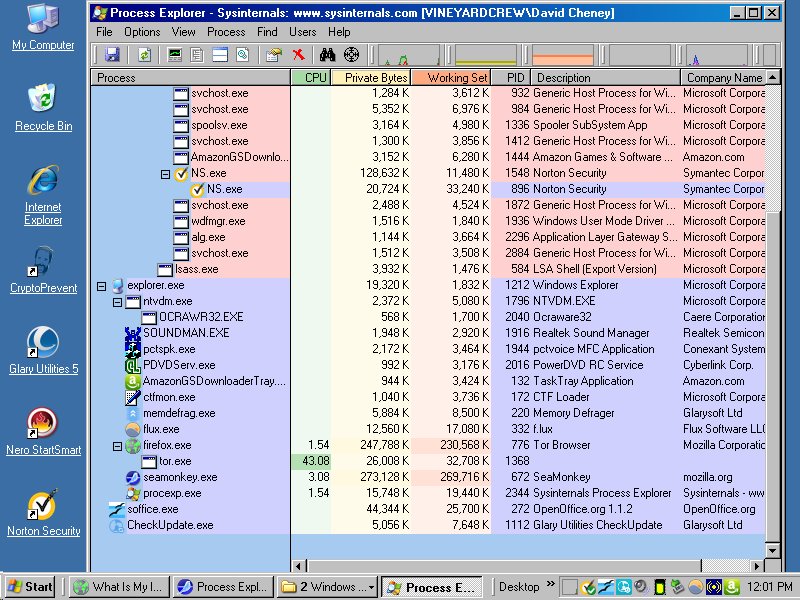
Can someone plz tell me what program this blue icon represents (under red arrow)? It showed up recently, and hovering my cursor over it or clicking right or left mouse button produces no reaction.
Since you know what the others are, wouldn't it be easier to exit their programs/services and then see what was left, (in TaskManager), that you don't recognise?
Plus if it is coming up on every boot it may be in the TM Startup list.
Or Autoruns if you're stuck on an earlier Windows, (pre-8.1 IIRC).

Now there's two of them; I'm running Win XP Home 32bit; I'll try everyones' advice and see what turns up; I ran several different spyware scans and nothing came of it yet.
edit: one just disappeared again.

So they have a program running continually to check for updates and they put an icon for it on your task bar that does nothing other than take up space? How irritating.So it puts the icon in the task bar to show it's there. Then apparently it pops up another one to show it's doing the check.
So they have a program running continually to check for updates and they put an icon for it on your task bar that does nothing other than take up space? How irritating.Actually it's quite useful; it runs continually to let you know a program is running continually, and to warn you that it can't tell you what the program is.

Hi holt,
I will suggest you install winpatrol It is one of my MUST_HAVE.
It will give you list of "startup Programs" and you can easily disable which you do not want, like "Glarysoft updater" here.
Regards,
Anand
Hi holt,
I will suggest you install winpatrol It is one of my MUST_HAVE.
It will give you list of "startup Programs" and you can easily disable which you do not want, like "Glarysoft updater" here.
Regards,
Anand
+1 for WinPatrol.
I bought at the right time it seems. But even the free version does quite a number of cool things. 
Original address: https://www.donationcoder.com/forum/index.php?topic=43126.0