


This is probably one of those "can't be done" things but I have to ask.
I know there are multiple utilities like Master-seeker and Everything and Ultrasearch just to name a few that are excellent at this but none of them works native to windows in such a way that when a User needs to open a file stored on a mapped drive letter using a Windows program (Word, or most anything that offer so search for files to open) the "search" are "browse" function uses Windows Indexing and is so slow that the progress-bar looks like pouring Syrup on a Winter Morning.
I can use many utilities to find the same file almost instantaneous but the programs being used apparently can only deal with Native Indexing in Windows.
I need this to work on some systems that only have Windows 10 HOME. No Sync/Offline file functions are not available (unless there is a patch I have not yet found). I had read that adding the mapped drive to a library can force it be indexed but that option is not available for network drives.
If there is a utility that can make windows treat the mapped drive like a local drive that is the only thing I can think of to get the Windows index to include it. The Mapped drive has many thousand documents on it that have to be used in various programs. Currently, unless the user navigates to the 3rd sub-level where the file they want is located before they begin the search it can take up to 3-4 minutes or even longer to search for a specific filename to pop-up
I know there are multiple utilities like Master-seeker and Everything and Ultrasearch just to name a few that are excellent at this but none of them works native to windows in such a way that when a User needs to open a file stored on a mapped drive letter using a Windows program (Word, or most anything that offer so search for files to open) the "search" are "browse" function uses Windows Indexing and is so slow that the progress-bar looks like pouring Syrup on a Winter Morning.
I can use many utilities to find the same file almost instantaneous but the programs being used apparently can only deal with Native Indexing in Windows.
I need this to work on some systems that only have Windows 10 HOME. No Sync/Offline file functions are not available (unless there is a patch I have not yet found). I had read that adding the mapped drive to a library can force it be indexed but that option is not available for network drives.
If there is a utility that can make windows treat the mapped drive like a local drive that is the only thing I can think of to get the Windows index to include it. The Mapped drive has many thousand documents on it that have to be used in various programs. Currently, unless the user navigates to the 3rd sub-level where the file they want is located before they begin the search it can take up to 3-4 minutes or even longer to search for a specific filename to pop-up

 Only thing is that I used it myself and worked well.




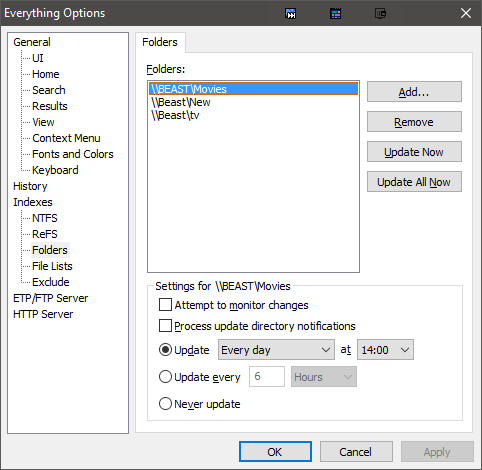



 But i figured MS would eventually get better.


