DonationCoder.com forum
 
Read-only archive. This is a static copy of the DonationCoder.com forum. Reading and searching work as before; logging in, posting and private messages do not.
Archive of 2026-10-21 · About this archive · Main site

Author Topic: Portable Batch foto resizer also using width=cm  (Read 8,645 times)

dcwul62

  • Supporting Member
  • Joined in 2013
  • **
  • Posts: 336
Portable Batch foto resizer also using width=cm
« on: June 24, 2016, 11:35 AM »
There are a lot of image resizers, they are all based on pixels, etc.
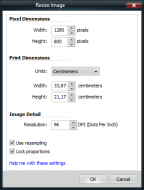
I am looking for a resizer that resizes using inches / cm's  as well

Freeware
portable
batch


=
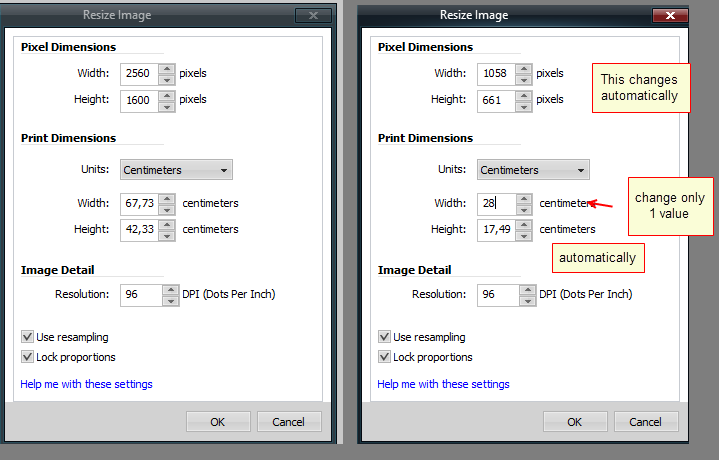
SnagIt-24062016 104815.png
=

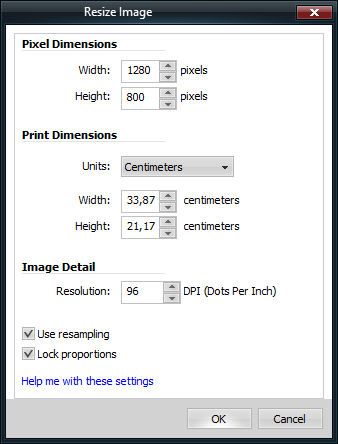
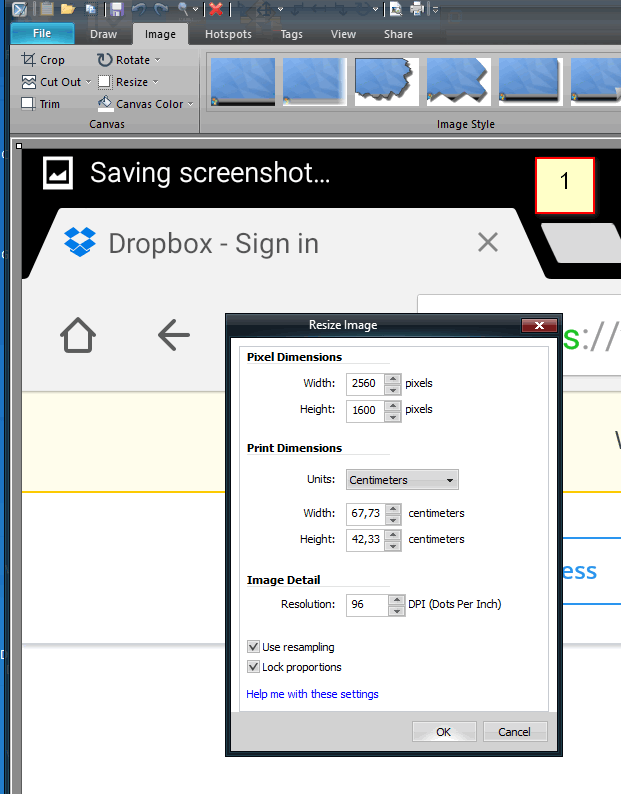
The above is from SnagItEditor, but each file should be opened, reiszed, saved.
A lot of work when one wants to resize 30, 40  or more images.

Any suggestions?

Thanks.
=

tomos

  • Charter Member
  • Joined in 2006
  • ***
  • Posts: 11,970
    • Gathering Badge
    • Participated in NANY Challenge Once
Re: Portable Batch foto resizer also using width=cm
« Reply #1 on: June 24, 2016, 12:11 PM »
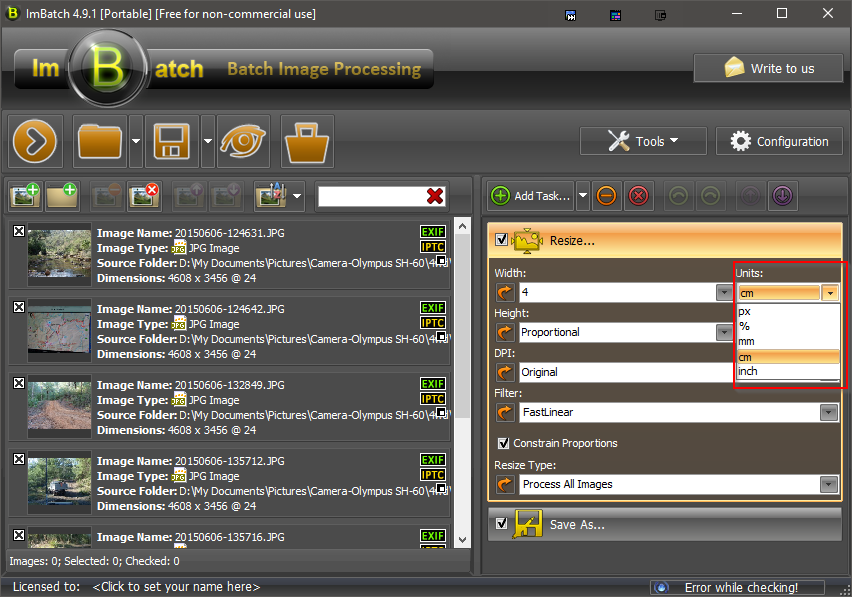
Imbatch might do it?
http://www.highmotionsoftware.com/products/imbatch

Feature01.png
Tom

4wd

  • Pedantic Old Bastard
  • Supporting Member
  • Joined in 2006
  • **
  • Posts: 5,652
    • Coding Snacks
Re: Portable Batch foto resizer also using width=cm
« Reply #2 on: June 24, 2016, 12:31 PM »
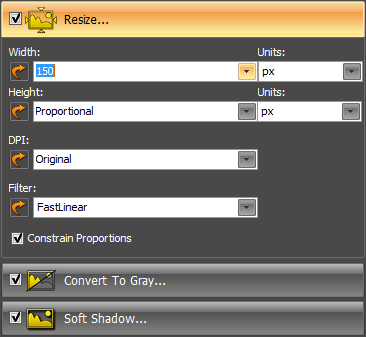
ImBatch - Extract installer, run ImBatch.

2016-06-24 22_31_24.png

EDIT: tomos beat me  :P
"I will not follow where the path may lead, but I will go where there is no path, and I will leave a trail." - Muriel Strode, 1903

tomos

  • Charter Member
  • Joined in 2006
  • ***
  • Posts: 11,970
    • Gathering Badge
    • Participated in NANY Challenge Once
Re: Portable Batch foto resizer also using width=cm
« Reply #3 on: June 24, 2016, 12:44 PM »
EDIT: tomos beat me  :P

great minds 4wd :)
Tom

dcwul62

  • Supporting Member
  • Joined in 2013
  • **
  • Posts: 336
Re: Portable Batch foto resizer also using width=cm
« Reply #4 on: June 24, 2016, 01:16 PM »
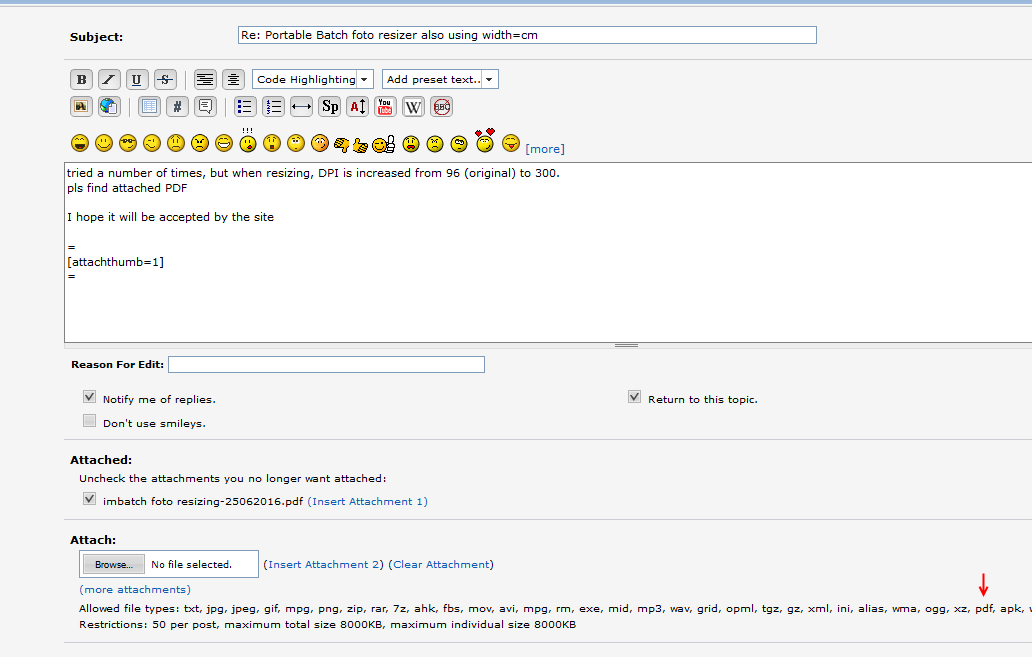
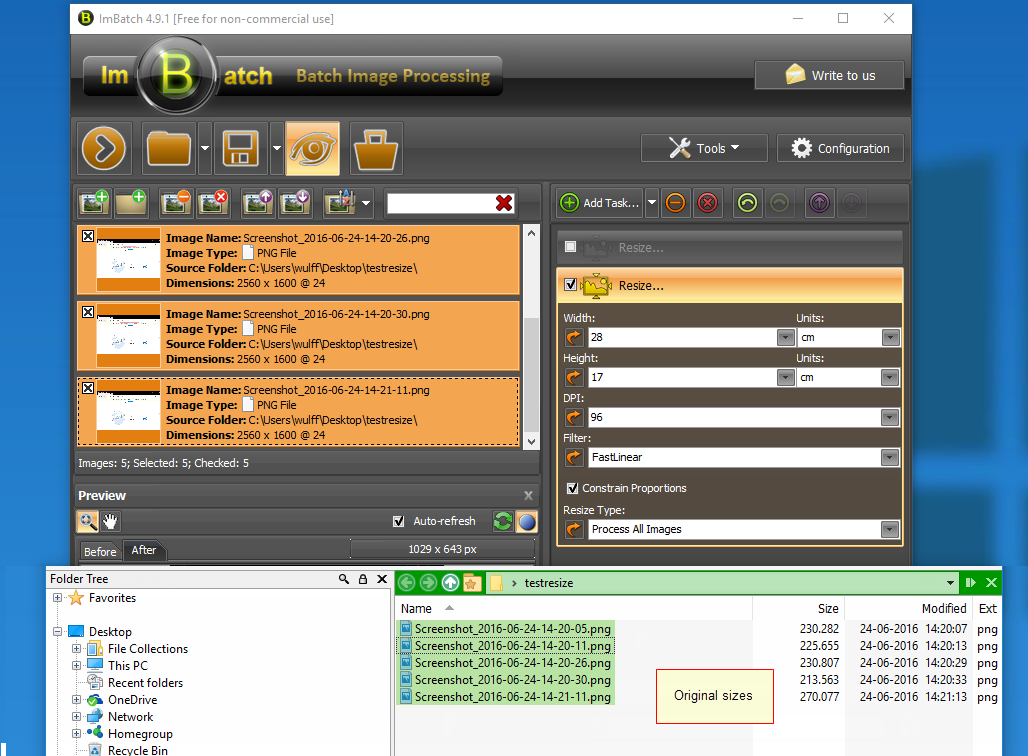
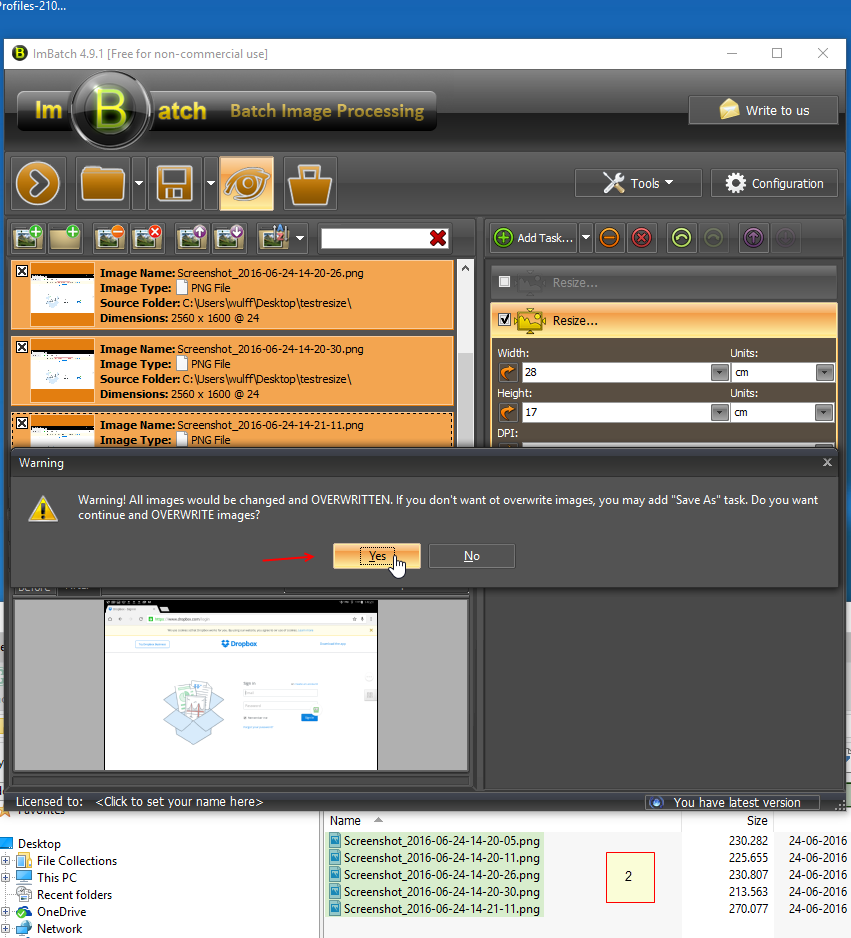
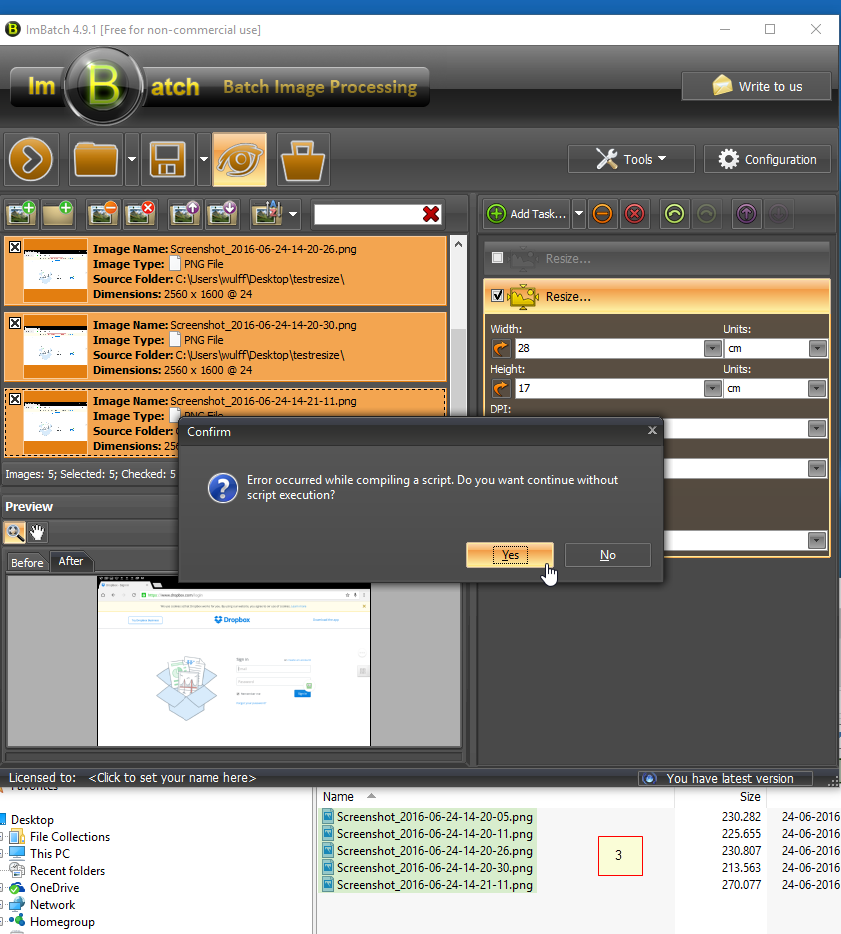
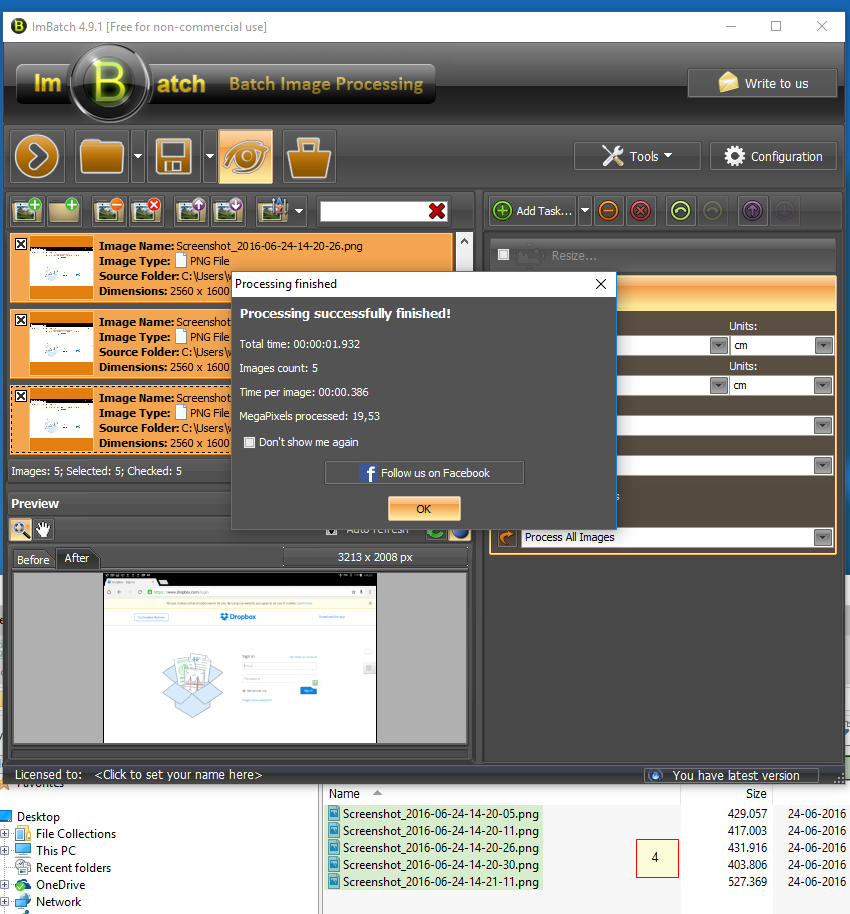
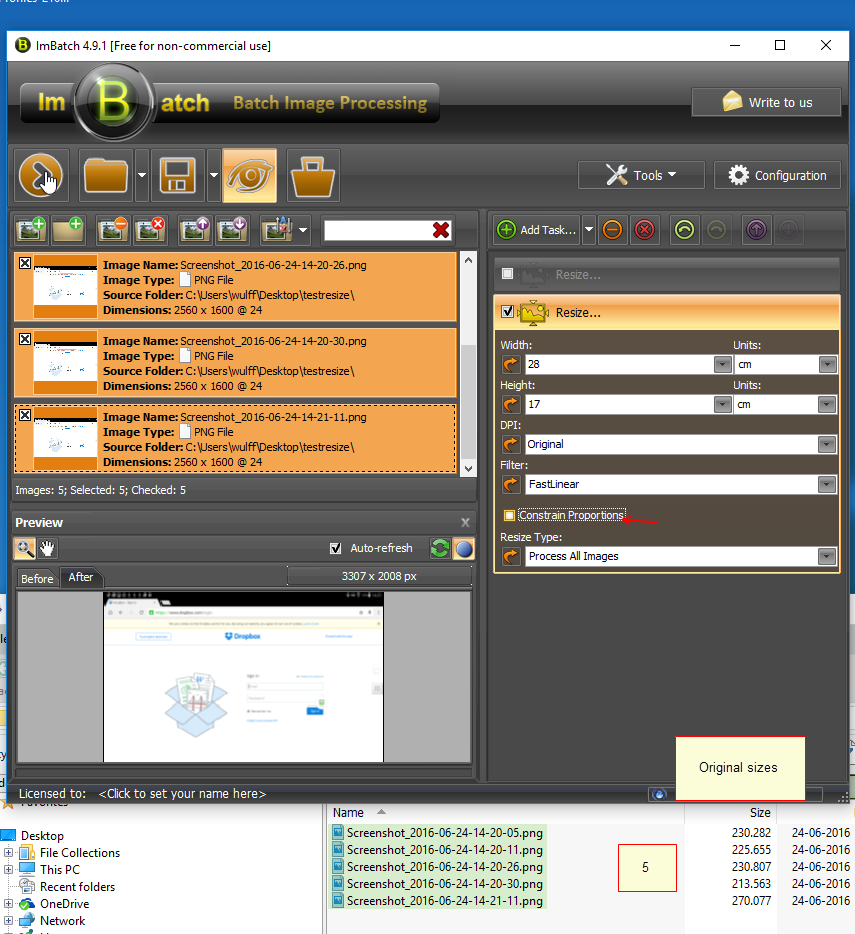
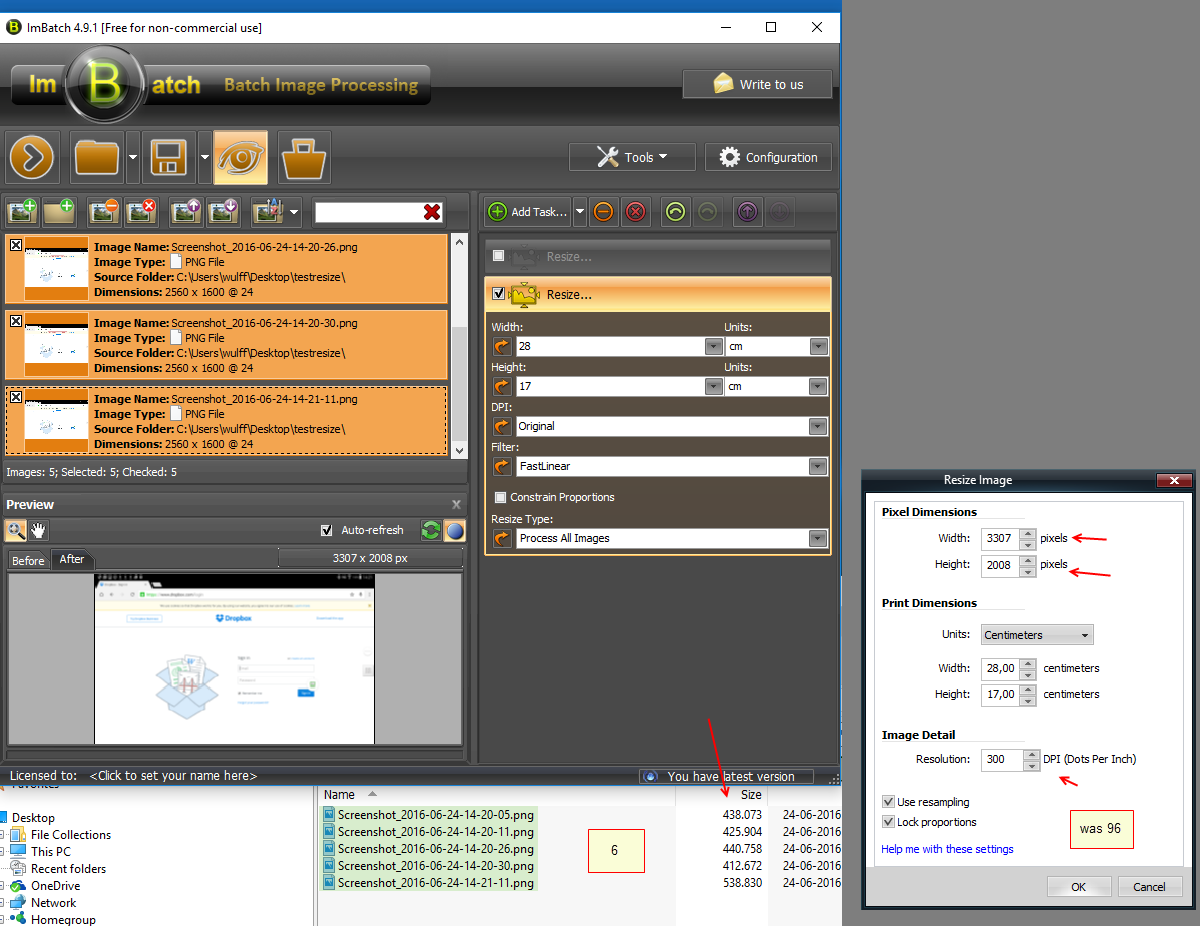
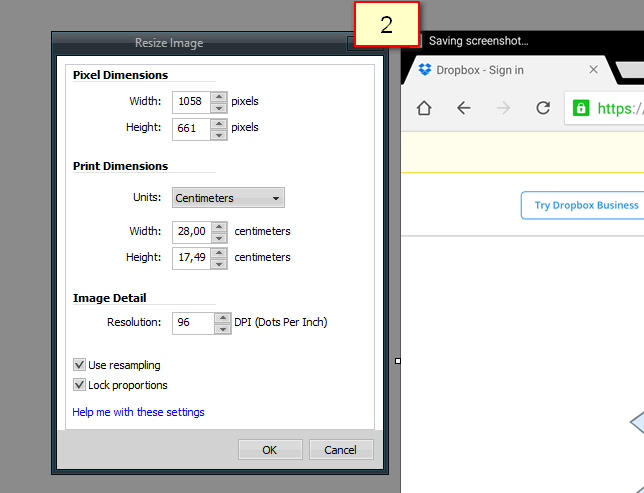
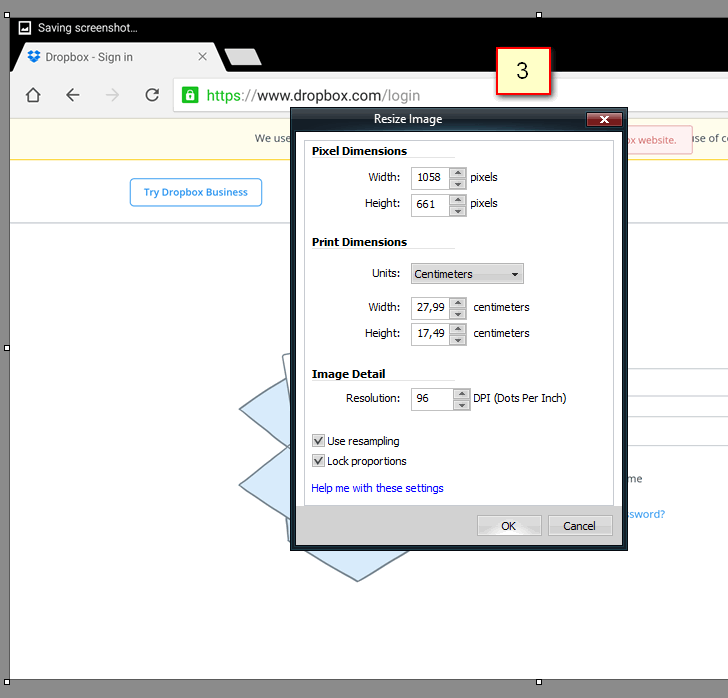
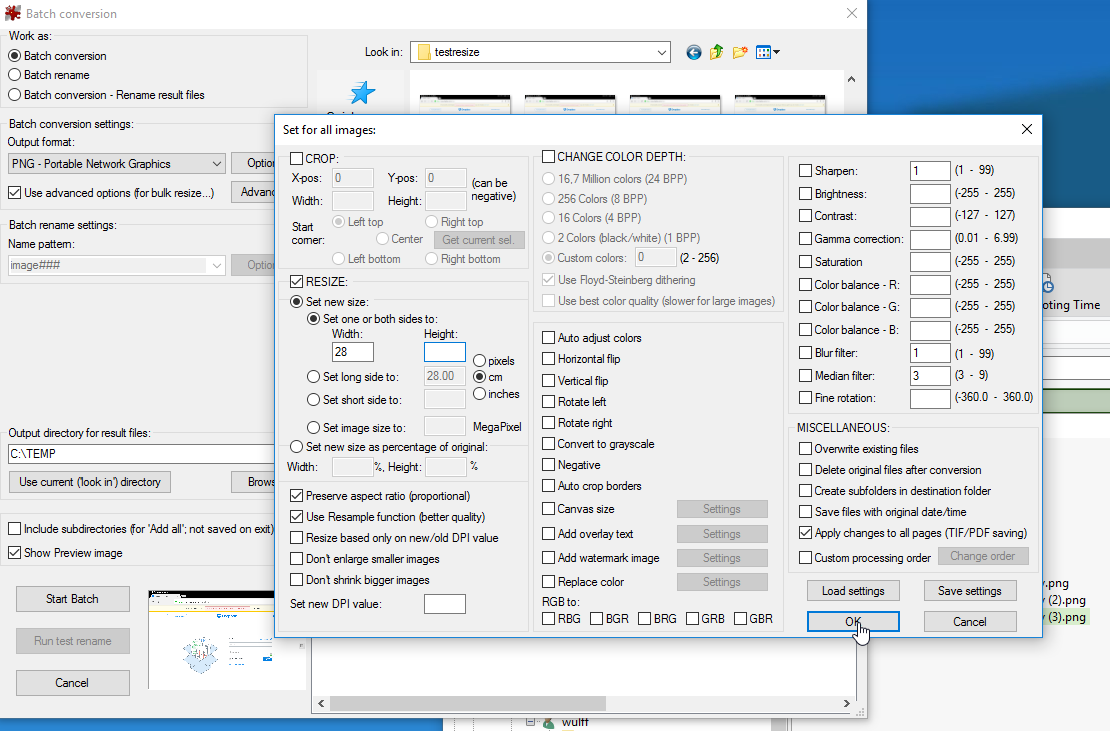
tried a number of times, but when resizing, DPI is increased from 96 (original) to 300.
pls find attached PDF

I hope it will be accepted by the site
(later, not accepted)

=
imbatch foto resizing-25062016.pdf (1008.8 KB)

=
SnagIt-24062016 151909.png  =  SnagIt-24062016 145221.png
=
SnagIt-24062016 145542.png  =  SnagIt-24062016 145722.png
=
SnagIt-24062016 145739.png  =  SnagIt-24062016 145803.png
=
SnagIt-24062016 150000.png  =  SnagIt-24062016 151012.png
=

« Last Edit: June 24, 2016, 01:27 PM by dcwul62 »

tomos

  • Charter Member
  • Joined in 2006
  • ***
  • Posts: 11,970
    • Gathering Badge
    • Participated in NANY Challenge Once
Re: Portable Batch foto resizer also using width=cm
« Reply #5 on: June 24, 2016, 01:42 PM »
AFAIK IrfanView will also batch resize images:
https://duckduckgo.com/?q=IrfanView+batch+resize+images&ia=images

IrfanView available portable from portable apps
http://portableapps.com/apps/graphics_pictures/irfanview_portable

I've used both these to batch resize images -- but years ago now, so cant comment on your specific problem.
Tom

dcwul62

  • Supporting Member
  • Joined in 2013
  • **
  • Posts: 336
Re: Portable Batch foto resizer also using width=cm
« Reply #6 on: June 24, 2016, 02:57 PM »
Sorry, it does not work either.

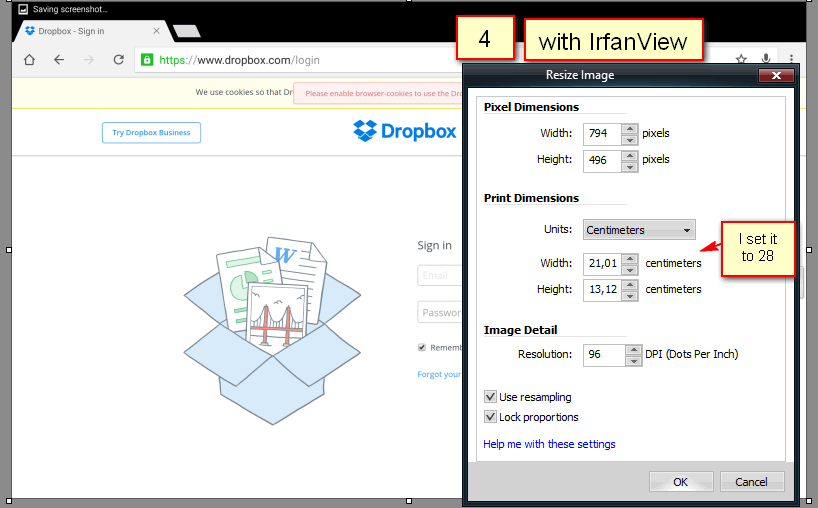
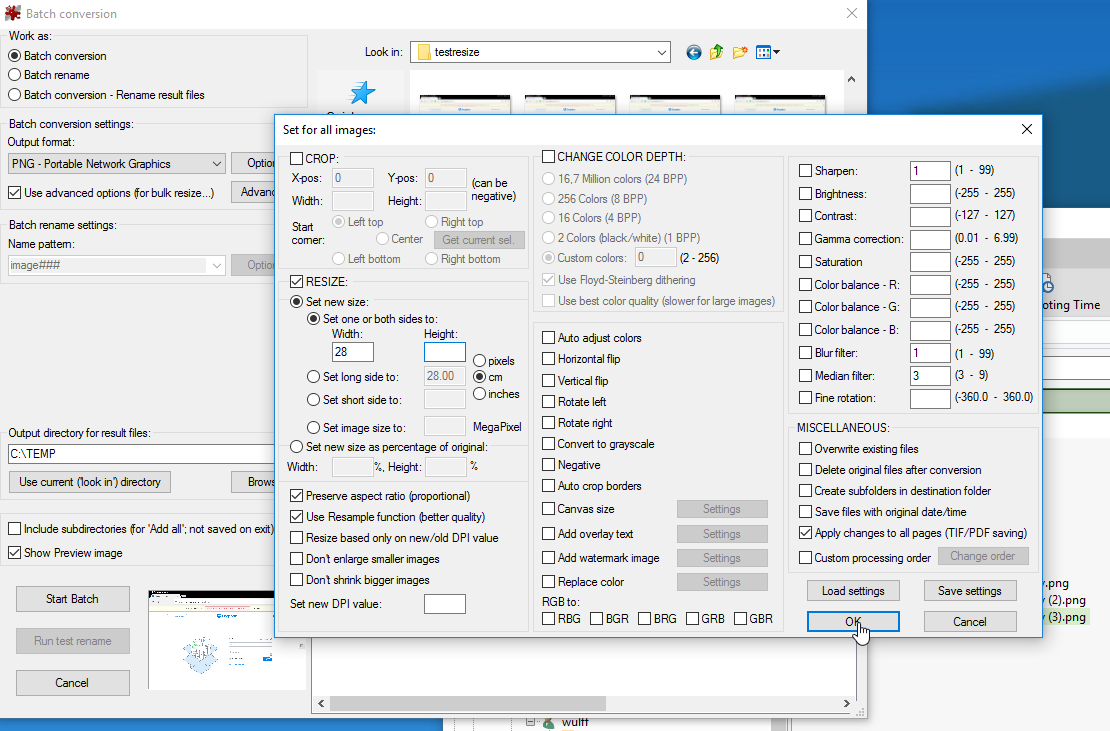
I set to change size from 67cm to 28cm (SnagItEditor resizes it accordingly)
IrfanView resizes to 21cm

Tried a number of times.

Bad luck.

SnagIt also has a batch resizer, but dimensions in cm  is not included, regretfully.

=
Capture-24062016 163533.png  = Capture-24062016 163610.png  =  Capture-24062016 163657.png
=
Capture-24062016 164539.png  =  SnagIt-24062016 164044.png

Curt

  • Supporting Member
  • Joined in 2006
  • **
  • Posts: 7,565
Re: Portable Batch foto resizer also using width=cm
« Reply #7 on: June 24, 2016, 09:23 PM »
Eh... I was told batch resizing now is a standard Windows 10 feature? Windows 10? You know, this new Microsoft thing where words like Store, Apps, Device, OneDrive, Metro, Groove, Media, Gallery and such are all over the place? The featuring app could be called Microsoft Photos - but I haven't tested it, as I don't have Metro or apps or such..., so I don't know if this is it. In fact, I don't know what it is!

4wd

  • Pedantic Old Bastard
  • Supporting Member
  • Joined in 2006
  • **
  • Posts: 5,652
    • Coding Snacks
Re: Portable Batch foto resizer also using width=cm
« Reply #8 on: June 25, 2016, 01:21 AM »
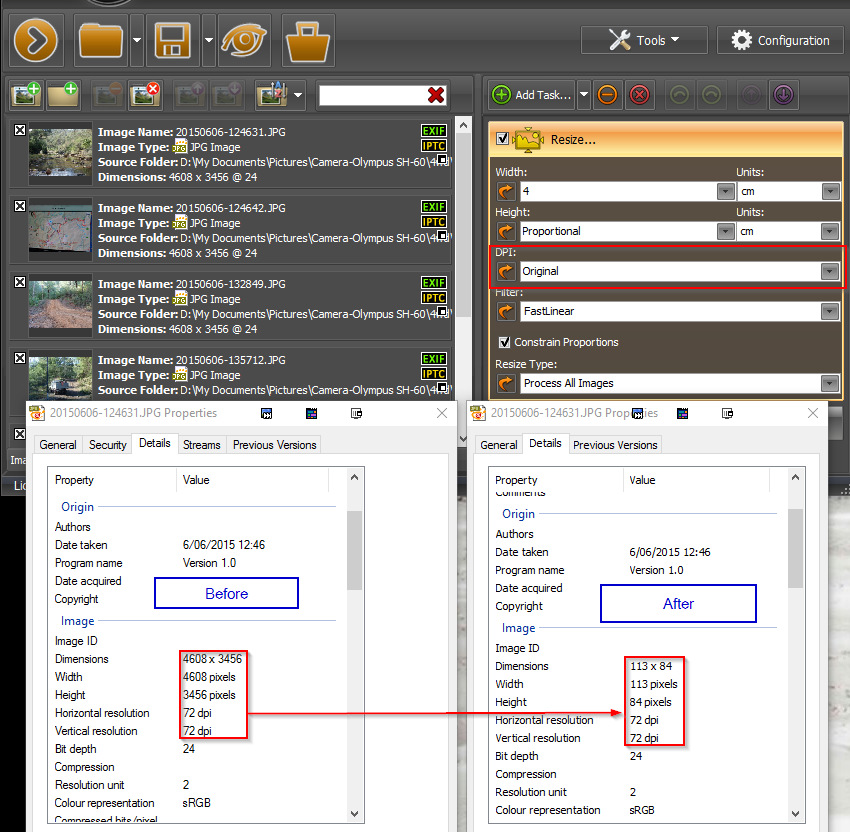
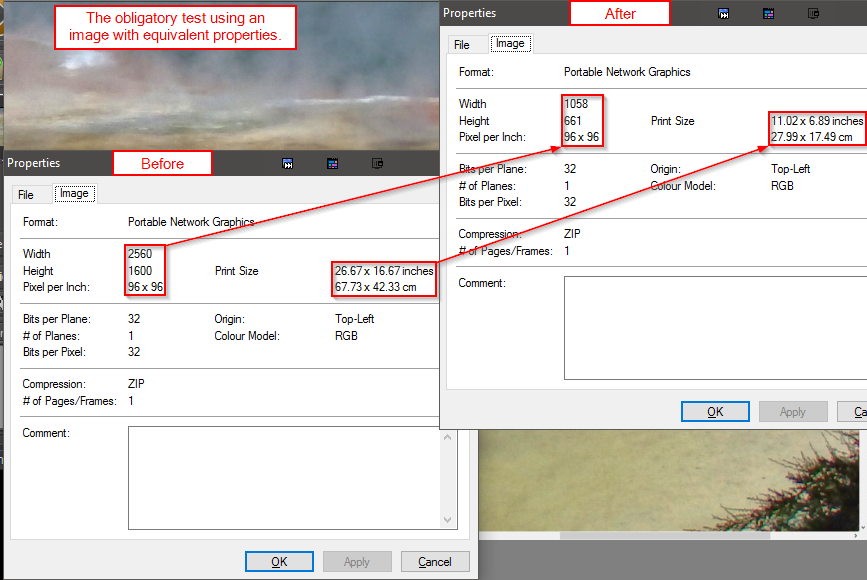
tried a number of times, but when resizing, DPI is increased from 96 (original) to 300.
pls find attached PDF

Then you are doing something wrong:

2016-06-25 11_12_18.png

2016-06-26 13_11_35.png

The same applies resizing larger.
"I will not follow where the path may lead, but I will go where there is no path, and I will leave a trail." - Muriel Strode, 1903
« Last Edit: June 26, 2016, 03:25 AM by 4wd »

Original address: https://www.donationcoder.com/forum/index.php?topic=42766.0