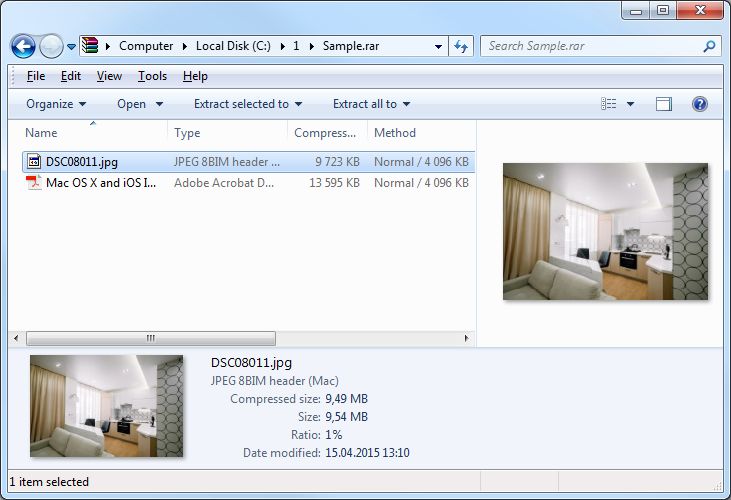
Dear Windows users! I would like to present my tool named TC4Shell. After installation it integrates into Windows Explorer and allows you to open many archive types and file containers directly in Windows Explorer. TC4Shell is based on two base libraries 7z.dll and unrar.dll so TC4Shell supports all file formats supported by this libs. With TC4Shell you will be able to open archives, extract files and pack files to 7z/zip/bz2/gz/tar archives.
TC4Shell supports most all Windows Explorer features.
Encrypted files are fully supported. Also you can browse double archives like file.tar.gz. Functionality of TC4Shell can be enlarged with WCX plugins of well known Total Commander file manager. There are a lot of WCX plugins developed by independent developers, and it makes Windows Explorer as universal archive manager. TC4Shell works on all operating systems from Windows XP to Windows 10. Both 32-bit and 64-bit versions of Windows are fully supported (32-bit only WCX plugins work correctly on 64-bit versions of Windows).
I want to believe TC4Shell will be helpful tool for all users who prefer to use Windows Explorer as main file browser. Download link. Any comments, questions and requests are welcome.
TC4Shell supports most all Windows Explorer features.
- Drag and drop
- Copy and paste operations
- All view modes
- Files thumbnails in Thumbnail view mode (system handlers are used)
- File previews in Windows Vista and high (system handlers are used)
Encrypted files are fully supported. Also you can browse double archives like file.tar.gz. Functionality of TC4Shell can be enlarged with WCX plugins of well known Total Commander file manager. There are a lot of WCX plugins developed by independent developers, and it makes Windows Explorer as universal archive manager. TC4Shell works on all operating systems from Windows XP to Windows 10. Both 32-bit and 64-bit versions of Windows are fully supported (32-bit only WCX plugins work correctly on 64-bit versions of Windows).
I want to believe TC4Shell will be helpful tool for all users who prefer to use Windows Explorer as main file browser. Download link. Any comments, questions and requests are welcome.