DonationCoder.com forum
 
Read-only archive. This is a static copy of the DonationCoder.com forum. Reading and searching work as before; logging in, posting and private messages do not.
Archive of 2026-10-21 · About this archive · Main site

Author Topic: youtube black blocking square  (Read 5,012 times)

holt

  • Member
  • Joined in 2015
  • **
  • Posts: 398
youtube black blocking square
« on: March 31, 2016, 12:36 AM »
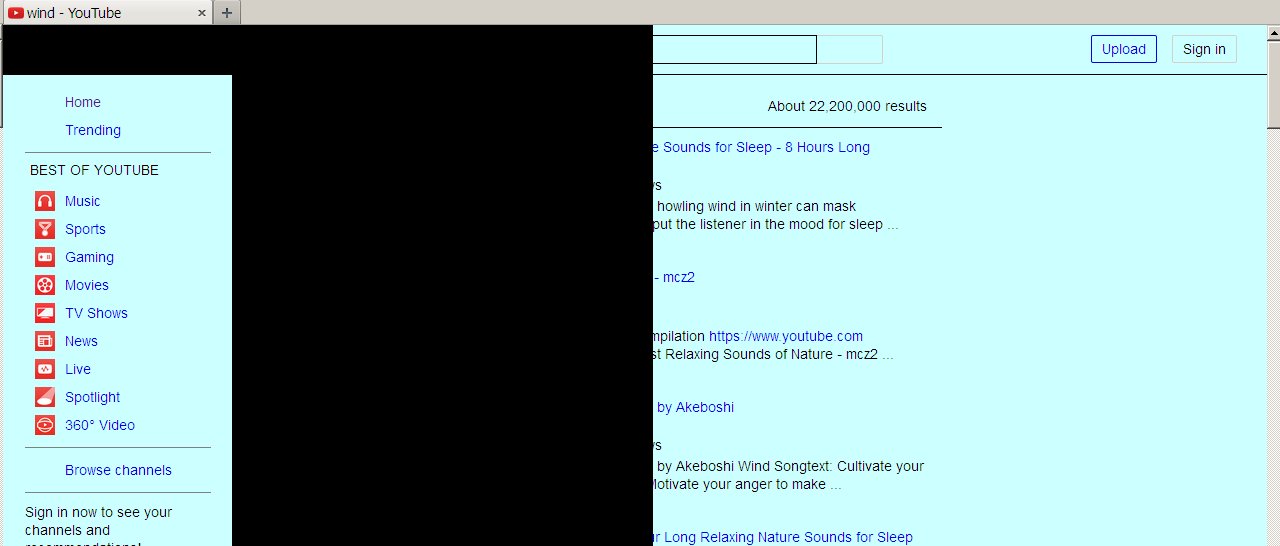
Is anyone else encountering this? It happens only with Firefox when going to any youtube user home page; a big black square blocks off most of the page; below is an example, using the sample search word 'wind', but it happens no matter what search word or user name I use:

holt

  • Member
  • Joined in 2015
  • **
  • Posts: 398
Re: youtube black blocking square
« Reply #1 on: March 31, 2016, 12:40 AM »
BTW, ever since its last update, seamonkey refuses to show youtube in full screen mode; it only shows small screen or mid-screen theater mode.

holt

  • Member
  • Joined in 2015
  • **
  • Posts: 398
Re: youtube black blocking square
« Reply #2 on: April 14, 2016, 02:40 AM »
Is anyone else encountering this? It happens only with Firefox when going to any youtube user home page; a big black square blocks off most of the page; below is an example, using the sample search word 'wind', but it happens no matter what search word or user name I use:
I right-clicked on the big black square, and chose adblock, 'block image', and the black square disappeared and gave me back a normal yt screen.
update: Hmm, nope, still there, my mistake; it thought I was choosing a video and took me to it, was all that happened. If I go to any yt index of videos, the black square still appears.
« Last Edit: April 14, 2016, 02:52 AM by holt »

4wd

  • Pedantic Old Bastard
  • Supporting Member
  • Joined in 2006
  • **
  • Posts: 5,652
    • Coding Snacks
Re: youtube black blocking square
« Reply #3 on: April 14, 2016, 08:20 AM »
You wouldn't like to share a bit more info, eg.
Whether you have tried it using Firefox in Safe Mode, (hold down SHIFT while starting Firefox)?
What country you're in?
What version of Firefox?
Whether you're set to use HTML5 or Flash on Youtube?
etc
etc
"I will not follow where the path may lead, but I will go where there is no path, and I will leave a trail." - Muriel Strode, 1903

Original address: https://www.donationcoder.com/forum/index.php?topic=42496.0