
Good morning,
How to launch DOS commands directly from FARR?
Example: shutdown /l
How to launch DOS commands directly from FARR?
Example: shutdown /l

 Topic: Lunch DOS commands directly (Read 5,503 times)


This isn't exactly what you were asking, but the nircmd alias is a great one for things like shutting down pc and other system functions:while "nircmd" is interesting it's less powerful then "cmd"
http://www.donationcoder.com/forum/index.php?topic=9365
In general, you can put any dos commands in a .bat file and put that batch file someplace that FARR can find it and launch it.This is also a viable option, but yet defeats this particular purpose → "quick and dirty" command run at any time.


There is an option for that in FARR.This option was a little unpredictable as was picking up other programs
Go to options -> Launching files. At the bottom, there is a Misc section, enter shellexec $$1 and you're good to go.
Screenshot
You then just type in your command in farr and press enter. The trick is that if there is no results FARR will launch the search string using cmd.
Usually when you type in a shell command with parameters etc it will not match any documents so you're good to go. For example ping google.com, shutdown /l etc
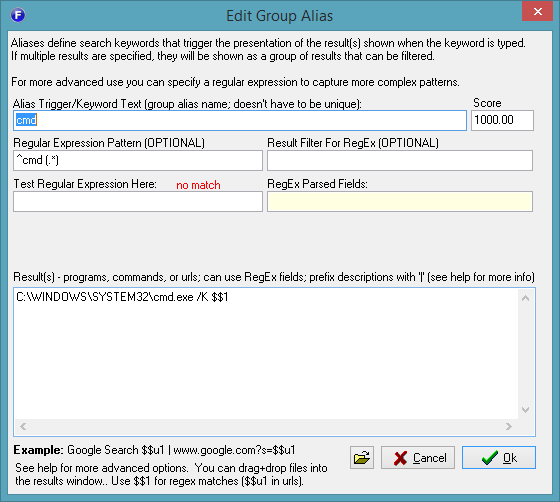
If you execute commands that match some files you can use an alias. For example, create an alias with regular expression ^cn (.*) and result shellexec $$1, then you type in cn <your command with arguments> and it should execute.
Original address: https://www.donationcoder.com/forum/index.php?topic=41636.0

