
^thanks, I had thought it was a separate requirement
Re: Is Windows 10 a trojan?
« Reply #50 on: January 15, 2016, 08:56 PM »


 Topic: Is Windows 10 a trojan? (Read 56,284 times)


Today, after weeks of telling Windows to f*** off because I don't want to reboot for updates, it finally told me to go f*** myself and rebooted in the middle of me doing shit.
Windows 10 is <insert the most vile, inhuman, violent, sick, twisted, evil stuff you can possibly imagine here />.
I just have no words for how horrible this entire lunacy is. (I do have the words, but I'll spare you.)
Group Policy: No Auto Reboot For Logged On Users is your friend.
Gpedit.msc:
Computer Configuration
. Administrative Template
... Windows Components
..... Windows Update
^Do on local machine even in a domain environment (werked 4 me!).
For the Home Version there is a registry based equivalent (I haven't tried):
-------------------------------------------------------------------------------------------
Windows Registry Editor Version 5.00
[HKEY_LOCAL_MACHINE\SOFTWARE\Policies\Microsoft\Windows\WindowsUpdate\AU]
"NoAutoRebootWithLoggedOnUsers"=dword:00000001
-------------------------------------------------------------------------------------------


Wouldn't it be helpful to do the following?
Gpedit.msc:
Computer Configuration
. Windows Settings
... Security Settings
..... Software Restriction Policies
....... Additional Rules
Right-click in the blank area below the two entries to create a new hash and/or path rule that 'Disallow' the execution of the GWX and related files to be executed by Windows (or any other process).
In addition you could also do:
Gpedit.msc:
Computer Configuration
. Windows Settings
... Security Settings
..... Application Control Policies
....... Applocker
......... Executable Rules
Repeat the 'Dissallow' procedure for GWX and related files here too.
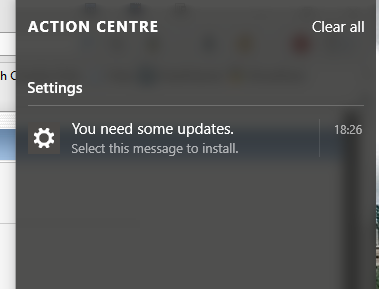


Now, we’ve discovered yet another reason to be unhappy with Windows 10. We were receiving many reports about our products, WinAntiRansom and WinPrivacy, not starting on Windows 10 computers. When we dug into it we discovered that on many Windows 10 computers, the DCOM service was failing to start and when that happened, Windows 10 failed to even attempt to start any of the remaining scheduled services. Or, worse, the remaining services would all timeout without starting making it look as if they were in error. In addition, we have seen evidence recently that this issue is working its way into Windows 8 computers as Microsoft ports code back to the older operating systems. As of yet, we are not seeing much traffic about this issue on Windows 7.


Then I think I misunderstood...sorry about that.
Yesterday Windows f*****g 10 forcibly rebooted on me for an update.


Yesterday Windows f*****g 10 forcibly rebooted on me for an update.
Renegade missed my post about how to disable auto reboot too..

Original address: https://www.donationcoder.com/forum/index.php?topic=41439.0