DonationCoder.com forum
 
Read-only archive. This is a static copy of the DonationCoder.com forum. Reading and searching work as before; logging in, posting and private messages do not.
Archive of 2026-10-21 · About this archive · Main site

Author Topic: Screenshot Captor Background Shadow colour  (Read 29,446 times)

grantcoll

  • Supporting Member
  • Joined in 2015
  • **
  • Posts: 5
Screenshot Captor Background Shadow colour
« on: August 05, 2015, 11:35 AM »
I am trying to use the Shadow option, but when I do, it presents a fixed width, light coloured area around the captured image. I can't find any way to make this transparent or to darken it at all.

Can you help ?

Grant

tomos

  • Charter Member
  • Joined in 2006
  • ***
  • Posts: 11,970
    • Gathering Badge
    • Participated in NANY Challenge Once
Re: Screenshot Captor Background Shadow colour
« Reply #1 on: August 05, 2015, 12:19 PM »
hi Grant,
I'm pretty sure that the drop-shadow is currently not configurable, but it is definitely transparent -
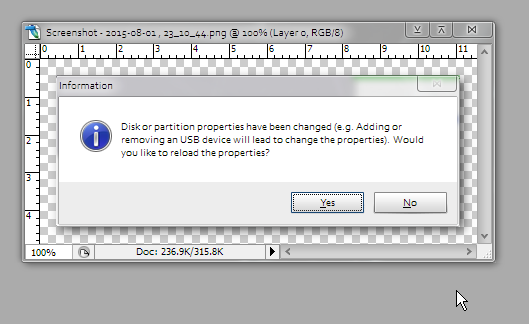
Below is how it looks opened in Photoshop (the shadows will look darker on a white background).

[attachthumb=#]

PS welcome to dc :up:
Tom

mouser

  • First Author
  • Administrator
  • Joined in 2005
  • *****
  • Posts: 40,931
    • Gathering Badge
    • Plugin Coding Medal
    • Participated in NANY Challenge Seventeen Times
    • Cody Award
    • Coding Snacks
    • Volunteers/Staff
Re: Screenshot Captor Background Shadow colour
« Reply #2 on: August 05, 2015, 01:19 PM »
It is configurable, on the "Special Effect Options" tab:
[attach]

tomos

  • Charter Member
  • Joined in 2006
  • ***
  • Posts: 11,970
    • Gathering Badge
    • Participated in NANY Challenge Once
Re: Screenshot Captor Background Shadow colour
« Reply #3 on: August 05, 2015, 01:27 PM »
oops ;) :D
Tom

grantcoll

  • Supporting Member
  • Joined in 2015
  • **
  • Posts: 5
Re: Screenshot Captor Background Shadow colour
« Reply #4 on: August 05, 2015, 08:31 PM »
Hi, I tried those special effects settings, but couldn't get them to change the light background created outside and behind the Shadow area.

Regards
Grant.

mouser

  • First Author
  • Administrator
  • Joined in 2005
  • *****
  • Posts: 40,931
    • Gathering Badge
    • Plugin Coding Medal
    • Participated in NANY Challenge Seventeen Times
    • Cody Award
    • Coding Snacks
    • Volunteers/Staff
Re: Screenshot Captor Background Shadow colour
« Reply #5 on: August 06, 2015, 05:07 AM »
i think i know the answer to that.
can you try this:

if you go to "More Interface Options" and change the "Canvas Background color" does that control the color uses behind the shadow?

superboyac

  • Is your software in my list?
  • Charter Member
  • Joined in 2005
  • ***
  • Posts: 6,347
Re: Screenshot Captor Background Shadow colour
« Reply #6 on: August 06, 2015, 05:32 AM »
i think i know the answer to that.
can you try this:

if you go to "More Interface Options" and change the "Canvas Background color" does that control the color uses behind the shadow?
i tell you, you have the greatest preferences dialogs.  only topped by dopus.

mouser

  • First Author
  • Administrator
  • Joined in 2005
  • *****
  • Posts: 40,931
    • Gathering Badge
    • Plugin Coding Medal
    • Participated in NANY Challenge Seventeen Times
    • Cody Award
    • Coding Snacks
    • Volunteers/Staff
Re: Screenshot Captor Background Shadow colour
« Reply #7 on: August 06, 2015, 05:44 AM »
i think some would argue they are chaotic, and with some justification.
but i hope i can make up for it by offering support here on the forum :)

tomos

  • Charter Member
  • Joined in 2006
  • ***
  • Posts: 11,970
    • Gathering Badge
    • Participated in NANY Challenge Once
Re: Screenshot Captor Background Shadow colour
« Reply #8 on: August 06, 2015, 09:06 AM »
Hi, I tried those special effects settings, but couldn't get them to change the light background created outside and behind the Shadow area.

It's not fully clear (to me) what exactly you want to do. That "light background" you mention is actually tranparent. Do you want to extend the shadow area? If so, change the 'radius' as per mouser's screenshot. (Re changing the colour of the shadow, try mouser's suggestion.)


EDIT/Clarification (see mouser's post below) - transparency is in the default png format
Tom
« Last Edit: August 06, 2015, 09:14 AM by tomos »

mouser

  • First Author
  • Administrator
  • Joined in 2005
  • *****
  • Posts: 40,931
    • Gathering Badge
    • Plugin Coding Medal
    • Participated in NANY Challenge Seventeen Times
    • Cody Award
    • Coding Snacks
    • Volunteers/Staff
Re: Screenshot Captor Background Shadow colour
« Reply #9 on: August 06, 2015, 09:13 AM »
it's also true that if you save the image in a format that does not support transparency (jpg, bmp) any transparent background will be merged into the canvas background color.

grantcoll

  • Supporting Member
  • Joined in 2015
  • **
  • Posts: 5
Re: Screenshot Captor Background Shadow colour
« Reply #10 on: August 06, 2015, 09:37 AM »
Thanks for the help so far. I will explain more about what I am doing, and the settings I have tried.

Firstly, I have tried the canvas settings, and this works for the built in viewer only.

To explain what I am doing, I need to get the captured image into a state that I can expand full screen without any title bars or menus. The only way I have found to do this is in a browser, eg Firefox, by using the F11 in FF to totally maximise an image. So after I capture the image in SC, I launch Firefox and pass the created file using "%file%". This works, but the created file (which is png), does not have the canvas settings. It has a permanent white background behind the shadow. The shadows don't seem to change with either the canvas settings or the settings in Special Effect Options. Eg, I can set the Backgnd to Red in Special Effect Options or in the Canvas settings, then capture an image and look at the autosaved png and the background is white.

Regards
Grant

mouser

  • First Author
  • Administrator
  • Joined in 2005
  • *****
  • Posts: 40,931
    • Gathering Badge
    • Plugin Coding Medal
    • Participated in NANY Challenge Seventeen Times
    • Cody Award
    • Coding Snacks
    • Volunteers/Staff
Re: Screenshot Captor Background Shadow colour
« Reply #11 on: August 06, 2015, 09:47 AM »
I think the root of your issue is explained by tomos' post.
The area behind the shadow is actually treated by Screenshot Captor as TRANSPARENT -- that is, it will show the color of whatever is behind the image.

So when you are viewing the image inside Firefox, it is *FIREFOX* which has decided to render transparent images as if they were on a white background.  If you choose a different image viewer, like Irfanview, you may see that background area treated as BLACK.  Still others may attempt to show you that the region is transparent by using a checkerboard pattern -- such as a painting program.

Now, if you want to FORCE the background to be a certain shade, you can set the canvas color to whatever you want, and then before you save it, choose to FLATTEN the background transparency from the Objects menu in screenshot captor.  This will remove any transparency and flatten the shadow as if the background color was the set canvas color -- if that makes sense.

grantcoll

  • Supporting Member
  • Joined in 2015
  • **
  • Posts: 5
Re: Screenshot Captor Background Shadow colour
« Reply #12 on: August 06, 2015, 11:05 AM »
Hi Mouser, it makes sense what you say and have confirmed you are correct. I can open the saved png in Photodraw and the transparency has been saved. It is a firefox limitation.

I am trying to do this with as few steps as possible, and shadow is not a critical requirement, so I will go without that.

Thanks heaps for your help.


I have one other question. Can you tell me if I can scale the size up automatically in the auto saved image ?

Regards
Grant

grantcoll

  • Supporting Member
  • Joined in 2015
  • **
  • Posts: 5
Re: Screenshot Captor Background Shadow colour
« Reply #13 on: August 06, 2015, 11:57 PM »
Don't worry about that last query about size. Rather than trying to use Firefox for viewing the image, I wrote a small imageviewer which zooms and shows the shadow, and am calling that from SC and passing the filename. So all good and working fine now.

Thanks for your help.
Grant.

mouser

  • First Author
  • Administrator
  • Joined in 2005
  • *****
  • Posts: 40,931
    • Gathering Badge
    • Plugin Coding Medal
    • Participated in NANY Challenge Seventeen Times
    • Cody Award
    • Coding Snacks
    • Volunteers/Staff
Re: Screenshot Captor Background Shadow colour
« Reply #14 on: August 07, 2015, 12:56 AM »
:Thmbsup:

Original address: https://www.donationcoder.com/forum/index.php?topic=41388.0