The title says it all. The bug is not persistent, but occured ~80% of the time to me.
Steps:
1) Take a screenshot
2) Select an area
3) Try to pixelate inside the area
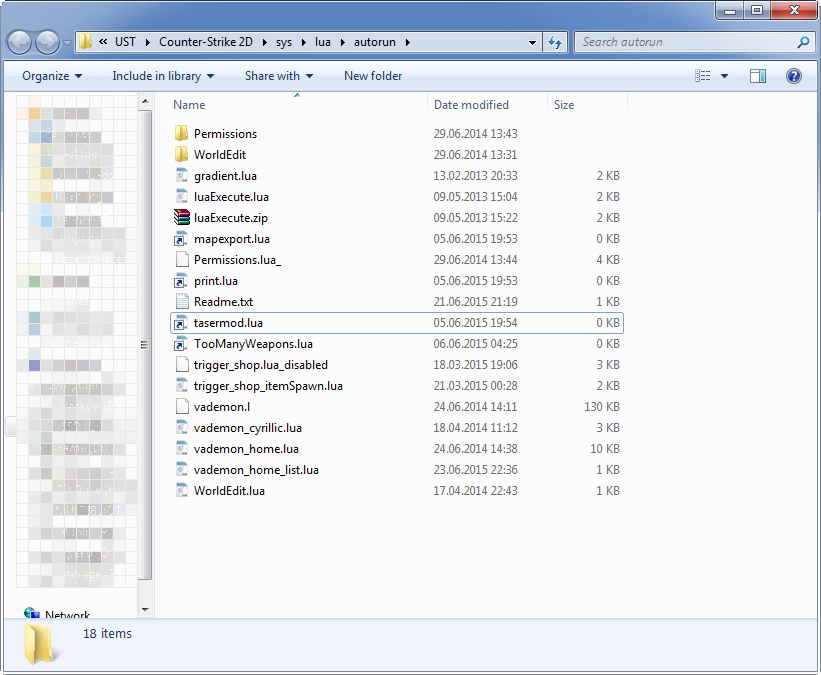
4) Look for text "shining" through the pixelated area
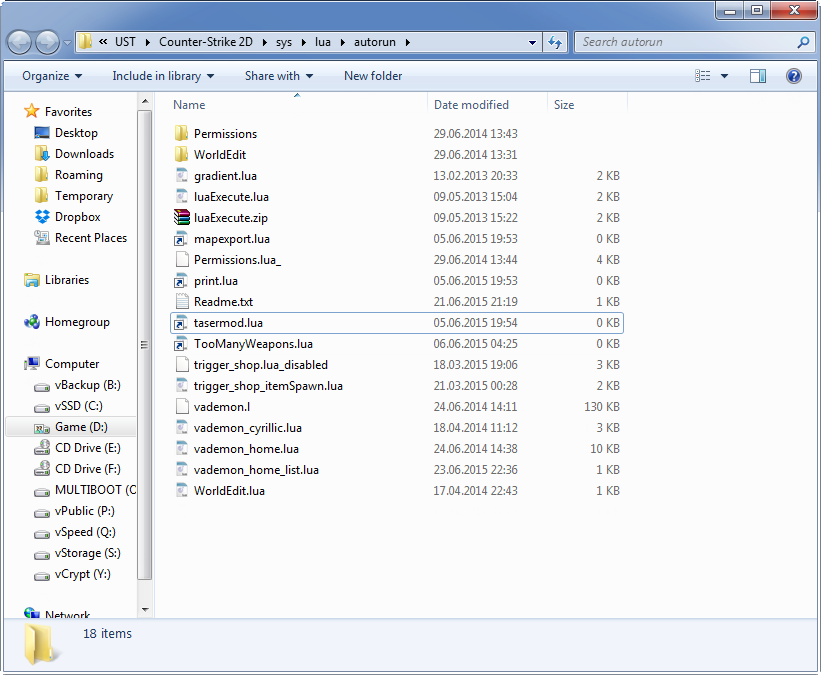
1st attachment: Original screenshot
[attachment 92046 not found] // I don't know, [ attach ] doesn't seem to work?
2nd attachment: Pixelated screenshot
[attachment 92048 not found]
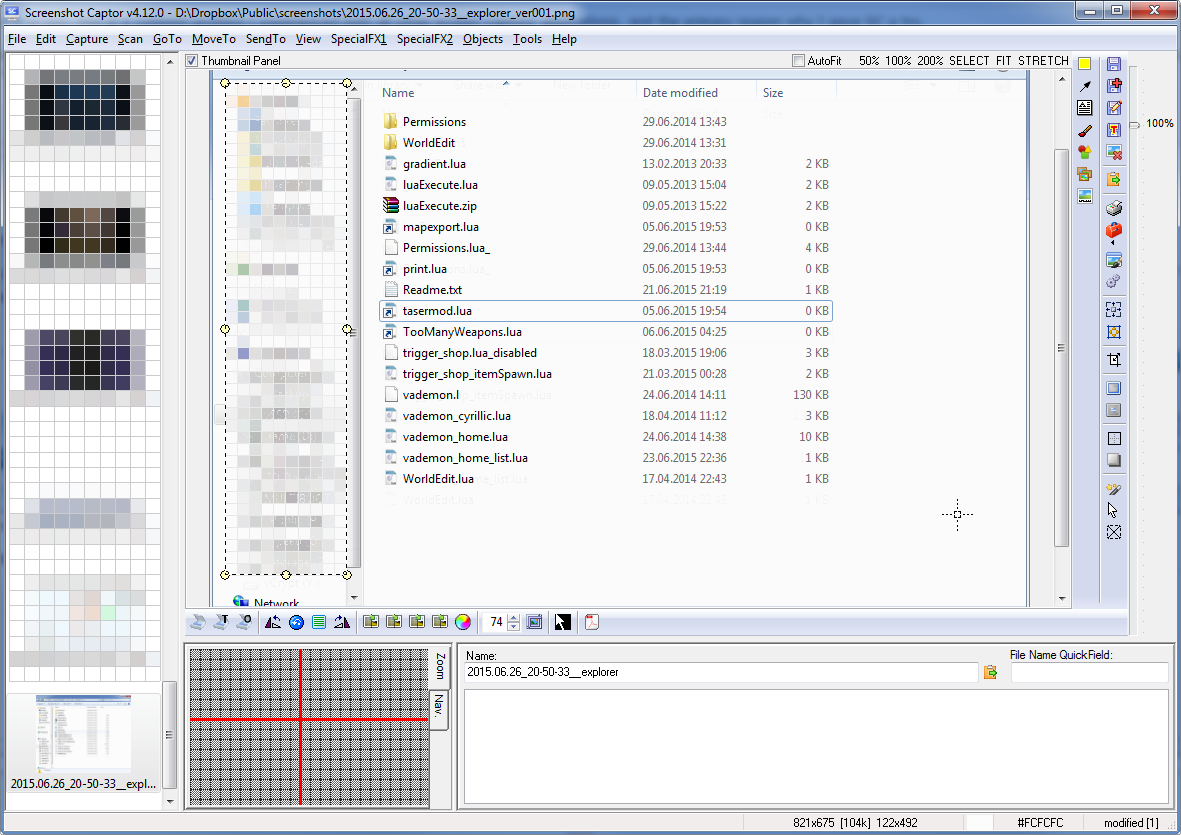
3rd: How it looks like in Screenshot Captor
[attachment 92050 not found]
PS: Another small bug: Using screenshot name template "%customdate%__%filename%" works on other programs (%filename% on Explorer.exe = "explorer") but doesn't work for me on Screenshot Captor itself (equals nothing, like the 3rd attachment)
Steps:
1) Take a screenshot
2) Select an area
3) Try to pixelate inside the area
4) Look for text "shining" through the pixelated area
1st attachment: Original screenshot
[attachment 92046 not found] // I don't know, [ attach ] doesn't seem to work?
2nd attachment: Pixelated screenshot
[attachment 92048 not found]
3rd: How it looks like in Screenshot Captor
[attachment 92050 not found]
PS: Another small bug: Using screenshot name template "%customdate%__%filename%" works on other programs (%filename% on Explorer.exe = "explorer") but doesn't work for me on Screenshot Captor itself (equals nothing, like the 3rd attachment)