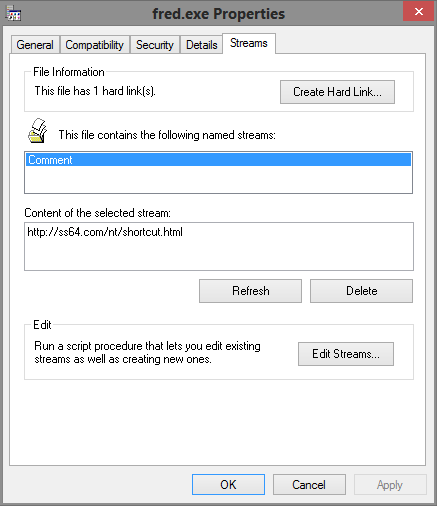
For a long time now I have been looking for a way to save the URL to the sites where I download from. A simple way to be able to go back to the site where I found each app or Program I downloaded. Just the written text in a TX file would do but an active URL shortcut would be even better.
One day I noticed that Maxthon has the option to copy the target URL at the time I save the download which would be a perfect solution. Except they did not complete the task. After i click Save and the download finishes i still have to navigate to the downloads folder, open a text file, (or create a new shortcut) name it as the name of the download and paste the contents of the clipboard into it and save the results.
The end result is exactly what I needed but it takes so many steps to do something that it seems should be a part of the setup. What is the point in copying the URL if I am not going to save it somewhere? Most logically in the downloads folder with the name of the download I got from that URL. If i could change the layout such that the URL is saved to a Shortcut instead if a text file this would probably work.
I wrote to the developers at Maxthon but go no reply so far. I wonder what they intended that Save URL to be for if not what I need? Anyway, since it saves to clipboard, if there is a way to add the rest of the process into the download script it would sure be nice.
So far I have not found the name of the variable that holds that info nor a way to add a couple of steps into their download script but I assume it is there somewhere in their developer modules?
Has anyone here played with customization of their browser?
One day I noticed that Maxthon has the option to copy the target URL at the time I save the download which would be a perfect solution. Except they did not complete the task. After i click Save and the download finishes i still have to navigate to the downloads folder, open a text file, (or create a new shortcut) name it as the name of the download and paste the contents of the clipboard into it and save the results.
The end result is exactly what I needed but it takes so many steps to do something that it seems should be a part of the setup. What is the point in copying the URL if I am not going to save it somewhere? Most logically in the downloads folder with the name of the download I got from that URL. If i could change the layout such that the URL is saved to a Shortcut instead if a text file this would probably work.
I wrote to the developers at Maxthon but go no reply so far. I wonder what they intended that Save URL to be for if not what I need? Anyway, since it saves to clipboard, if there is a way to add the rest of the process into the download script it would sure be nice.
So far I have not found the name of the variable that holds that info nor a way to add a couple of steps into their download script but I assume it is there somewhere in their developer modules?
Has anyone here played with customization of their browser?


 Just kidding i am sure that would be a huge mod to the windows explorer setup<<


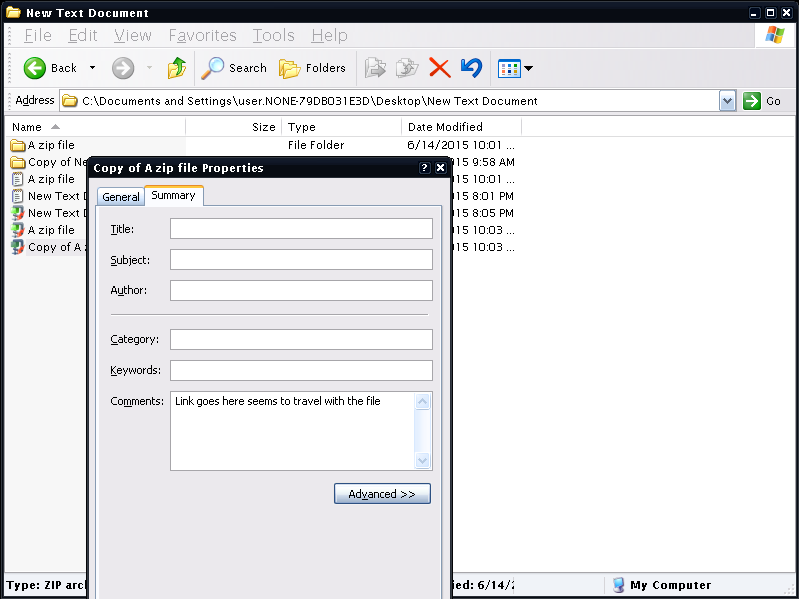


 CommentExplorer.zip
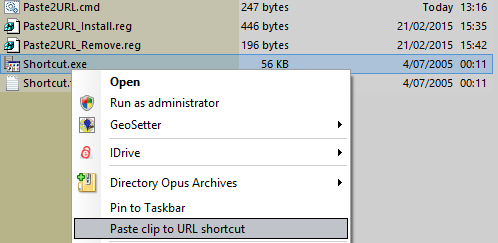
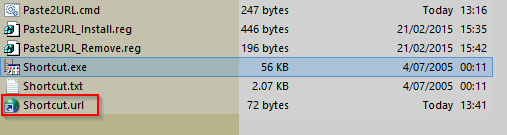


 Why not ask for the stars if you are already to the Moon.?? Seriously that was some quick reg hacking.