


This is an embarrassing question to ask as I am very sure the answer is right in front of me somewhere but I never seem to either have time or look in the right place. I did find a utility to backup and restore the desktop icons but that won't quite get me what I am after.
Windows Desktop normal "Default" sort order arranges the Desktop Icons Alphabetic descending at the start but allows things to be added helter-skelter everywhere afterward.
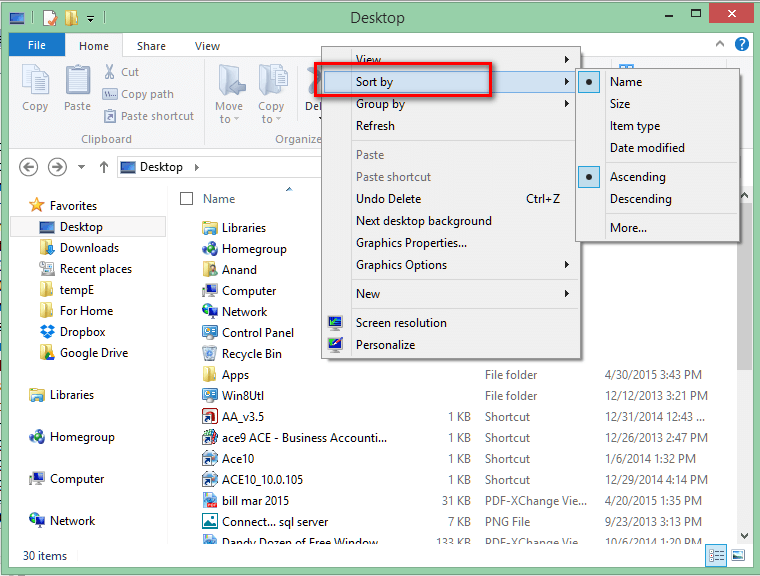
Some users like to store a 100 icons on their desktop and when they ask me for help it takes forever to locate the ones i need. Sorting back to alphabetic>descending takes two clicks on sort by name instead of one. If I could, I would lock there system icons (the ones supplied by windows) to always be where they start out. Top Left.
So this ends up being two requests. One for a way to lock the 5 default system icons to always be first starting at top left and second a way to make the sort by name always default to alphabetic descending on first click.
Both of the answers are most likely out there and easy to find but they are never where i look .
PS: An additional nice touch would be a way to lock any specific icon to a specific location on the desktop one by one. Not in groups like "Stardock" does. Just a simple "Lock it here" with right click option would be Great!
Windows Desktop normal "Default" sort order arranges the Desktop Icons Alphabetic descending at the start but allows things to be added helter-skelter everywhere afterward.
Some users like to store a 100 icons on their desktop and when they ask me for help it takes forever to locate the ones i need. Sorting back to alphabetic>descending takes two clicks on sort by name instead of one. If I could, I would lock there system icons (the ones supplied by windows) to always be where they start out. Top Left.
So this ends up being two requests. One for a way to lock the 5 default system icons to always be first starting at top left and second a way to make the sort by name always default to alphabetic descending on first click.
Both of the answers are most likely out there and easy to find but they are never where i look .
PS: An additional nice touch would be a way to lock any specific icon to a specific location on the desktop one by one. Not in groups like "Stardock" does. Just a simple "Lock it here" with right click option would be Great!


 that nobody wants to pay for them.



 I have Pro version.