DonationCoder.com forum
 
Read-only archive. This is a static copy of the DonationCoder.com forum. Reading and searching work as before; logging in, posting and private messages do not.
Archive of 2026-10-21 · About this archive · Main site

Author Topic: Quick Website Blocker  (Read 25,184 times)

dmytron

  • Member
  • Joined in 2014
  • **
  • Posts: 43
    • Participated in NANY Challenge Six Times
Quick Website Blocker
« on: April 13, 2015, 01:42 PM »
Quick Website Blocker

The software is designed to (yes, you're right) quickly block websites from visiting from the current computer. The software just adds line "127.0.0.1 [TAB] [website you have entered]" to the "system32\drivers\etc\hosts" path. You have to have administrator rights to perform this operation.

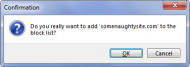
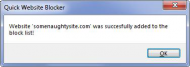
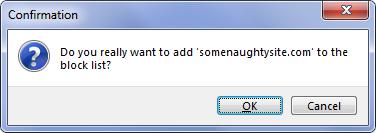
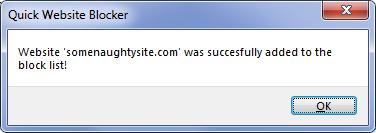
Using is simple: just enter website you want to block and click the button, then confirm the decision.

The software runs on Windows (tested on 7, should work perfectly on XP and Vista).

Changelog:
04.13.2015 - first version

Image.jpgImage1.jpgImage2.jpg

quickwebsiteblocker.exe (1.9 MB)

MilesAhead

  • Supporting Member
  • Joined in 2009
  • **
  • Posts: 7,736
    • Coding Snacks
Re: Quick Website Blocker
« Reply #1 on: April 13, 2015, 03:24 PM »
Nice idea.  :Thmbsup:

TaoPhoenix

  • 0 - 60 ... then back to 0 again!
  • Supporting Member
  • Joined in 2011
  • **
  • Posts: 4,642
    • Participated in NANY Challenge Three Times
Re: Quick Website Blocker
« Reply #2 on: April 13, 2015, 04:16 PM »

How does this work?
Does the site "still try to load", or does it crash "hard and fast"?

Rather than SomeNaughtySite, I'd want to put in stuff like Something.Google.com that besides the tracking concerns, seems also to be a slow load component on a lot of sites.

The status bar on the bottom of browsers is really useful to tell you the random things a page tries to load. So if I used this to chip in a bunch of things, maybe that will speed up my browsing?

Use attachthumb=# to show an attached image as an expandable thumbnail, or attach=# to show full size. (With Brackets)

rgdot

  • Supporting Member
  • Joined in 2009
  • **
  • Posts: 2,197
Re: Quick Website Blocker
« Reply #3 on: April 13, 2015, 04:51 PM »
How does this work?
Does the site "still try to load", or does it crash "hard and fast"?

Rather than SomeNaughtySite, I'd want to put in stuff like Something.Google.com that besides the tracking concerns, seems also to be a slow load component on a lot of sites.

The status bar on the bottom of browsers is really useful to tell you the random things a page tries to load. So if I used this to chip in a bunch of things, maybe that will speed up my browsing?


"127.0.0.1 [TAB] [website you have entered]"

Site just doesn't load or more precisely it redirects/connects to localhost

Ath

  • Supporting Member
  • Joined in 2006
  • **
  • Posts: 3,649
    • Participated in NANY Challenge Eleven Times
    • Coding Snacks
    • Linux User
    • Hardware Hacker
Re: Quick Website Blocker
« Reply #4 on: April 13, 2015, 06:25 PM »
What else does it bring for that size? It's rather large at nearly 2 MB (imho). Is that because of the development environment used?
/Ton
Ath's software collection, Quote: "A problem well stated is a problem half-solved." (Charles Kettering)

MilesAhead

  • Supporting Member
  • Joined in 2009
  • **
  • Posts: 7,736
    • Coding Snacks
Re: Quick Website Blocker
« Reply #5 on: April 13, 2015, 06:42 PM »
What else does it bring for that size? It's rather large at nearly 2 MB (imho). Is that because of the development environment used?

Maybe that's the debug build.

dmytron

  • Member
  • Joined in 2014
  • **
  • Posts: 43
    • Participated in NANY Challenge Six Times
Re: Quick Website Blocker
« Reply #6 on: April 13, 2015, 06:47 PM »
2 MB is an ordinary filesize for a small application written in Lazarus.

mouser

  • First Author
  • Administrator
  • Joined in 2005
  • *****
  • Posts: 40,931
    • Gathering Badge
    • Plugin Coding Medal
    • Participated in NANY Challenge Seventeen Times
    • Cody Award
    • Coding Snacks
    • Volunteers/Staff
Re: Quick Website Blocker
« Reply #7 on: April 13, 2015, 07:17 PM »
Because people will inevitably want to undo actions, and see what's been changed, a nice feature would be to add a button to open the hosts file in notepad, so user can see and remove entries, etc.

holt

  • Member
  • Joined in 2015
  • **
  • Posts: 398
Re: Quick Website Blocker
« Reply #8 on: September 25, 2017, 10:21 PM »
So far, quickwebsiteblocker.exe downloaded & installed okay. The app accepted and listed a site for blocking. But when I tried to revisit the unwanted website's home page, it was not blocked. This was in WinXP Home w/Pale Moon, and Seamonkey.
« Last Edit: September 26, 2017, 08:36 PM by holt »

Original address: https://www.donationcoder.com/forum/index.php?topic=40629.0