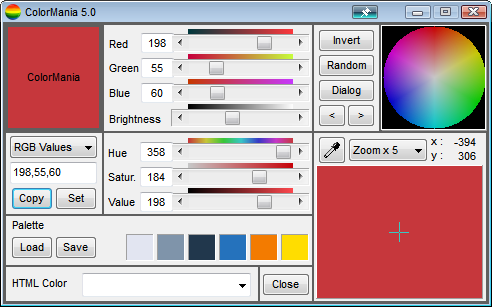
Oooh. I just tried to take a screenshot of the zoom box in ColorMania 5.0 and SC didn't like that!
It gave me an error (I'd post a screenshot, but SC won't take it since it is it's own error box)
---------------------------
Error Capturing Image
---------------------------
ERROR: No content was found in the captured image.
This can happen if you have installed a security application that is blocking Screenshot Captor from functioning.
To solve this problem, you may need to add Screenshot Captor to the list of trusted/allowed programs in your security application.
For additional information see the help file or visit the DonationCoder.com forum.
If you were intentionally capturing a blank image, disable this check on the Miscelaneous Tweaks tab of options.
---------------------------
OK
---------------------------
So, I can take a screenshot of the application window, and I can draw a selection over the controls. But it errors when I attempt to draw a selection over the color boxes:
[attach=#0]
UPDATE:
Actually, the problem is that SC won't take a screenshot of an image that is just one colour.
I'm trying to make 16x16 square blocks of solid colour from screenshots.
So I tried to do that in another program and it won't work there either.
It gave me an error (I'd post a screenshot, but SC won't take it since it is it's own error box)
---------------------------
Error Capturing Image
---------------------------
ERROR: No content was found in the captured image.
This can happen if you have installed a security application that is blocking Screenshot Captor from functioning.
To solve this problem, you may need to add Screenshot Captor to the list of trusted/allowed programs in your security application.
For additional information see the help file or visit the DonationCoder.com forum.
If you were intentionally capturing a blank image, disable this check on the Miscelaneous Tweaks tab of options.
---------------------------
OK
---------------------------
So, I can take a screenshot of the application window, and I can draw a selection over the controls. But it errors when I attempt to draw a selection over the color boxes:
[attach=#0]
UPDATE:
Actually, the problem is that SC won't take a screenshot of an image that is just one colour.
I'm trying to make 16x16 square blocks of solid colour from screenshots.
So I tried to do that in another program and it won't work there either.