DonationCoder.com forum
 
Read-only archive. This is a static copy of the DonationCoder.com forum. Reading and searching work as before; logging in, posting and private messages do not.
Archive of 2026-10-21 · About this archive · Main site

Author Topic: How to copy\paste a node?  (Read 5,687 times)

dluby

  • Charter Member
  • Joined in 2006
  • ***
  • Posts: 253
How to copy\paste a node?
« on: October 13, 2014, 08:39 AM »
I have a node that I would like to copy, then paste and make a few amendments.  However, when I highlight a menu\node and click Ctrl-C (copy this Subtree to clipboard) and then Ctrl-V nothing happens.  Is there something I am doing wrong here?

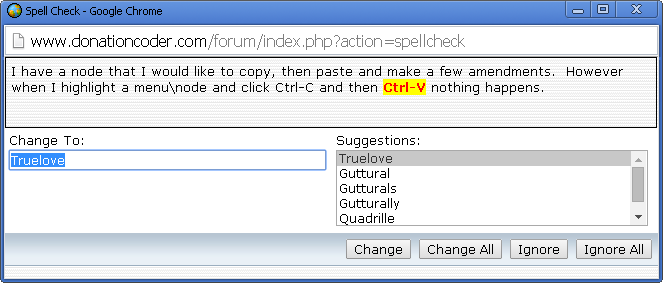
On a humorous note, I did a spell check on my post and it suggests I replace 'Ctrl-V' with 'Truelove'  :-*.  See attachment.

EDIT: I don't know what I was doing wrong but I can now copy and paste :D
« Last Edit: October 13, 2014, 09:41 AM by dluby »

mouser

  • First Author
  • Administrator
  • Joined in 2005
  • *****
  • Posts: 40,931
    • Gathering Badge
    • Plugin Coding Medal
    • Participated in NANY Challenge Seventeen Times
    • Cody Award
    • Coding Snacks
    • Volunteers/Staff
Re: How to copy\paste a node?
« Reply #1 on: October 13, 2014, 11:06 PM »
Copy it as normal with Ctrl+C but then to paste it, select a PARENT node that can hold the pasted node as a child, then Ctrl+V -- that should work.

dluby

  • Charter Member
  • Joined in 2006
  • ***
  • Posts: 253
Re: How to copy\paste a node?
« Reply #2 on: October 14, 2014, 06:44 AM »
When it wasn't working I think I wasn't choosing a parent node. Thanks

Original address: https://www.donationcoder.com/forum/index.php?topic=39245.0