


NANY 2015 Release Information
| Application Name | MarkdownBuddy |
| Short Description | Tool for viewing the parsed version of a markdown document |
| Supported OSes | Windows 7 (Should work in Vista/8 also, but untested) |
| Web Page | http://thinkshui.net/software/markdownbuddy/ |
| Setup File | Portable |
| Description | Markdown has taken off in a big way, and I use it in everything from publishing posts on websites to documentation in my code to writing fiction. I love the descriptive nature of the formatting, and that all of the files are in plain text! In many cases, however, I like to write in different barebones tools- but I can't see how it looks when it's formatted without opening it in some other editor. I like the editors that have the real-time preview, but my favorite ones to write in don't have that facility. On the mac, there is a application called Marked. It is a Markdown Previewer. Now, you might think as I did- what is the use in having something that's not an editor? It just previews? But after you get further into markdown and the various tools out there, it quickly becomes evident that such a tool is invaluable if not essential. |
| Features | Implemented
Planned
|
| Screenshots | 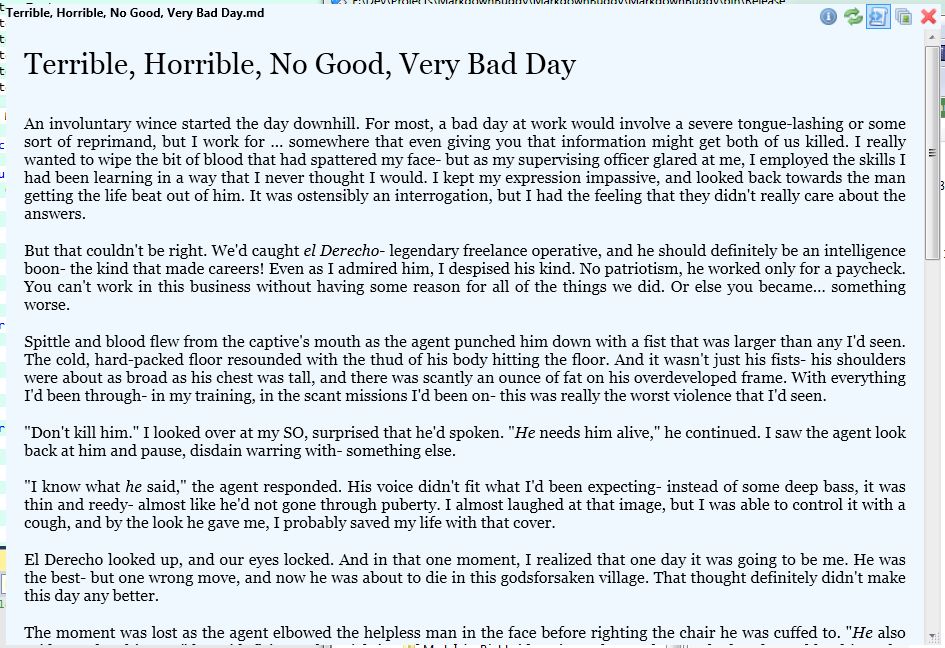 |
| Screencast | placeholder |
| Documentation | placeholder |
| Installation | With .NET 4.5 installed, unzip application to location and run. |
| Uninstalling | Delete application install location. |
| Notes | Requires .NET 4.5. |
Original Precis:
Quote
I've gotten into Markdown in a big way, and one thing that I miss from my mac when I'm writing on windows is Marked. So just like last year when I did the overlay tool from a tool that I found on the Mac, I'm going to do something similar to Marked for Windows.
From the Marked site:QuoteMarked is a previewer for Markdown files. Use it with your favorite text editor and it updates every time you save. With robust features for previewing, reviewing and exporting beautiful documents, you can work in plain text while reveling in rich formatting.



