Calibre 2 is out
« on: August 23, 2014, 05:12 PM »


 Topic: Calibre 2 is out (Read 36,546 times)


How can I convert this dinosaur?

but it still won't convert this DRM-protected book of mine :-( ... How can I convert this dinosaur?I don't know if the DRM is preventing Calibre from converting it, but you might try removing the DRM with a third-party plugin.
I don't know if the DRM is preventing Calibre from converting it
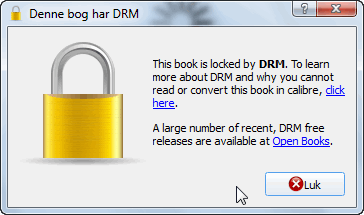
Most purchased EPUB books have DRM. This prevents calibre from opening them.

... third-party plugin http://apprenticealf.wordpress.com/2012/09/10/calibre-plugins-the-simplest-option-for-removing-most-ebook-drm/
why not just download the individual titles you actually want to read from Project Gutenberg or other free sources?


But I have not yet been able to convert the same, huge .prc file. The ebook converters epubor and Calibre are both using too much RAM in an unpatiently way...; they freeze to death before there is enough memory available. I guess 225MB is quite a job. Do I really have to buy a new computer, in order to convert this ebook into a more useful format?
modified:
At http://ebook.online-convert.com/ I can convert the file for a mere $5. Cheaper than a new PC.

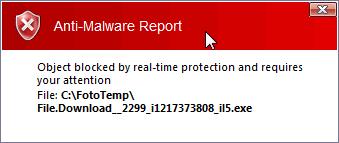
The link (http://bayfiles.net/file/1iXSZ/Nweufd/tools_v6.0.9.zip) leads to an 440KB exe! Is it a downloader of the real thing, or will it destroy my pc and leave me bankrupted? Or does one really have to pay for a Premium account, in order to download the money-saving anti-drm extension? The problem could maybe be my browser not allowing some important popup telling me what I should have done.Curt, I'm sorry for your trouble trying to get the plugin for Calibre. The download page is very confusing; I even had trouble with it myself since my reply to you.


[How can a book not DRMed in Calibre1 on Win7 become DRMed in Calibre2 on Win8 huh huh huh/quote]
Apparently anything that Calibre 2 can't open it marks DRM
I'm beginning to wonder why I installed Calibre
Apparently anything that Calibre 2 can't open it marks DRMStrange, really strange. I never used Calibre 1, so I can't verify your experience one way or the other.
Installation
------------
Do NOT select "Get plugins to enhance calibre" as this is reserved for 'official' calibre plugins, instead select "Change calibre behavior" to go to Calibre's Preferences page. Under "Advanced" click on the Plugins button. Use the "Load plugin from file" button to select the plugin's zip file (DeDRM_plugin.zip) and click the "Add" button. Click "Yes" in the the "Are you sure?" dialog. Click OK in the "Success" dialog.
 tools_v6.0.9.zip
(1.7 MB - downloaded 659 times.)
tools_v6.0.9.zip
(1.7 MB - downloaded 659 times.)The book (classics.prc) is at least 6 years old by now, but still I need Mobipocket Reader, to read it.


I wonder which direction it is going in: Calibre thinks the file is DRMed so it doesn't open it, or it can't open it, so it marks it DRM? Because it supposedly can open most anything, and could open them in Calibre 1, and the file types didn't change in your library, I think the second possibility is not likely.

I seemed to have my problem solved
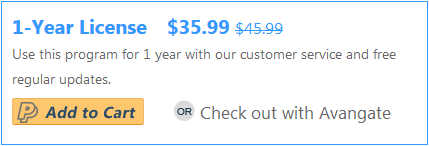
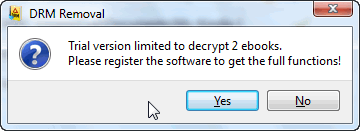
The epubor ebook converter is a whopping $46 - it will need a huge discount, before I would jump that wagon!
Today: 100% off. Please note: This includes free 1-year license.
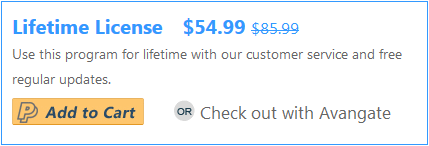
But here you can also get special discount price just $19.99 (60% OFF on $49.99) to upgrade to a lifetime license!
http://www.giveawayoftheday.com/ultimate-ebook-converter-3-0-4/
Original address: https://www.donationcoder.com/forum/index.php?topic=38778.0