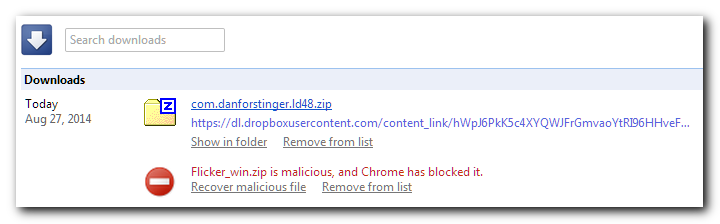
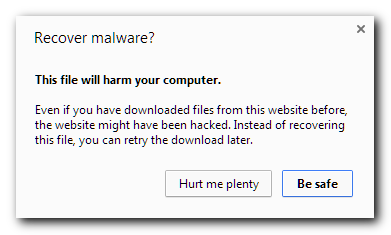
I can't find the topic- but there was a topic that talked about unsigned executables being flagged as malicious in Chrome.

After trying to download something from one of my cubbies from the web interface... and having it flagged, I had to figure out how to get this execrable behaviour under control. And I found it.
From https://support.google.com/chrome/answer/4412392?p=ib_download_blocked&rd=1
I like the idea of them... but the false positives really suck. So what I did was turn it off... then downloaded my software. Then turned it back on.
Figured this might help someone.
Oh, and for a laugh... at that link above, there's a little callout - How does downloads protection work?
Really, google?!?

After trying to download something from one of my cubbies from the web interface... and having it flagged, I had to figure out how to get this execrable behaviour under control. And I found it.
From https://support.google.com/chrome/answer/4412392?p=ib_download_blocked&rd=1
Quote
Turn off phishing and malware detection
- Click the Chrome menu Chrome menu on the browser toolbar.
- Select Settings.
- Click Show advanced settings and find the "Privacy" section.
- Deselect the "Enable phishing and malware protection" checkbox.
Note: When you turn off these warnings you also turn off other malware and phishing alerts.
I like the idea of them... but the false positives really suck. So what I did was turn it off... then downloaded my software. Then turned it back on.
Figured this might help someone.
Oh, and for a laugh... at that link above, there's a little callout - How does downloads protection work?
Quote
To help protect you, Google maintains a list of websites that are known to host malicious downloads and a list of trusted software publishers.
Google warns you if you try to download something weird or something from a dangerous website.
Really, google?!?