DonationCoder.com forum
 
Read-only archive. This is a static copy of the DonationCoder.com forum. Reading and searching work as before; logging in, posting and private messages do not.
Archive of 2026-10-21 · About this archive · Main site

Author Topic: What is the logic of bezier curves? (for Illustrator pen tool)  (Read 20,363 times)

superboyac

  • Is your software in my list?
  • Charter Member
  • Joined in 2005
  • ***
  • Posts: 6,347
I've never quite gotten the hand of bezier curves, and it's a mental block.  I keep trying the tutorials, but I don't have the time to really do enough practice for me to get it naturally.  But, I know how I think...I need a logical explanation of how bezier curves work.  I don't want just practice, I want an explanation of the idea.

Like, "When a handle is like this, it is doing this and this, so it makes this sort of shape."

Anyway, I'm looking for good explanations.  There are tons of tutorials and explanations of how to get a shape, but hardly anything that just explains what it is and how all the parts work.

Wikipedia has some good, helpful animations.
superboyac

  • Is your software in my list?
  • Charter Member
  • Joined in 2005
  • ***
  • Posts: 6,347
Re: What is the logic of bezier curves? (for Illustrator pen tool)
« Reply #1 on: July 15, 2014, 08:38 PM »
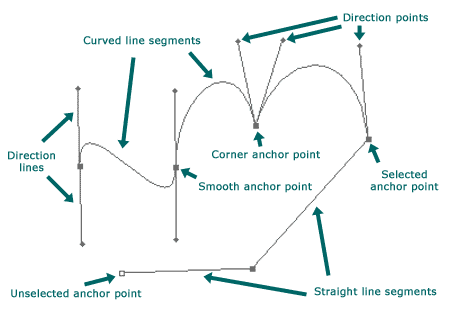
I find this image useful:
example_path.gif
pen_tool_palette.gif
So from what I gather, it seems for each segment you dray, there's only a certain number of shapes that can be accomplished.  I need to understand these individual shapes.  I think what's confusing me are all these tutorials where they show you how to draw a whole thing, but I just need to understand what each segment can do, and I'll be able to go from there.

tomos

  • Charter Member
  • Joined in 2006
  • ***
  • Posts: 11,970
    • Gathering Badge
    • Participated in NANY Challenge Once
Re: What is the logic of bezier curves? (for Illustrator pen tool)
« Reply #2 on: July 15, 2014, 09:18 PM »
My approach is always dive in at the deep end and see how it goes.
Occasionally though, I do miss something fundamental or very helpful with that approach...

Have you tried doing that - just going in the deep end and using the pen tool?
AFAIK up to CS4 the only qualifier key is the Alt key (I havent used more recent versions, and tbh, I still use FreeHand when drawing).

1) Click to make the first point in the line.
2) Click to make a second point, *but* hold the mouse button down. Now try dragging: the point you made stays where it is, but the drag extends the 'handle' (called 'direction line' in your image above) and the curve changes. Let go at some stage :-) and the curve is decided (can be changed later though).
3) Now create the next point - this time try pressing the Alt key when dragging the 'handle' - the handle changes from a straight line to an angled line. Try letting go of the Alt key (keeping the mouse button pressed the whole time) and then pressing the Altkey again. The new angled handle will change the next part of the curve when the next point is created - sort of like creating an 'm' curve.

Note: if you dont do the drag thing you will have straight lines between points.

Okay: you've posted again - basically you can create any curve: some curves will need more points which can only be figured out by trying it. A good way of seeing what can be done (and figuring out how to do it) is to trace something e.g. import a bitmap image and trace.
Tom

ewemoa

  • Honorary Member
  • Joined in 2008
  • **
  • Posts: 2,922
    • Plugin Coding Medal
    • Participated in NANY Challenge Three Times

mouser

  • First Author
  • Administrator
  • Joined in 2005
  • *****
  • Posts: 40,931
    • Gathering Badge
    • Plugin Coding Medal
    • Participated in NANY Challenge Seventeen Times
    • Cody Award
    • Coding Snacks
    • Volunteers/Staff
Re: What is the logic of bezier curves? (for Illustrator pen tool)
« Reply #4 on: July 15, 2014, 11:52 PM »
This would be a nice time for our beloved favorite digital artist Nudone to drop by and share some thoughts.. He sure knew how to make curves "sing".

kunkel321

  • Supporting Member
  • Joined in 2009
  • **
  • Posts: 626
    • Participated in NANY Challenge Once
Re: What is the logic of bezier curves? (for Illustrator pen tool)
« Reply #5 on: July 16, 2014, 02:32 AM »
I think they're all parabolas, yes?  Check Wikipedia.

app103

  • That scary taskbar girl
  • Global Moderator
  • Joined in 2006
  • *****
  • Posts: 5,888
    • Participated in NANY Challenge Six Times
    • Coding Snacks
    • Gathering Badge
    • Cody Award
    • Volunteers/Staff
Re: What is the logic of bezier curves? (for Illustrator pen tool)
« Reply #6 on: July 16, 2014, 02:57 AM »
I have never tried doing stuff like this in Illustrator (yet), but it's quite easy once you have had a little bit of practice in Paintshop Pro.

You'd probably be able to figure it out on your own if Illustrator supports raster and vector layers within the same image (I don't know if it does).

If it does, I would suggest grabbing some very simply drawn sample images to work with, creating a new vector layer over them and using the sample images as your guide. You could practice getting your shapes to follow the same lines as the sample image. It only took me an hour or so to get the hang of node manipulation, this way.

I do all of mine as a series of vector circles shapes, manipulated at the node level till they are just right, converting all the nodes to "cusp" type before I begin (I just find it a lot easier to work with that way). Each circle has 4 nodes, by default (which I may or may not keep, depending on how complex of a shape is the goal). I add more nodes, as needed, remove ones not needed, drag & drop the existing nodes where they are needed, and lengthen/shorten the handles and swing them left/right till it matches the lines on my base image. When I am finished, I delete the base layer, so only my vector layers remain.

Once you have had some practice with some sample images, you can sketch & scan your own to work with, doing the same thing....or move on to photos that have very clean lines. ;)

Edvard

  • Coding Snacks Author
  • Charter Honorary Member
  • Joined in 2005
  • ***
  • Posts: 3,027
    • Participated in NANY Challenge Once
    • Coding Snacks
    • Linux User
Re: What is the logic of bezier curves? (for Illustrator pen tool)
« Reply #7 on: September 19, 2014, 01:03 AM »
Hey! Looky what I found!
Quote
A game to help you master the pen tool.
By Mark MacKay.


Pretty neat, huh?


from random wanderings around the blasted heath
All children left unattended will be given a mocha and a puppy.

tomos

  • Charter Member
  • Joined in 2006
  • ***
  • Posts: 11,970
    • Gathering Badge
    • Participated in NANY Challenge Once
Re: What is the logic of bezier curves? (for Illustrator pen tool)
« Reply #8 on: September 19, 2014, 09:10 AM »
In FreeHand if I create a point in a line, I can move the location of that point before I move on to the next point.**
This might seem like a minor thing, but it isnt :-) it means you can fine-tune and correct your line while drawing it.
If you draw a lot, this is a huge timesaver.

I miss that in the game above. And, I dont know have they changed it since, but up till Illustrator CS4 anyways, you *cannot* do this -
you have to draw your line, and then go back and select and drag each point that needs to be adjusted.

One could argue, with reason, that the illustrator method encourages more accuracy in the first place, but to me, ease of use wins here.

** how that works:
  • make your point
  • if desired, drag to form curves
  • keeping the mouse button pressed, press the Control key and drag - the point moves
Tom

superboyac

  • Is your software in my list?
  • Charter Member
  • Joined in 2005
  • ***
  • Posts: 6,347
Re: What is the logic of bezier curves? (for Illustrator pen tool)
« Reply #9 on: September 19, 2014, 04:50 PM »
Hey! Looky what I found!
Quote
A game to help you master the pen tool.
By Mark MacKay.


Pretty neat, huh?


from random wanderings around the blasted heath
Yes!  This is perfect and very awesome! 

1NR1

  • Supporting Member
  • Joined in 2008
  • **
  • Posts: 34
Re: What is the logic of bezier curves? (for Illustrator pen tool)
« Reply #10 on: November 03, 2014, 04:55 AM »
Use this thinking:


    The bulge goes the opposite of the way you move the handle.

p3lb0x

  • Beer, beer, beer, I'm going for a beer!
  • Supporting Member
  • Joined in 2007
  • **
  • Posts: 424
    • Cody Award
    • Participated in NANY Challenge Once
Re: What is the logic of bezier curves? (for Illustrator pen tool)
« Reply #11 on: December 16, 2014, 07:30 AM »
So, I am gonna pop in a make a small necro.

I recently tried actually programming some bezier curves, and to me that gave me a quite a bit better understanding of it. Not much on a mathematical level, or super intuitive level. But it really helped me actually understand what a bezier curve is (A series of control points to use in a parametric function). Even if it is pretty obvious from the various "pen" tools. The difference between bezier paths and higher order bezier curves was pretty cool to learn about. As I said, I recently programmed a bezier curve thing in Löve2d. Using this (really helpful) blog post to work off. And it was pretty fun and if you haven't done anything similar I highly recommend trying it out.

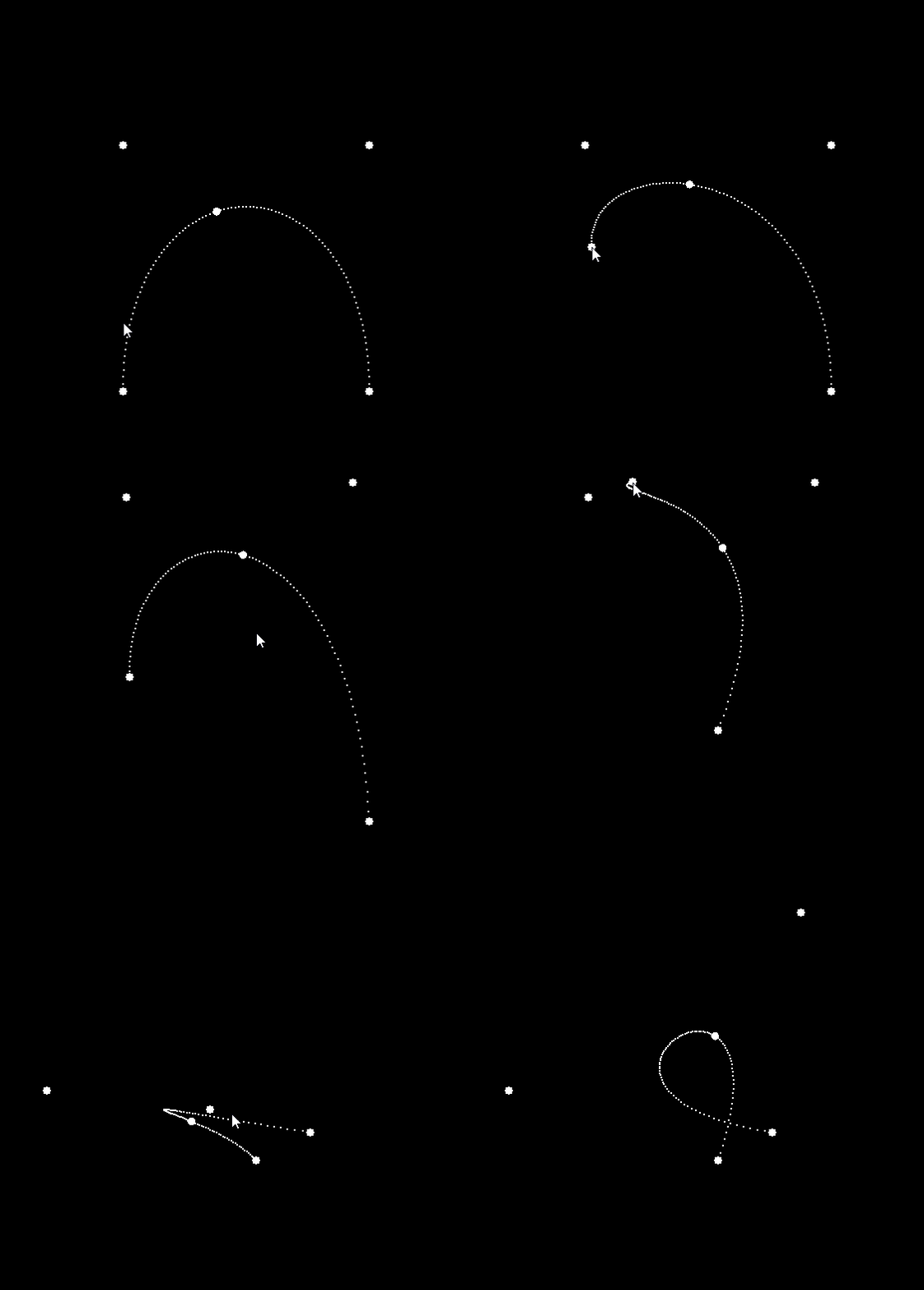
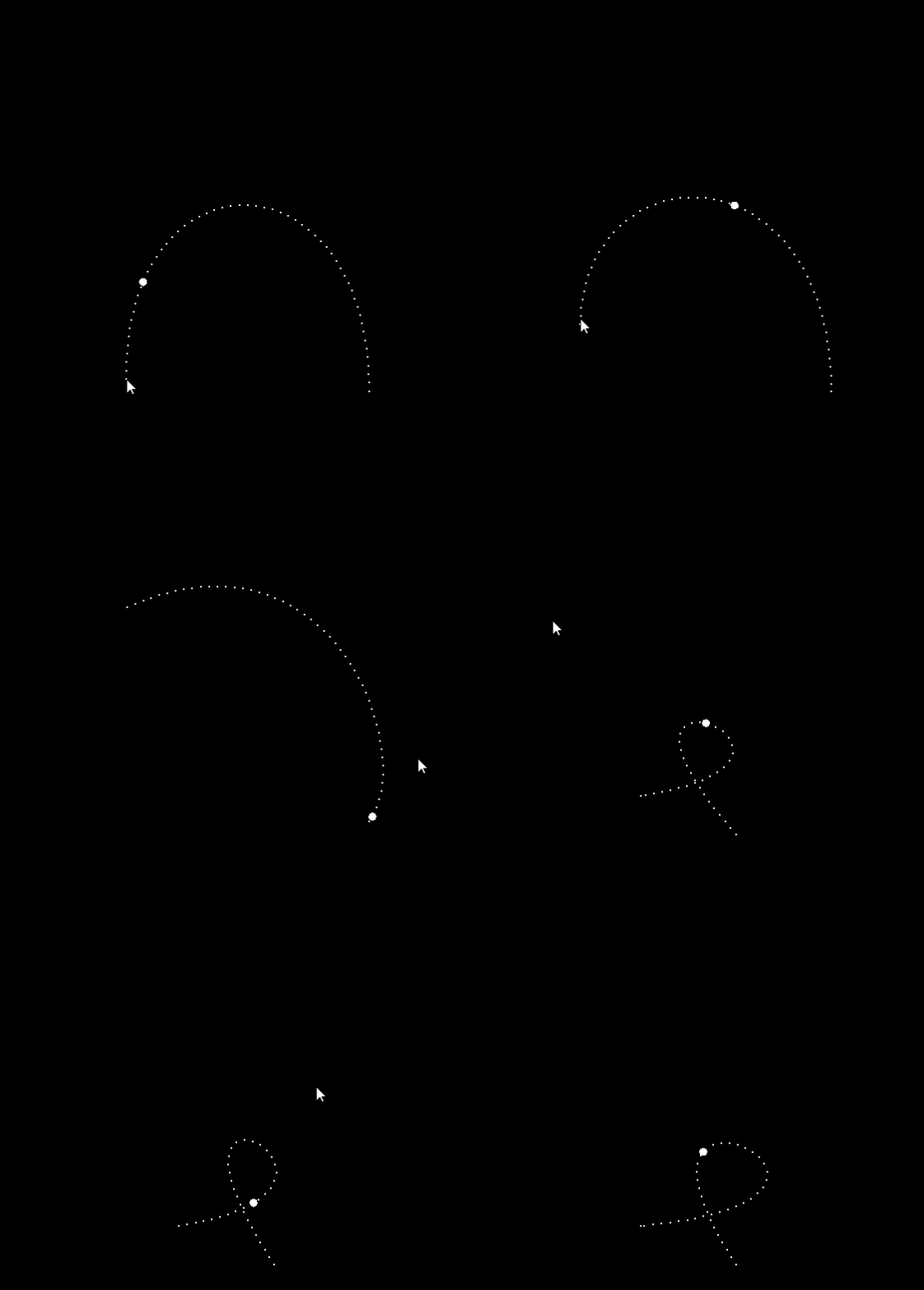
bezierCurves0.gifbezierCurves1.gif

The moving ball represents t going from 0 to 1 in the formulas for bezier curves.
Stop mousering people so much - Mouser

Original address: https://www.donationcoder.com/forum/index.php?topic=38439.0