


I made a small, specialized tool that speeds up some manual steps when using the book scanning postprocessing software Scan Tailor Enhanced. I don't expect a boatload of users but here is a discussion/questions thread for those who find use for it or find bugs.
QuickPicZone is a helper tool for Scan Tailor Enhanced to make picture zones quickly.
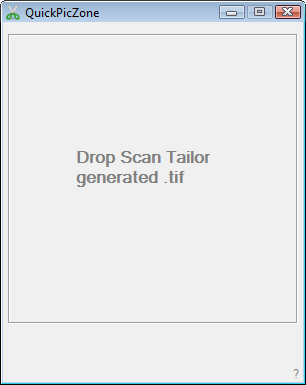
How to use
1. Drag and drop a Scan Tailor black and white mode output file.tif
QPZ displays the matching file.jpg
2. Click and draw a rectangle to set a mixed mode picture zone
3. QPZ saves picture zone data to project file.jpg.scantailor
4. QPZ processes saved project file to output new .tif
Setup
Download and unzip QuickPicZone.
Requires Scan Tailor Enhanced
On first run QPZ ask you to set the path to scantailor-cli.exe
More details on the help page within the program.
Made in Autohotkey by nod5 as Free Software GPL3
Tested in Win7 x64. The zip contains binary and source.
v140624: first version
v141114: Drop multiple .tif to do them in order; Preprocessing mode: Drop .jpg folder to process all to .tif and .scantailor; Preprocessing mode: Drop single .jpg to calculate DPI
QuickPicZone is a helper tool for Scan Tailor Enhanced to make picture zones quickly.
How to use
1. Drag and drop a Scan Tailor black and white mode output file.tif
QPZ displays the matching file.jpg
2. Click and draw a rectangle to set a mixed mode picture zone
3. QPZ saves picture zone data to project file.jpg.scantailor
4. QPZ processes saved project file to output new .tif
Setup
Download and unzip QuickPicZone.
Requires Scan Tailor Enhanced
On first run QPZ ask you to set the path to scantailor-cli.exe
More details on the help page within the program.
Made in Autohotkey by nod5 as Free Software GPL3
Tested in Win7 x64. The zip contains binary and source.
v140624: first version
v141114: Drop multiple .tif to do them in order; Preprocessing mode: Drop .jpg folder to process all to .tif and .scantailor; Preprocessing mode: Drop single .jpg to calculate DPI