
Many thanks. Much better now.
[...]
Anyway, all is fine now.
Right on. =] Thanks for reporting back.


 Topic: Release: sChecklist (Read 220,715 times)


Many thanks. Much better now.
[...]
Anyway, all is fine now.



Meant to get back with you sooner, skwire. The nearest I can tell, is somewhere between possibly running CCleaner, or rebooting following updates, the stuff can go missing. Almost as though the data is being kept in a temporary - or unprotected - area of memory. (just a novice's impression.) Could it possibly use a 'save' button - to re-write the data base / text file, to prevent this from happening? I dunno. But it's a damnable glitch in such a handy little app.


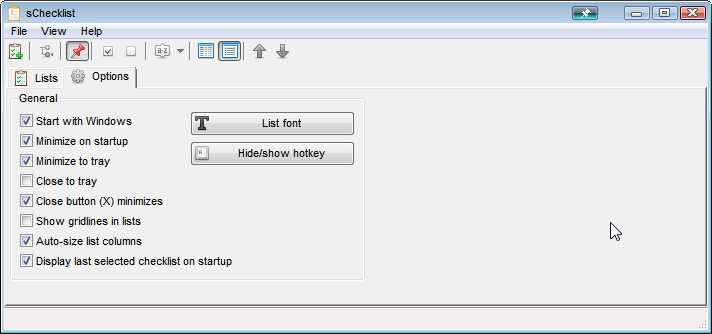 screenshot_sChecklist_002.png
(20.0 KB, 712x334 - viewed 1869 times.)
screenshot_sChecklist_002.png
(20.0 KB, 712x334 - viewed 1869 times.)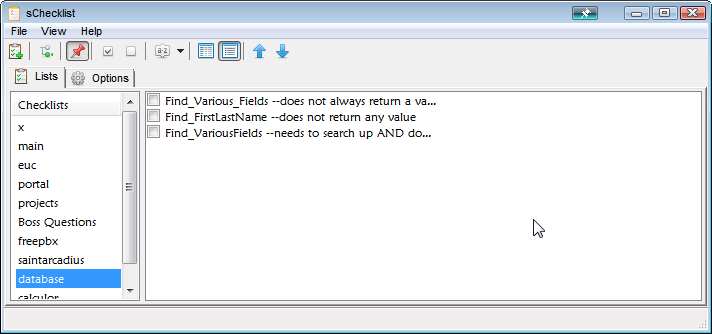 screenshot_sChecklist_001.png
(19.0 KB, 712x334 - viewed 1824 times.)
screenshot_sChecklist_001.png
(19.0 KB, 712x334 - viewed 1824 times.)


I'm not sure if you were commenting on my post or just making a general observation. Unfortunately, sChecklist doesn't allow the data files to reside anywhere but the \program file\sChecklist subfolder so moving them to another directory is not possible.I made a general comment on your use of the C:\Program Files folder for 'installation' of portable software: You shouldn't. Then you don't need to turn off UAC for running generic software as it's supposed to run, and other software as safe as possible.
That is one of the reasons I have my personal computer set up to run under Administrator mode all the time.As said above: You shouldn't. This is 'less secure' (to use an understatement), as any application, viruses for instance, can now change any file in C:\Program Files without a warning, spreading themselves whenever you start a legit application...
I made a general comment on your use of the C:\Program Files folder for 'installation' of portable software: You shouldn't.I fully agree. Besides, I like skwire's handling of paths for portable programs and I hope that all data and config will continue to be kept inside the app's program folder. This makes it really easy to take checklists along whereever you go, simply by copying the folder. No worries, no UAC, no need to deal with user accounts. The program is lightweight enough to be copied as a whole, should you need different user setups.


But when you use the "View" --> "Reset splitter position", that entries column does not resize to 100% width.
Thanks for this app, which I really love, but I'd just like to add +1 on the disappearing list-contents problem. Happens to me on Win 7 32-bit, not running as admin. Really frustrating.
Hi, littlecousinjimmy, and welcome to the DonationCoder site.
Man, this bug will be the death of me. Would you be willing to try an interim build with a few changes in hopes that it solves the issue for you?
I found another app that can be squeezed into doing the same thing, but I'd still prefer sChecklist if I could rely on it, so I would try an interim build if that's still possible.Would you mind sharing a link to that other app? Portable?
Original address: https://www.donationcoder.com/forum/index.php?topic=38115.0
