




Hi forum,
especially on multi-monitor setups, it would be great if there was a way to click or work in application windows without having them jump in the foreground and covering up everything (on every monitor).
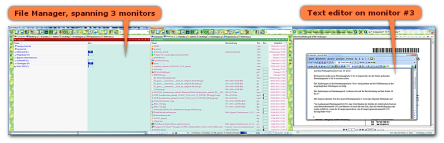
File manager spanning three monitors that covers up everything else on all monitors every time you quickly want to look something up, or quickly change a folder, scroll position, or similar (click to enlarge)
It would be amazing if someone could think of a way to code an utility that could provide this feature. TXmouse by Andy Polyakov actually (sort of) does it, however not with all applications (anymore), and with some unwanted side-effects like automatic window activation on mouse hover.
As with TXmouse, if you actually do want to change the window z-order (and bring a window to the front), you simply click on the respective windws's titlebar.
I've described it in detail over at the Actualtools.com forum, so please bear with me posting a link to the respective discussion:
Fixed Z-Order, don't change z-order if a window is clicked
Regards David.P
especially on multi-monitor setups, it would be great if there was a way to click or work in application windows without having them jump in the foreground and covering up everything (on every monitor).
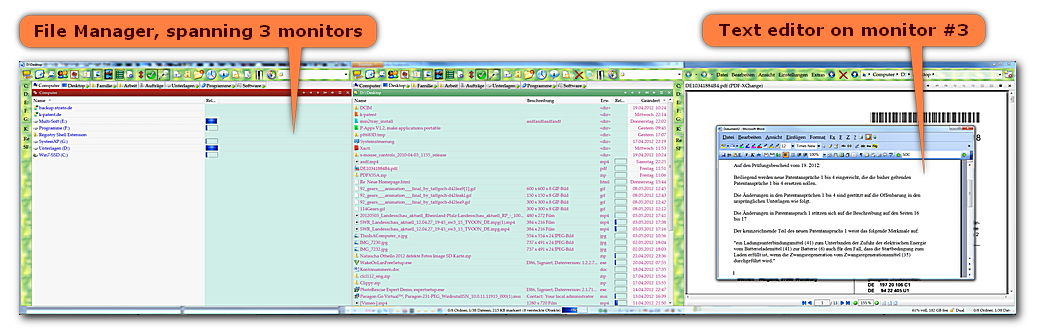
File manager spanning three monitors that covers up everything else on all monitors every time you quickly want to look something up, or quickly change a folder, scroll position, or similar (click to enlarge)
It would be amazing if someone could think of a way to code an utility that could provide this feature. TXmouse by Andy Polyakov actually (sort of) does it, however not with all applications (anymore), and with some unwanted side-effects like automatic window activation on mouse hover.
As with TXmouse, if you actually do want to change the window z-order (and bring a window to the front), you simply click on the respective windws's titlebar.
I've described it in detail over at the Actualtools.com forum, so please bear with me posting a link to the respective discussion:
Fixed Z-Order, don't change z-order if a window is clicked
Regards David.P

