DonationCoder.com forum
 
Read-only archive. This is a static copy of the DonationCoder.com forum. Reading and searching work as before; logging in, posting and private messages do not.
Archive of 2026-10-21 · About this archive · Main site

Author Topic: Manually recovering text from corrupt MS Word DOC and DOCX files  (Read 10,049 times)

40hz

  • Supporting Member
  • Joined in 2007
  • **
  • Posts: 11,861
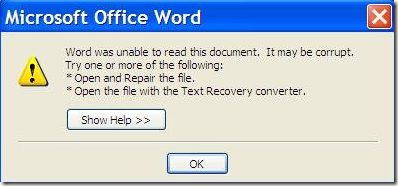
Ever get one of these?

[attach]

TaoPhoenix

  • 0 - 60 ... then back to 0 again!
  • Supporting Member
  • Joined in 2011
  • **
  • Posts: 4,642
    • Participated in NANY Challenge Three Times
Re: Manually recovering text from corrupt MS Word DOC and DOCX files
« Reply #1 on: November 15, 2013, 05:54 PM »

I would like to remark that sad as it is, .doc and .docx are two wholly different use cases. For about a year in my old job, I was the only one who knew that the contract writing software didn't in fact accept docx-anything, so I converted it behind the scenes.

Broader level:
The "expectations" remark (paragraphs!) is about right.

If you're dealing with dead files that by all rights should open, you're already in trouble. The rest is guessing hoping you get lucky. Some ideas:

A. Try to write as a Rich Text RTF file. Sometimes that's a middle ground to pure text.

B. Change File Formats.
Sometimes X native program refuses to behave but Y or Z "import" function works. Not to be sloppy, but in this category just save a "scratch" copy to play with, and abuse the scratch copy as aggressively as you like, since you're looking at Data Zero on the real copy, who cares? Typical tricks include just changing the file ending of the copy to .rtf, ignore the crap and save 38 of the 50 important lines of text! Other tricks include opening in custom semi-custom software, and more.

Use attachthumb=# to show an attached image as an expandable thumbnail, or attach=# to show full size. (With Brackets)

Curt

  • Supporting Member
  • Joined in 2006
  • **
  • Posts: 7,565
Re: Manually recovering text from corrupt MS Word DOC and DOCX files
« Reply #2 on: October 22, 2015, 08:31 AM »
you should know that the first question must be, if your file is doc or docx or whatever

Shades

  • Member
  • Joined in 2006
  • **
  • Posts: 2,954
Re: Manually recovering text from corrupt MS Word DOC and DOCX files
« Reply #3 on: October 22, 2015, 01:31 PM »
After reading the tips on the site, an idea popped in my head. There is still one option to try. You have software like BCompare, which is capable of seeing differences between 2 or 3 text-based files at once. However, it also can look for differences between .doc(x), .pdf and image file types. It already translates such files to text before it starts comparing (without altering the file content). Bonus is that it tries to keep as much of the paragraph structure as possible.

This is quite a powerful functionality from BCompare. It isn't free, but there might be free/open source alternatives with similar functionality.
The easy path is usually downhill...

MerleOne

  • 4D thinking
  • Supporting Member
  • Joined in 2006
  • **
  • Posts: 957
Re: Manually recovering text from corrupt MS Word DOC and DOCX files
« Reply #4 on: October 24, 2015, 06:36 PM »
Hi,
I onced recovered a damaged .doc (or .docx ?) file that wouldn't open in Word by using a compatible product, Softmaker Office 2012. I was able to recover the text, not the full formating AFAIR.
Maybe this could work again ?
.merle1.

Original address: https://www.donationcoder.com/forum/index.php?topic=36539.0