DonationCoder.com forum
 
Read-only archive. This is a static copy of the DonationCoder.com forum. Reading and searching work as before; logging in, posting and private messages do not.
Archive of 2026-10-21 · About this archive · Main site

Author Topic: Colletta - a project in MS Labs  (Read 5,401 times)

IainB

  • @Slartibartfarst
  • Supporting Member
  • Joined in 2008
  • **
  • Posts: 7,544
Colletta - a project in MS Labs
« on: October 27, 2013, 11:47 AM »
I'd be interested in any comments from people who might have trialled this software:
Project Colletta
Quote
The Project
The Microsoft Research Project Colletta helps you manage your tasks, activities and related resources. It allows you to tag documents, images, emails, web pages and other items that are useful for performing a given task or activity. You can create tags that refer to activities, people, places, events, or anything that is helpful to you. You can even attach multiple tags to your documents. Project Colletta is integrated with your applications, so you can start tagging documents even if you haven't yet saved them. You can access all your activities and tagged resources either via the Project Colletta DeskBar application or via several application toolbars.
Take the Tour
Watch the video to get an overview of how Colletta can help you manage your files and activities.
(embedded Silverlight video)

I downloaded the software and ran the install, but it repeatedly hangs at about 25% of the progress bar, whilst the install process sits at about 13% CPU utilisation.
I'd like to try it out (it looks rather interesting), but it's difficult to do that when the installer hangs.
After cancelling the process, an error message says:
Quote
Project Colletta
One or more issues caused the setup to fail. Please fix the issues and then retry setup.
For more information see the log file.
0x80070490 - Element not found.

The install log says that the problem is:
Quote
Failed to cache payload: vstor_redist.exe from working path: C:\Temp\{d6074b06-1636-45dd-bf35-baf3e6d131d2}\vstor_redist.exe, error: 0x80070490.
But I watched the temp directory used during install, and the vstor_redist.exe is created and deleted by the installer, so it might be a bug(?).
I haven't found any help on this on the MS forums site.

TaoPhoenix

  • 0 - 60 ... then back to 0 again!
  • Supporting Member
  • Joined in 2011
  • **
  • Posts: 4,642
    • Participated in NANY Challenge Three Times
Re: Colletta - a project in MS Labs
« Reply #1 on: October 27, 2013, 03:45 PM »
Ahh, the old "manage your info" theme. For documents, I "manage" them in local folders. If I am doing web research, I just save either a an entire copy of the page locally, or the re-discovered BBSS that cranks out paired lists of Urls and Titles if I am only at the "skim" level. Then those paired lists go to the folder.

So anyway, this Colletta thing just doesn't look like it fits my workflow.

Use attachthumb=# to show an attached image as an expandable thumbnail, or attach=# to show full size. (With Brackets)

IainB

  • @Slartibartfarst
  • Supporting Member
  • Joined in 2008
  • **
  • Posts: 7,544
Re: Colletta - a project in MS Labs
« Reply #2 on: October 27, 2013, 11:24 PM »
@TaoPhoenix: Did you manage to install and trial the software?
(I can't even install it.)

IainB

  • @Slartibartfarst
  • Supporting Member
  • Joined in 2008
  • **
  • Posts: 7,544
Re: Colletta - a project in MS Labs
« Reply #3 on: December 16, 2013, 09:06 AM »
I had time to try this again today.
In the log file (in TEMP, filename Project_Colletta_20131216201039.log), it says:
Quote
Error 0x80072efd: Failed attempt to download URL: 'http://go.microsoft.com/fwlink/?LinkId=158917' to: 'C:\Temp\{d6074b06-1636-45dd-bf35-baf3e6d131d2}\vstor_redist.exe'
___________________________

These were the steps I took:
  • 1. I put the url ( http://go.microsoft.com/fwlink/?LinkId=158917 ) into my GetRight downloader, and it downloaded file vstor_redist.exe, no problem.
  • 2. Then I executed vstor_redist.exe, and it proceeded to install Microsoft Visual Studio Tools for Office Runtime 2010, and kept complaining that it needed to update various files that were in use, so I told it to skip those (which was one of the options given).
    It finished and said I needed to restart the PC, and that I could check for recent versions of this package on the MS Visual Studio website - http://www.visualstudio.com/en-us.
  • 3. So I restarted the PC, and when it came up I ran Project Colletta Setup from the Start menu.
    That brought up Colletta and the Colletta taskbar (which narrows your screen real estate a bit).
  • 4. Through the Colletta taskbar menu, I set up the top level directory hierarchies that I wanted Colletta to monitor document file changes in.
    (I'm not sure what exactly constitutes a "document" at this stage, so I assumed it could include media and image files as well, just in case.)
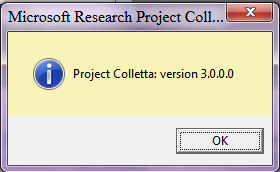
    Then I checked the "About" in the menu:
                  [attach]

Original address: https://www.donationcoder.com/forum/index.php?topic=36426.0