WinXP
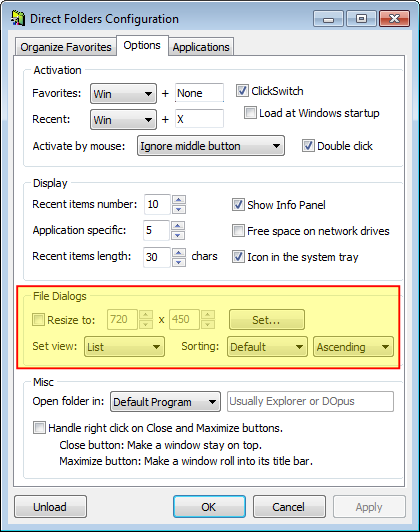
Way back when... I had used the "eXeScope" resource editor utility to modify comdlg32.dll
to achieve a larger default height and width for the various dialog boxes.
Never could figure out how to coerce "details" view (vs "list" view) as the default, though.
Clearly, as I discovered today
http://www.donationcoder.com/Reviews/Archive/DialogExtenders/index.html
achieving default "details" view is possible...
so I'm hoping someone reading this will throw me a clue, how to achieve default details view
Way back when... I had used the "eXeScope" resource editor utility to modify comdlg32.dll
to achieve a larger default height and width for the various dialog boxes.
Never could figure out how to coerce "details" view (vs "list" view) as the default, though.
Clearly, as I discovered today
http://www.donationcoder.com/Reviews/Archive/DialogExtenders/index.html
achieving default "details" view is possible...
so I'm hoping someone reading this will throw me a clue, how to achieve default details view