DonationCoder.com forum
 
Read-only archive. This is a static copy of the DonationCoder.com forum. Reading and searching work as before; logging in, posting and private messages do not.
Archive of 2026-10-21 · About this archive · Main site

Author Topic: Screenshot --> "save copy of image as" window  (Read 4,766 times)

robbero

  • Participant
  • Joined in 2006
  • *
  • Posts: 73
Screenshot --> "save copy of image as" window
« on: June 26, 2013, 09:26 AM »
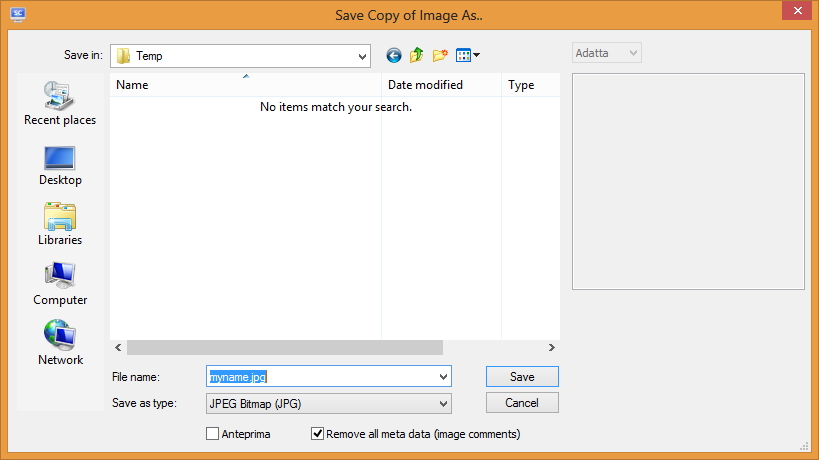
Is there a way to go from a screenshot capture directly to the "save copy of image as" window, without going through the post-capture popup dialog?


mouser

  • First Author
  • Administrator
  • Joined in 2005
  • *****
  • Posts: 40,931
    • Gathering Badge
    • Plugin Coding Medal
    • Participated in NANY Challenge Seventeen Times
    • Cody Award
    • Coding Snacks
    • Volunteers/Staff
Re: Screenshot --> "save copy of image as" window
« Reply #1 on: June 30, 2013, 06:14 PM »
There is no option for this, but it's an interesting idea..
However, try the new beta which does have a way to set the filename quickly from the post-capture dialog, which i think is your main goal.

robbero

  • Participant
  • Joined in 2006
  • *
  • Posts: 73
Re: Screenshot --> "save copy of image as" window
« Reply #2 on: July 01, 2013, 07:36 AM »
Thanks for your reply.

I already had the beta installed  :)

I would like to avoid the post-capture dialog at all.

Original address: https://www.donationcoder.com/forum/index.php?topic=35277.0