DonationCoder.com forum
 
Read-only archive. This is a static copy of the DonationCoder.com forum. Reading and searching work as before; logging in, posting and private messages do not.
Archive of 2026-10-21 · About this archive · Main site

Author Topic: Launchbar commander not saving to PC.  (Read 9,622 times)

John Barnett

  • Participant
  • Joined in 2011
  • *
  • Posts: 4
Launchbar commander not saving to PC.
« on: June 23, 2013, 10:34 AM »
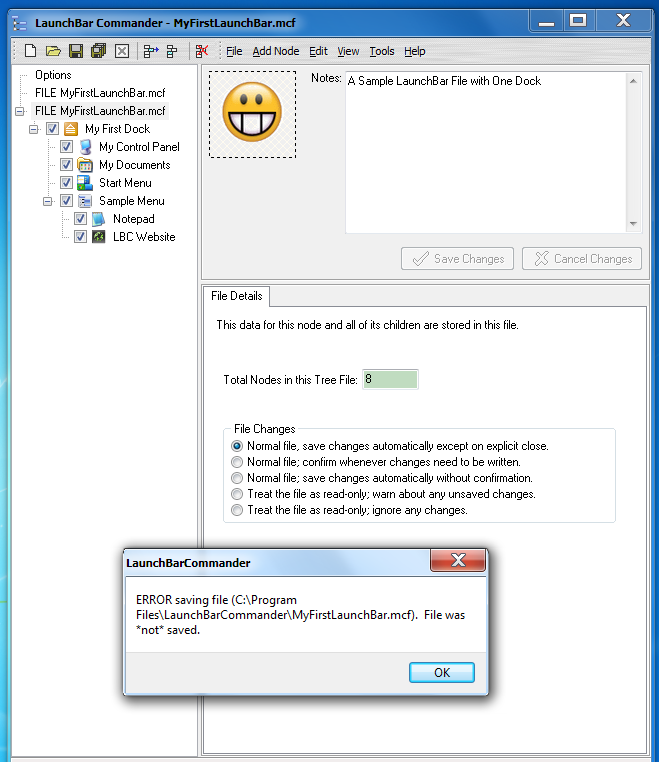
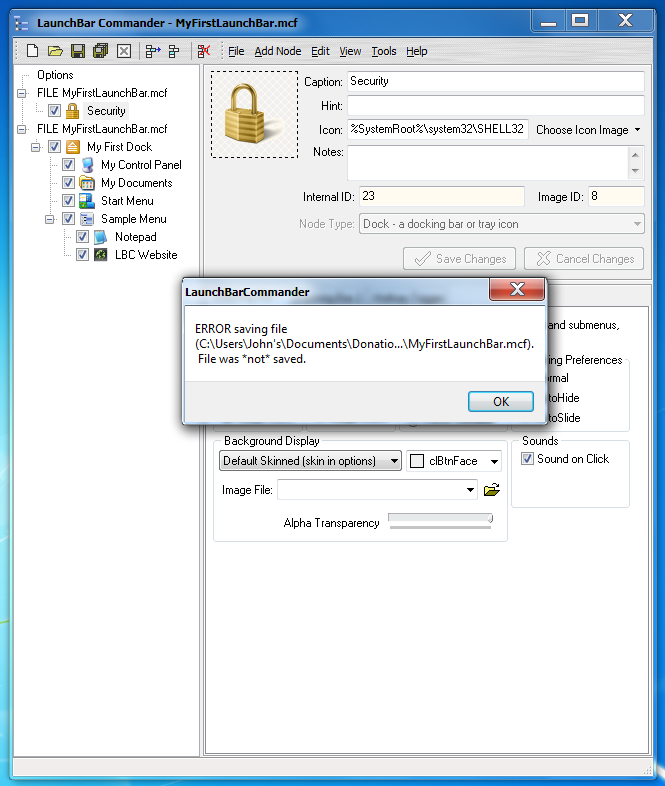
Hi, Just installed Launchbar Commander on my Windows 7 Home Premium PC and when saving I get an error which I have attached as a screen shot. I reinstalled the program but this made no difference.

I look forward to your reply

John.

Ath

  • Supporting Member
  • Joined in 2006
  • **
  • Posts: 3,649
    • Participated in NANY Challenge Eleven Times
    • Coding Snacks
    • Linux User
    • Hardware Hacker
Re: Launchbar commander not saving to PC.
« Reply #1 on: June 23, 2013, 12:14 PM »
Did you, by any chance, install LBC by unpacking the portable zipfile into the Program Files directory?
/Ton
Ath's software collection, Quote: "A problem well stated is a problem half-solved." (Charles Kettering)

mouser

  • First Author
  • Administrator
  • Joined in 2005
  • *****
  • Posts: 40,931
    • Gathering Badge
    • Plugin Coding Medal
    • Participated in NANY Challenge Seventeen Times
    • Cody Award
    • Coding Snacks
    • Volunteers/Staff
Re: Launchbar commander not saving to PC.
« Reply #2 on: June 23, 2013, 04:32 PM »
Ath's question is a good one -- if you copied the files to the directory from the portable release instead of using the installer or copied the files from an xp computer, then it would be configured to try to store the data in the Program Files directory which is not right.  You are not allowed to save files there on win 7.

In fact, just from looking at the directory it's trying to save in we know that it's trying to save someplace it shouldn't be.  On simple answer is to delete the configdir.ini file that is in that C:\Program Files\LaunchBarCommander directory, and remember to save your launch bars in a directory inside your documents directory. 

John Barnett

  • Participant
  • Joined in 2011
  • *
  • Posts: 4
Re: Launchbar commander not saving to PC.
« Reply #3 on: June 24, 2013, 10:23 AM »
Hi,
Thank you for your reply. I uninstalled LBC and removed any leftover files or folders, I then reinstalled using the LBC setup file (I never used the portable version) the configdir.in is now located in the Documents file, is this correct ? however I still get an error as shown in the screen shot.

What am I ding wrong?

Windows 7 HP

mouser

  • First Author
  • Administrator
  • Joined in 2005
  • *****
  • Posts: 40,931
    • Gathering Badge
    • Plugin Coding Medal
    • Participated in NANY Challenge Seventeen Times
    • Cody Award
    • Coding Snacks
    • Volunteers/Staff
Re: Launchbar commander not saving to PC.
« Reply #4 on: June 24, 2013, 11:38 AM »
Hmm.. why isn't it able to save the file there?

bob99

  • Supporting Member
  • Joined in 2008
  • **
  • Posts: 345
Re: Launchbar commander not saving to PC.
« Reply #5 on: June 24, 2013, 12:55 PM »
I had the same thing happen to me with Win7 if I did not give LBC admin privilege when I started it. When I do the problem stopped. Could this be the case here?

mouser

  • First Author
  • Administrator
  • Joined in 2005
  • *****
  • Posts: 40,931
    • Gathering Badge
    • Plugin Coding Medal
    • Participated in NANY Challenge Seventeen Times
    • Cody Award
    • Coding Snacks
    • Volunteers/Staff
Re: Launchbar commander not saving to PC.
« Reply #6 on: June 24, 2013, 01:57 PM »
i dont know why LBC should need admin privileges if installed normally. anyone?

John Barnett

  • Participant
  • Joined in 2011
  • *
  • Posts: 4
Re: Launchbar commander not saving to PC.
« Reply #7 on: June 24, 2013, 02:07 PM »
I had the same thing happen to me with Win7 if I did not give LBC admin privilege when I started it. When I do the problem stopped. Could this be the case here?

Thank's bob99 your suggestion solved the problem.   :D

Shaun5

  • Participant
  • Joined in 2009
  • *
  • Posts: 2
Re: Launchbar commander not saving to PC.
« Reply #8 on: October 21, 2015, 09:27 AM »
Quick update for this topic ...

I had exactly the same problem after updating LBC, I use portable versions and in explicitly named directories, eg c:\programs\lbc_141 after an upgrade to new version and a change of directory c:\programs\lbc_144, I copied my MCF files to new directory, then DELETED the old directory, and then hit this same error.

It seems that one of the the mcf filenames was being displayed by LBC, and could be edited, but was pointing to the old directory, so of course could not be saved.

Thanks Mouser for this supper software. ( APP ??? )

Original address: https://www.donationcoder.com/forum/index.php?topic=35256.0