


Hi coders,
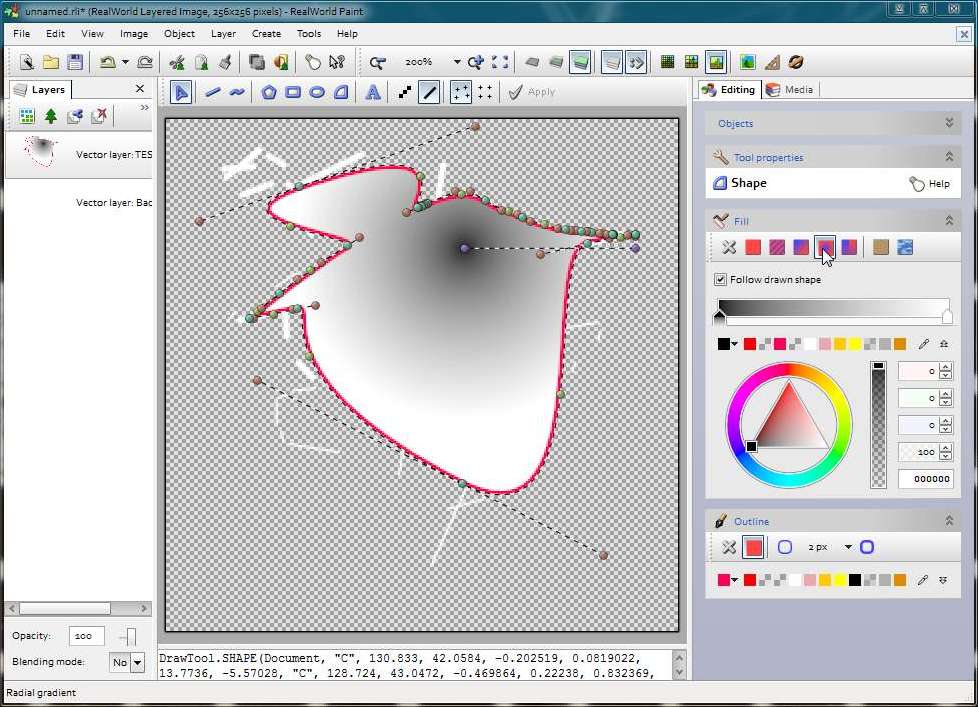
a new version of my freeware image editor is here. This time, the big new feature is vector layers. There is also a new tool called Shape that is similar to the Pen tool in Photoshop (= allows you to create arbitrary shapes from Bezier arcs). There are also a couple of simplifications in the user interface, which should lower the sensory overload new users may experience.
My goal for this version was to make the software usable for semi-professional logo designing and I have a good feeling about it. While it is no Corel Draw or Adobe Illustrator, the results you can get from it are often good enough. I also improved the .psd codec - it now understands vector masks in Photoshop files and can import them as vector layers.
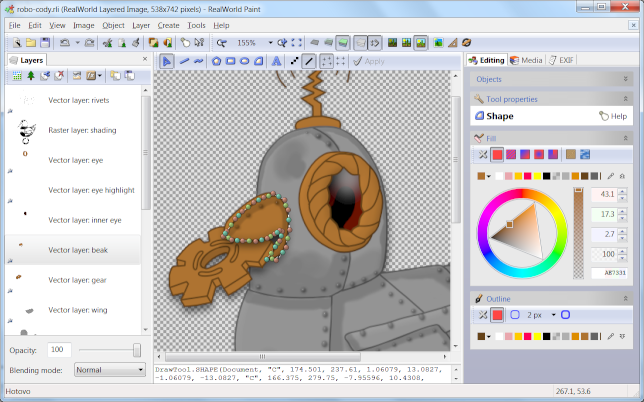
Here is a screenshot showing my adaptation of Hally's Robo Cody. It consists of a couple of vector layers with layer styles applied and the shading is in a separate raster layer.
[attach]
a new version of my freeware image editor is here. This time, the big new feature is vector layers. There is also a new tool called Shape that is similar to the Pen tool in Photoshop (= allows you to create arbitrary shapes from Bezier arcs). There are also a couple of simplifications in the user interface, which should lower the sensory overload new users may experience.
My goal for this version was to make the software usable for semi-professional logo designing and I have a good feeling about it. While it is no Corel Draw or Adobe Illustrator, the results you can get from it are often good enough. I also improved the .psd codec - it now understands vector masks in Photoshop files and can import them as vector layers.
Here is a screenshot showing my adaptation of Hally's Robo Cody. It consists of a couple of vector layers with layer styles applied and the shading is in a separate raster layer.
[attach]





 .
.


