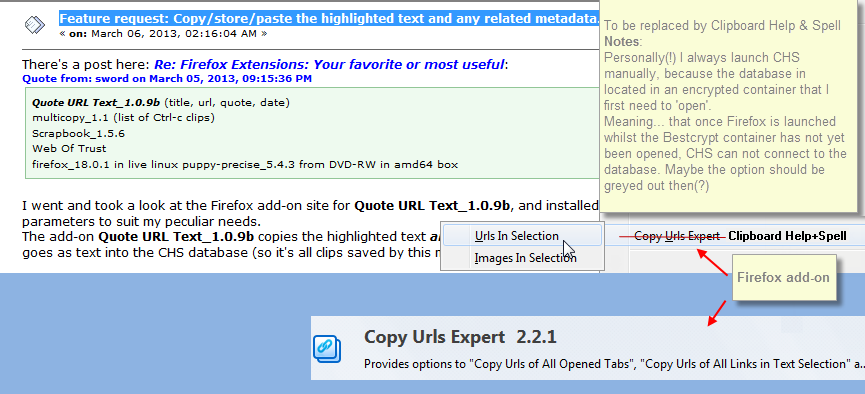
There's a post here: Re: Firefox Extensions: Your favorite or most useful:
I went and took a look at the Firefox add-on site for Quote URL Text_1.0.9b, and installed the add-on, restarted Firefox, and set the add-on's parameters to suit my peculiar needs.
The add-on Quote URL Text_1.0.9b copies the highlighted text and its source url, and other metadata into the Clipboard text field - which also goes as text into the CHS database (so it's all clips saved by this method that have this data, not just the last copied clip).
To check its functionality, I went back to that Firefox add-on site, and selected the text as emboldened per the quote below, and copied it with the Ctrl+Shift+C hotkeys necessary for the add-on to capture the text and metadata.
The following is a paste (Ctrl+V) of the result:
This is an incredibly useful feature, and something that I have needed for ages. I can get something like it with a conventional copy-and-paste (of the last clip copied) into OneNote, which pastes the same text above thusly: (it picks up the HTML/RTF formatting also)
[attach]
Quote URL Text_1.0.9b (title, url, quote, date)
multicopy_1.1 (list of Ctrl-c clips)
Scrapbook_1.5.6
Web Of Trust
firefox_18.0.1 in live linux puppy-precise_5.4.3 from DVD-RW in amd64 box
I went and took a look at the Firefox add-on site for Quote URL Text_1.0.9b, and installed the add-on, restarted Firefox, and set the add-on's parameters to suit my peculiar needs.
The add-on Quote URL Text_1.0.9b copies the highlighted text and its source url, and other metadata into the Clipboard text field - which also goes as text into the CHS database (so it's all clips saved by this method that have this data, not just the last copied clip).
To check its functionality, I went back to that Firefox add-on site, and selected the text as emboldened per the quote below, and copied it with the Ctrl+Shift+C hotkeys necessary for the add-on to capture the text and metadata.
The following is a paste (Ctrl+V) of the result:
Quote
QuoteURLText :: Add-ons for Firefox(The emboldened text is all that was selected/highlighted and copied from the webpage, the rest of the text in the quote is metadata.)
https://addons.mozilla.org/en-US/firefox/addon/quoteurltext/
Wed Mar 06 2013 12:11:33 GMT+1300 (New Zealand Daylight Time)
QuoteURLText 1.0.9b
by Jay Palat
Quote URL text will copy selected text to the clipboard including Page Title, Location and copy date.
This is an incredibly useful feature, and something that I have needed for ages. I can get something like it with a conventional copy-and-paste (of the last clip copied) into OneNote, which pastes the same text above thusly: (it picks up the HTML/RTF formatting also)
[attach]