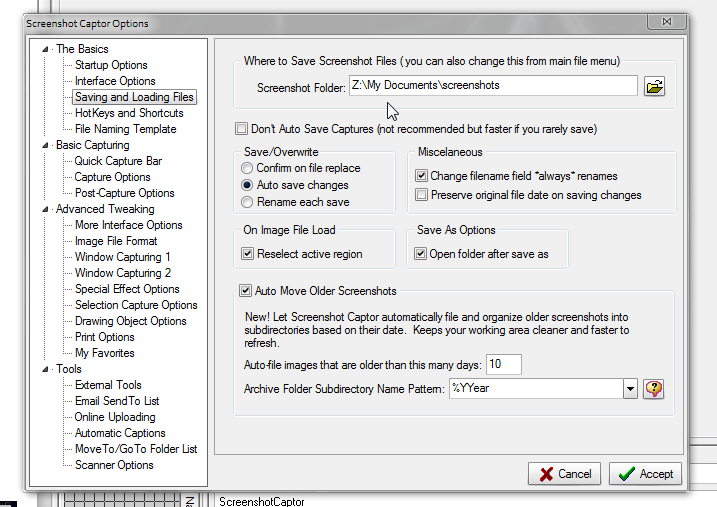
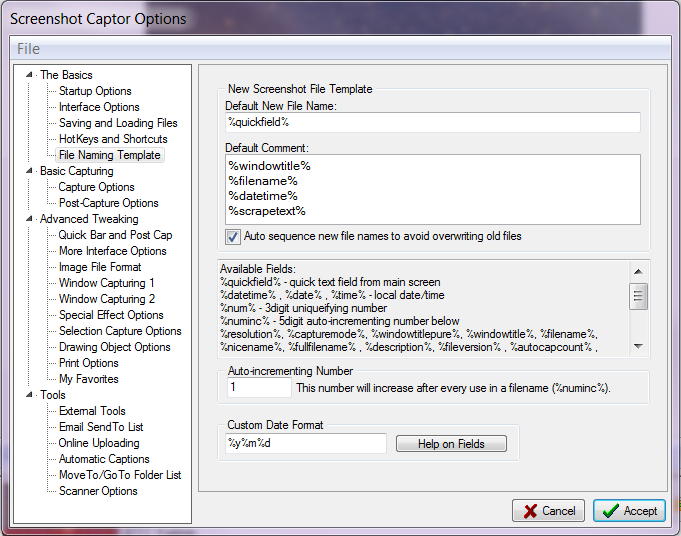
I would like to change the folder where images get saved automatically, each time I start a new project. And I would like shorter file names. I do like not having to think about the file name each time I make a screenshot, though. I would not mind thinking for the first filename in the sequence, if that would help.
For uploading the images to wordpress, it would be easiest if the filenames in the group were numbered in sequence. It's okay if some numbers get skipped (due to me removing some images that didn't come out well).
Is it possible to name the screenshots based on the name of the folder I specified the files should be saved to?
Example. A tutorial about installing WordPress. I will name the folder wp-tut, and it would be lovely if the files were called wp-tut1, wp-tut2, etc. However, wp-tut001 and wp-tut002 would be okay too. Note that occasionally I will have double digits, but never triple.
Thanks!
For uploading the images to wordpress, it would be easiest if the filenames in the group were numbered in sequence. It's okay if some numbers get skipped (due to me removing some images that didn't come out well).
Is it possible to name the screenshots based on the name of the folder I specified the files should be saved to?
Example. A tutorial about installing WordPress. I will name the folder wp-tut, and it would be lovely if the files were called wp-tut1, wp-tut2, etc. However, wp-tut001 and wp-tut002 would be okay too. Note that occasionally I will have double digits, but never triple.
Thanks!
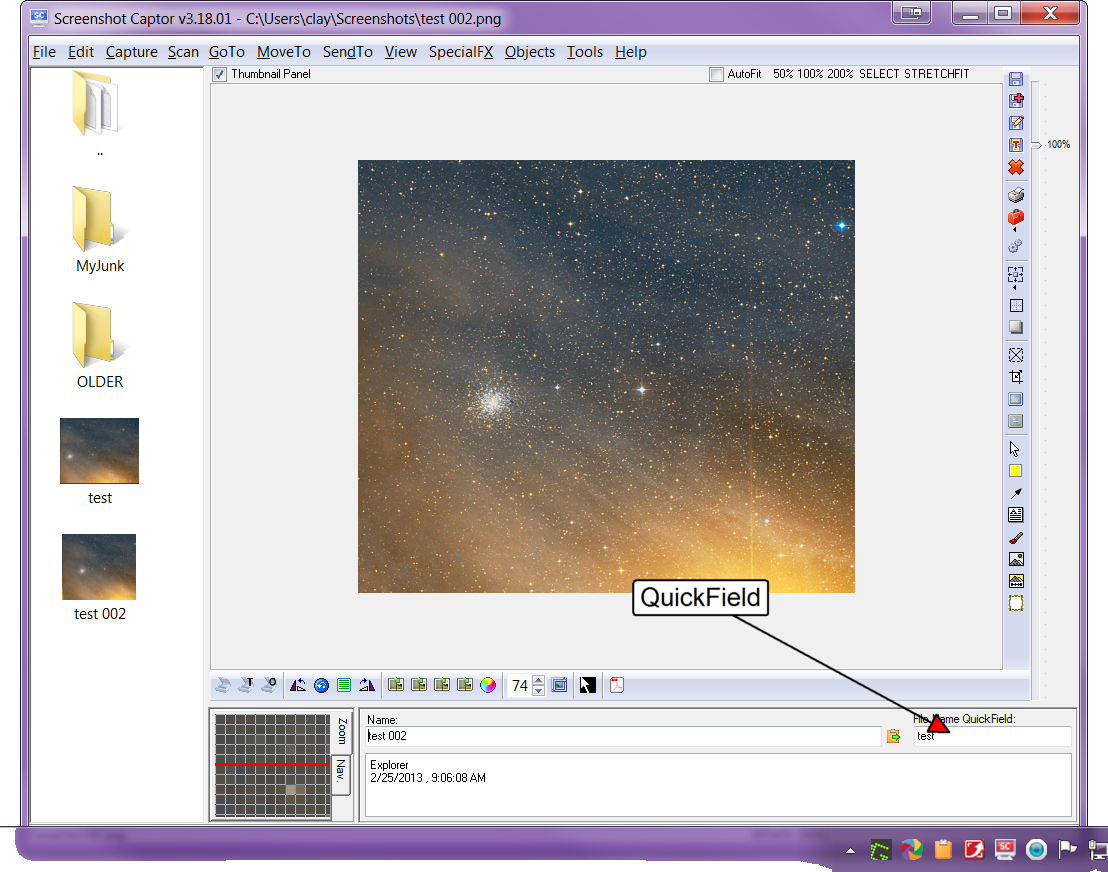


 - found it, it's under the 'GoTo' menu (you can also configure move-to and go-to folders under the 'go-to' menu