DonationCoder.com forum
 
Read-only archive. This is a static copy of the DonationCoder.com forum. Reading and searching work as before; logging in, posting and private messages do not.
Archive of 2026-10-21 · About this archive · Main site

Author Topic: fancy border question, not urgent  (Read 4,341 times)

aparente001

  • Participant
  • Joined in 2013
  • *
  • Posts: 36
fancy border question, not urgent
« on: February 25, 2013, 01:19 PM »
What settings would give me something like the images in this page?  https://support.mozilla.org/en-US/kb/reset-firefox-easily-fix-most-problems

tomos

  • Charter Member
  • Joined in 2006
  • ***
  • Posts: 11,970
    • Gathering Badge
    • Participated in NANY Challenge Once
Re: fancy border question, not urgent
« Reply #1 on: February 25, 2013, 03:50 PM »
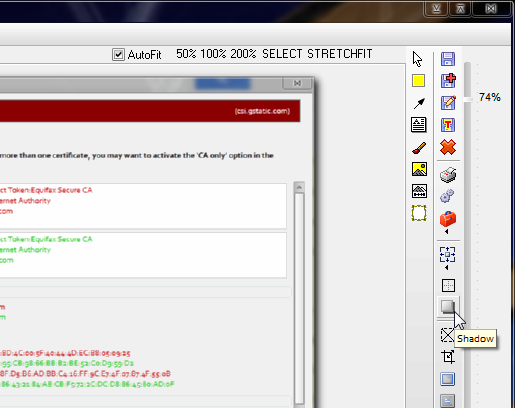
Not exactly the same but almost I think:

(note the tooltip)
[attachthumb=#]

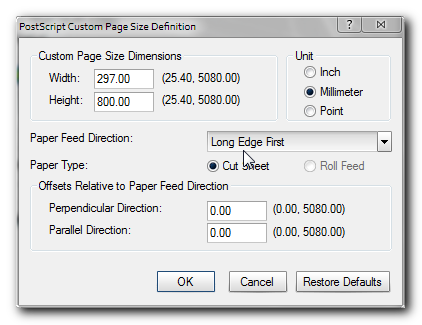
and a screenshot with shadow:
[attachimg=#]
Tom

mouser

  • First Author
  • Administrator
  • Joined in 2005
  • *****
  • Posts: 40,931
    • Gathering Badge
    • Plugin Coding Medal
    • Participated in NANY Challenge Seventeen Times
    • Cody Award
    • Coding Snacks
    • Volunteers/Staff
Re: fancy border question, not urgent
« Reply #2 on: February 25, 2013, 03:56 PM »
Yep, what Tomos said -- Shadow Effect, which you can also find in SpeciaFx menu.

And also, the fade out effect on edges of screenshots can also be added, by using the SpecialFx option to "Splice out strip (DELUXE)" and then choosing the effect, or similarly from Edit menu the "Crop with Border effects" from Edit menu.  These will let you add a fade-out effect or a ragged edge effect.

Note that the order you do shadow and fade-out effect might make a difference in appearance.
« Last Edit: February 25, 2013, 04:21 PM by mouser »

app103

  • That scary taskbar girl
  • Global Moderator
  • Joined in 2006
  • *****
  • Posts: 5,888
    • Participated in NANY Challenge Six Times
    • Coding Snacks
    • Gathering Badge
    • Cody Award
    • Volunteers/Staff
Re: fancy border question, not urgent
« Reply #3 on: February 25, 2013, 04:02 PM »
I think those shadow borders on the screenshots from the Firefox page were most likely applied with Photoshop.

Original address: https://www.donationcoder.com/forum/index.php?topic=34145.0