DonationCoder.com forum
 
Read-only archive. This is a static copy of the DonationCoder.com forum. Reading and searching work as before; logging in, posting and private messages do not.
Archive of 2026-10-21 · About this archive · Main site

Author Topic: Trying to make WindowWidth center on cursor  (Read 20,312 times)

Expletive

  • Participant
  • Joined in 2013
  • *
  • Posts: 7
Trying to make WindowWidth center on cursor
« on: February 18, 2013, 12:48 PM »
I'm trying to change it so that when WindowWidth or WindowHeight are used in a grid file, the window is positioned so that the cursor is at the center of the grid's top edge. Since WindowWidth and WindowHeight can't be operated on like [MonitorXWidth] etc, I figured I have to edit gridmove's source, after digging around in the assortment of .ahk files, I've found only a couple of references to them, so I'm assuming their what I'd have to change. I'm just fuzzy on how. The code I found was:

Code: (AutoHotKey)
;Line 206 of Command.ahk
  If (GridLeft = "WindowWidth" AND GridRight = "WindowWidth")
  {
    WinGetClass,WinClass,A

    if ShouldUseSizeMoveMessage(WinClass)
      SendMessage WM_ENTERSIZEMOVE, , , ,ahk_id %windowid%

    WinMove, A, ,%WinLeft%,%GridTop%, %WinWidth%,% GridBottom - GridTop,    

    if ShouldUseSizeMoveMessage(WinClass)
      SendMessage WM_EXITSIZEMOVE, , , ,ahk_id %windowid%
    StoreWindowState(WindowId,WinLeft,WinTop,WinWidth,WinHeight)
    return
  }
  If (GridTop = "WindowHeight" AND GridBottom = "WindowHeight")
  {
    WinGetClass,WinClass,A

    if ShouldUseSizeMoveMessage(WinClass)
      SendMessage WM_ENTERSIZEMOVE, , , ,ahk_id %windowid%

    WinMove, A, ,%GridLeft%,%WinTop%, % GridRight - GridLeft,%WinHeight%,    

    if ShouldUseSizeMoveMessage(WinClass)
      SendMessage WM_EXITSIZEMOVE, , , ,ahk_id %windowid%
    StoreWindowState(WindowId,WinLeft,WinTop,WinWidth,WinHeight)
    return
  }

;line 849 of GridMoveP1.ahk

    If ShowNumbersFlag
    {
      If (GridTop = "WindowHeight" OR GridLeft = "WindowWidth")
      {
        Gui, add, text,c%shadowcolor% BackGroundTrans  X%ShadowLeft% Y%ShadowTop% ,%A_Index%
        Gui, add, text,c%textcolor% BackGroundTrans  X%TextLeft% Y%TextTop% ,%A_Index%
      }

Also, I'm realizing the Gridmove I've been using for years is now apparently 9 versions out of date. From 19.62 to 19.71. I really like the Aero effects, but I'm not so sure about the new icon. I may just be too set in my ways.

jgpaiva

  • Artificial Idiocy
  • Global Moderator
  • Joined in 2006
  • *****
  • Posts: 4,727
    • Cody Award
    • Participated in NANY Challenge Once
    • Coding Snacks
    • Portugal Inhabitant
    • Linux User
Re: Trying to make WindowWidth center on cursor
« Reply #1 on: February 18, 2013, 01:27 PM »
I'm sorry, but I really can't understand what you want to do :(

Could you try explaining in another way?

(The last lines - from 30 do 39 - only have to do with drawing the grid, so you should ignore those)

Expletive

  • Participant
  • Joined in 2013
  • *
  • Posts: 7
Re: Trying to make WindowWidth center on cursor
« Reply #2 on: February 18, 2013, 03:39 PM »
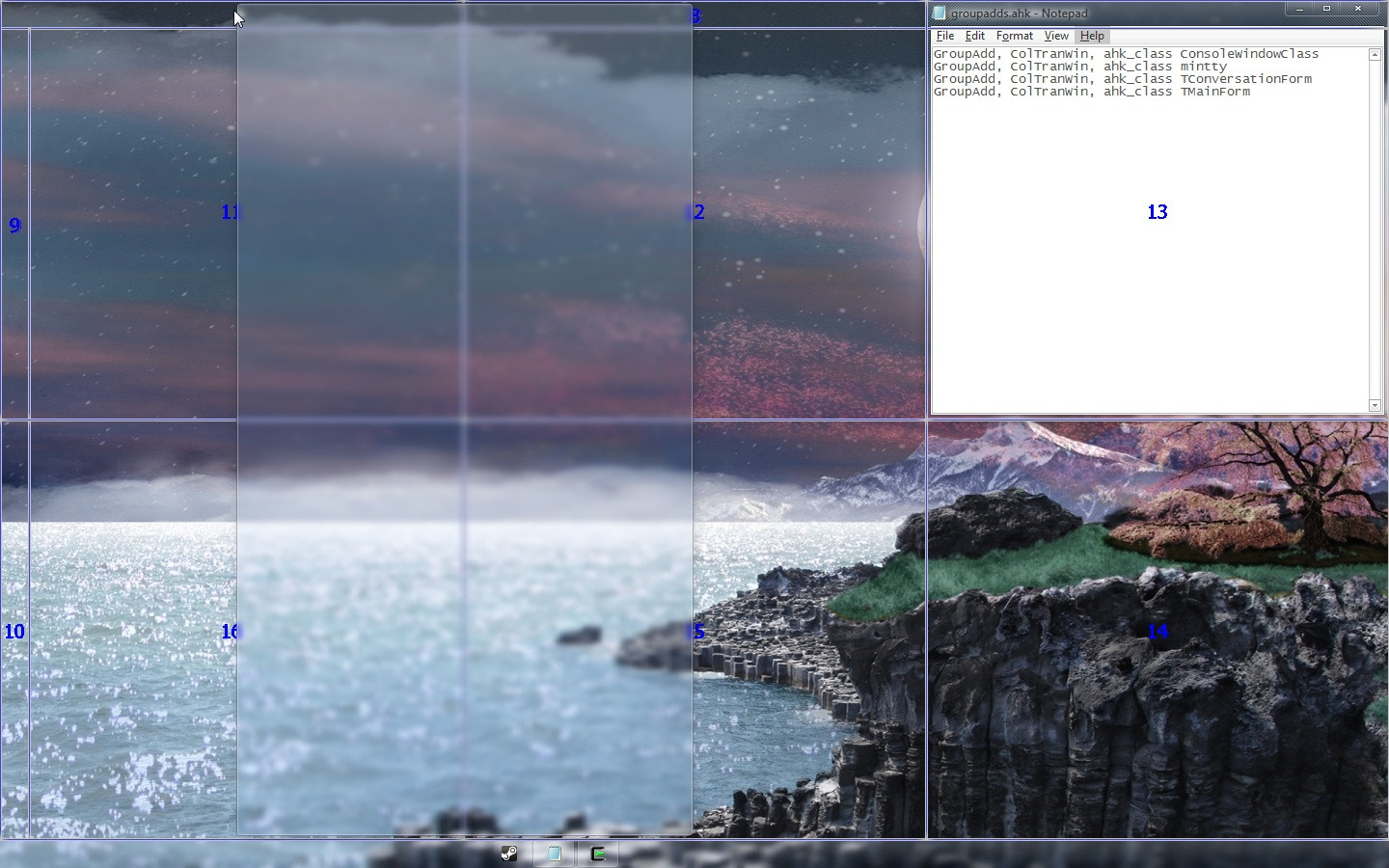
Here's a visual aid:


Grid 8, the one at the top:
Code: (ini)
[8]
	TriggerTop		= [Monitor3Top] 
	TriggerBottom	= [Monitor3Top] + [Monitor3Height] / 30
	TriggerLeft		= [Monitor3Left]
	TriggerRight	= [Monitor3Right]
	GridTop			= [Monitor3Top]
	GridBottom		= [Monitor3Bottom]
	GridLeft		= WindowWidth
	GridRight		= WindowWidth

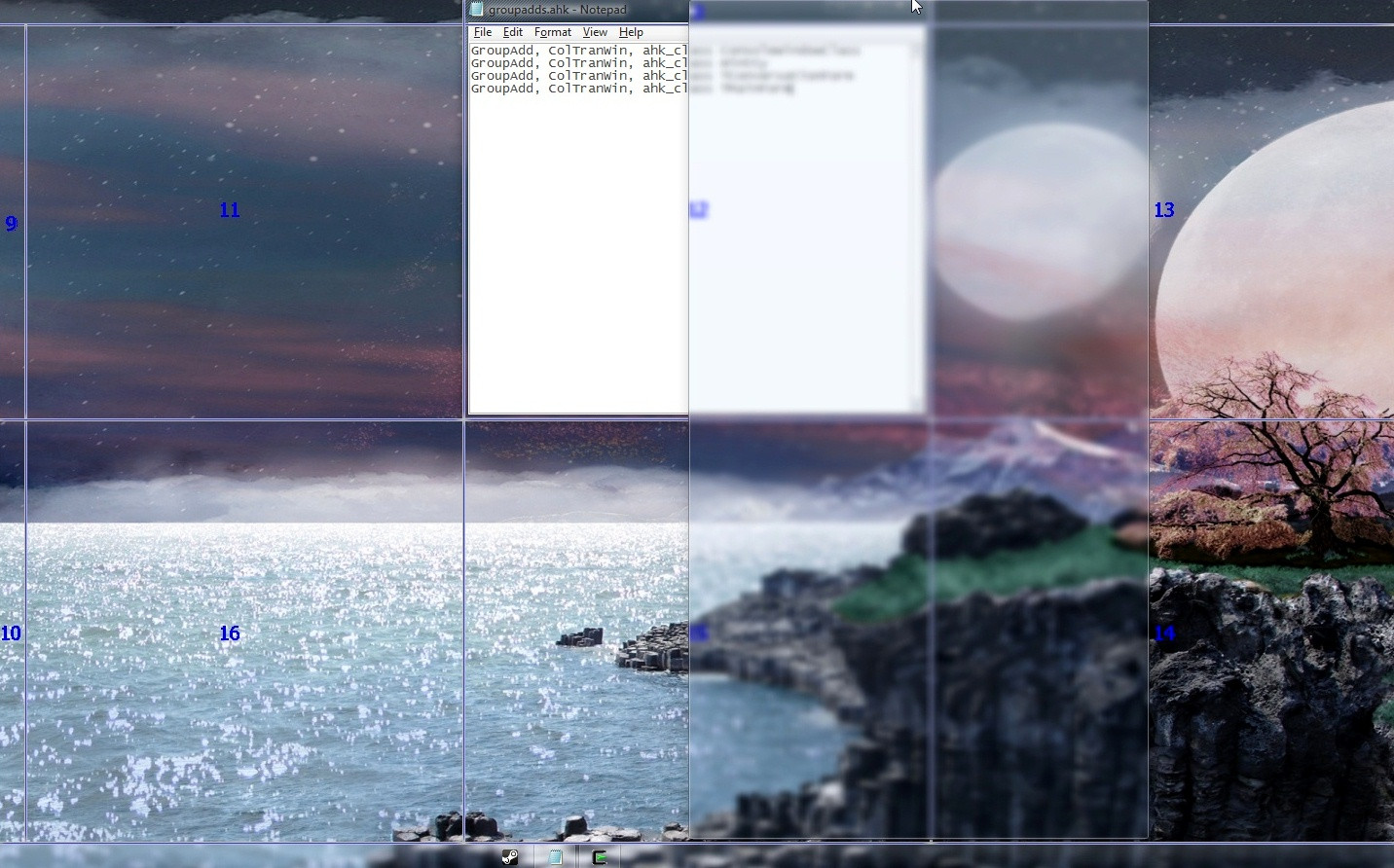
In the image I am holding MButton and dragging the notepad to the top of the window. See how the grid moves with the left edge attached to the mouse cursor? I want to change it so that instead of the current behavior, the window aligns the center to the cursor, such as in the following visual mockup:

jgpaiva

  • Artificial Idiocy
  • Global Moderator
  • Joined in 2006
  • *****
  • Posts: 4,727
    • Cody Award
    • Participated in NANY Challenge Once
    • Coding Snacks
    • Portugal Inhabitant
    • Linux User
Re: Trying to make WindowWidth center on cursor
« Reply #3 on: February 19, 2013, 03:45 PM »
Ah! Indeed that makes sense :)
Ok, so what you're looking for is in GridMoveP1, lines 685-701:

Code
  If GridTop = WindowHeight
  {
    MonitorBottom := GetMonitorBottom(MouseX, MouseY)
    GridTop := MouseY        
    If (GridTop + WinHeight > MonitorBottom)
      GridTop := MonitorBottom - WinHeight
    GridBottom := GridTop + WinHeight
  }
    
  If GridLeft = WindowWidth
  {
    MonitorRight := GetMonitorRight(MouseX, MouseY)
    GridLeft := MouseX
    If (GridLeft + WinWidth > MonitorRight)
      GridLeft := MonitorRight - WinWidth
    GridRight := GridLeft + WinWidth       
  }   

And you should replace it with:

Code
  If GridTop = WindowHeight
  {
    MonitorBottom := GetMonitorBottom(MouseX, MouseY)
    MonitorTop := GetMonitorTop(MouseX, MouseY)
    GridTop := MouseY - 0.5 * WinHeight
    If (GridTop + 0.5 * WinHeight > MonitorBottom)
      GridTop := MonitorBottom - WinHeight
    If (GridTop - 0.5 * WinHeight < MonitorTop)
      GridTop := MonitorTop
    GridBottom := GridTop + WinHeight
  }
    
  If GridLeft = WindowWidth
  {
    MonitorRight := GetMonitorRight(MouseX, MouseY)
    MonitorLeft := GetMonitorLeft(MouseX, MouseY)
    GridLeft := MouseX - 0.5 * WinWidth
    If (GridLeft + 0.5 * WinWidth > MonitorRight)
      GridLeft := MonitorRight - WinWidth
    If (GridLeft - 0.5 * WinWidth < MonitorLeft)
      GridLeft := MonitorLeft
    GridRight := GridLeft + WinWidth       
  }  


I'm really sorry that I can't neither test nor generate a compiled version of GridMove for you (I now only own macs, unfortunately :( ), but I hope this helps.

Expletive

  • Participant
  • Joined in 2013
  • *
  • Posts: 7
Re: Trying to make WindowWidth center on cursor
« Reply #4 on: February 19, 2013, 05:11 PM »
It's working! Thank. But now it doesn't snap to the edges of the Monitor like it used to. In these images the Notepad++ window is maximized on the next monitor over.

Old:  http://i.imgur.com/hPejoGA.jpg

New code: http://i.imgur.com/RVUoQZh.jpg

Is it possible to make it limit the positions of the edges to the edges of the grid, while still trying to center itself on your mouse?

jgpaiva

  • Artificial Idiocy
  • Global Moderator
  • Joined in 2006
  • *****
  • Posts: 4,727
    • Cody Award
    • Participated in NANY Challenge Once
    • Coding Snacks
    • Portugal Inhabitant
    • Linux User
Re: Trying to make WindowWidth center on cursor
« Reply #5 on: February 20, 2013, 12:16 AM »
Sorry, bad math on my part. This line:
Code
If (GridTop + 0.5 * WinHeight > MonitorBottom)
Should be like this:
Code
If (GridTop + 1.5 * WinHeight > MonitorBottom)
Also, do the same on every other line similar to that one (all those that have the comparisons).
« Last Edit: February 20, 2013, 10:55 AM by jgpaiva »

jgpaiva

  • Artificial Idiocy
  • Global Moderator
  • Joined in 2006
  • *****
  • Posts: 4,727
    • Cody Award
    • Participated in NANY Challenge Once
    • Coding Snacks
    • Portugal Inhabitant
    • Linux User
Re: Trying to make WindowWidth center on cursor
« Reply #6 on: February 20, 2013, 10:56 AM »
I'm sorry, I was probably sleeping when I did the code above.

This version should fix all the problems:
Code
  If GridTop = WindowHeight
  {
    MonitorBottom := GetMonitorBottom(MouseX, MouseY)
    MonitorTop := GetMonitorTop(MouseX, MouseY)
    GridTop := MouseY - 0.5 * WinHeight
    If (GridTop + WinHeight > MonitorBottom)
      GridTop := MonitorBottom - WinHeight
    If (GridTop < MonitorTop)
      GridTop := MonitorTop
    GridBottom := GridTop + WinHeight
  }
    
  If GridLeft = WindowWidth
  {
    MonitorRight := GetMonitorRight(MouseX, MouseY)
    MonitorLeft := GetMonitorLeft(MouseX, MouseY)
    GridLeft := MouseX - 0.5 * WinWidth
    If (GridLeft + WinWidth > MonitorRight)
      GridLeft := MonitorRight - WinWidth
    If (GridLeft < MonitorLeft)
      GridLeft := MonitorLeft
    GridRight := GridLeft + WinWidth       
  } 

Original address: https://www.donationcoder.com/forum/index.php?topic=34071.0