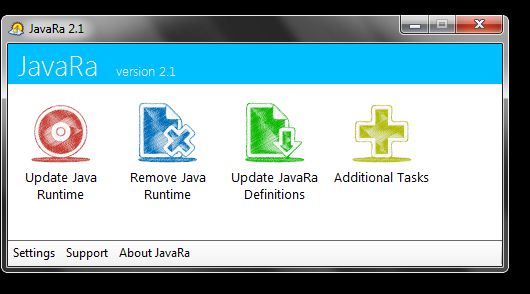
I have a batch script that attempts to purge java from your system, and cleanly install whatever version you specify, just place the scripts in the same directory as the JRE installers downloaded from here:
http://www.oracle.com/technetwork/java/javase/downloads/index.html and update the variables at the top to match whatever version you are installing. This also works when installing from network shares.
install-java.bat:
@echo off
rem set product=jre6
rem set version=6u39
set product=jre7
set version=7u13
set base=%~dp0
cls
title Java %version% Installer
set /P auth=Continue? (Y/N):
if /I "%auth%" NEQ "Y" goto end
cls
title Removing old versions...
echo Please wait...
cscript /nologo "%base%remove-java.js"

ver | find "Version 6." >nul
if "%errorlevel%" == "0" goto v6
ver | find "Version 5." >nul
if "%errorlevel%" == "0" goto v5
echo Unsupported Operating System
pause
exit
rem process folders specific to vista/7
:v6
if exist "%SystemDrive%\Users" (
	setlocal EnableDelayedExpansion
	set ProfileDir=%SystemDrive%\Users
	for /f "tokens=*" %%a in ('dir /b "!ProfileDir!"') do (
		if exist "!ProfileDir!\%%a\AppData\LocalLow\Sun" (
			echo.Removing "!ProfileDir!\%%a\AppData\LocalLow\Sun"
			rmdir /s /q "!ProfileDir!\%%a\AppData\LocalLow\Sun"
		)
	)
	endlocal
)
if exist "%userprofile%\AppData\LocalLow\Sun" (
	echo.Removing "%userprofile%\AppData\LocalLow\Sun"
	rmdir /s /q "%userprofile%\AppData\LocalLow\Sun"
)
if exist "%SystemDrive%\ProgramData\Sun" (
	echo.Removing "%SystemDrive%\ProgramData\Sun"
	rmdir /s /q "%SystemDrive%\ProgramData\Sun"
)
goto common
rem process folders specific to xp
:v5
if exist "%SystemDrive%\Documents and Settings" (
	setlocal EnableDelayedExpansion
	set ProfileDir=%SystemDrive%\Documents and Settings
	for /f "tokens=*" %%a in ('dir /b "!ProfileDir!"') do (
		if exist "!ProfileDir!\%%a\Application Data\Sun" (
			echo.Removing "!ProfileDir!\%%a\Application Data\Sun"
			rmdir /s /q "!ProfileDir!\%%a\Application Data\Sun"
		)
	)
	endlocal
)
if exist "%userprofile%\Application Data\Sun" (
	echo.Removing "%userprofile%\Application Data\Sun"
	rmdir /s /q "%userprofile%\Application Data\Sun"
)
:common
if exist "%SystemRoot%\Sun" (
	echo.Removing "%SystemRoot%\Sun"
	rmdir /s /q "%SystemRoot%\Sun"
)
set dj1=%SystemRoot%\system32\deployJava1.dll
if exist "%dj1%" (
	echo.Removing "%dj1%"
	regsvr32 /s /u "%dj1%"
	del /f /q "%dj1%"
)
set npdj1=%SystemRoot%\system32\npdeployJava1.dll
if exist "%npdj1%" (
	echo.Removing "%npdj1%"
	del /f /q "%npdj1%"
)

title Java %version% Installing...
rem We always install the x86 version of Java. Note the order of installation. If x86 is installed before x64 some x86 apps do not work.
rem This can be remedied by reinstalling the x86 version, but why encounter the problem? Just install x64 before x86 versions of Java.
if "%PROCESSOR_ARCHITECTURE%"=="amd64" goto x64
if "%PROCESSOR_ARCHITEW6432%"=="amd64" goto x64
:x86
"%base%jre-%version%-windows-i586.exe" /s REBOOT=Suppress IEXPLORER=1 MOZILLA=1
goto clean
:x64
"%base%jre-%version%-windows-x64.exe" /s REBOOT=Suppress IEXPLORER=1 MOZILLA=1
goto x86
:clean
title Cleaning up...
rem remove Java Quick Starter
rem sc stop JavaQuickStarterService
rem sc delete JavaQuickStarterService
net stop JavaQuickStarterService
if exist "%ProgramFiles%\Java\%product%\bin\jqs.exe" "%ProgramFiles%\Java\%product%\bin\jqs.exe" -unregister
if exist "%ProgramFiles(x86)%\Java\%product%\bin\jqs.exe" "%ProgramFiles(x86)%\Java\%product%\bin\jqs.exe" -unregister
rem Remove Java Auto Updater software
msiexec /qn /x {4A03706F-666A-4037-7777-5F2748764D10}
title Java %version% Installed.
pause
:end
@exit
and the accompanying javascript, remove-java.js:
function echo(a){return WScript.Echo(a);}
function exit(a){return WScript.Quit(a);}

var Registry=(function(){

//	this.HKEY_CLASSES_ROOT 		= 0x80000000;
//	this.HKEY_CURRENT_USER 		= 0x80000001;
	this.HKEY_LOCAL_MACHINE 	= 0x80000002;
//	this.HKEY_USERS 		= 0x80000003;
//	this.HKEY_CURRENT_CONFIG 	= 0x80000005;

//	this.Types = new Array(
//	    '                              ',    // 0
//	    'REG_SZ                        ',    // 1
//	    'REG_EXPAND_SZ                 ',    // 2
//	    'REG_BINARY                    ',    // 3
//	    'REG_DWORD                     ',    // 4
//	    'REG_DWORD_BIG_ENDIAN          ',    // 5
//	    'REG_LINK                      ',    // 6
//	    'REG_MULTI_SZ                  ',    // 7
//	    'REG_RESOURCE_LIST             ',    // 8
//	    'REG_FULL_RESOURCE_DESCRIPTOR  ',    // 9
//	    'REG_RESOURCE_REQUIREMENTS_LIST',    // 10
//	    'REG_QWORD                    ');    // 11

	this.oRegistry=GetObject('winmgmts:{impersonationLevel=impersonate}!\\\\.\\root\\default:StdRegProv');
	this.Exec=function(method,hkey,sRegPath,sValueName){
		var oMethod = this.oRegistry.Methods_(method);
		var oInParam = oMethod.InParameters.SpawnInstance_();
		oInParam.hDefKey = hkey;
		oInParam.sSubKeyName = sRegPath;
		if(sValueName != null)oInParam.sValueName = sValueName;
		return this.oRegistry.ExecMethod_(oMethod.Name, oInParam);
	};
	this.EnumKey=function(sRegPath){
		var oOutParam = this.Exec('EnumKey', this.HKEY_LOCAL_MACHINE, sRegPath);
		return oOutParam.sNames.toArray();
	};
	this.EnumValues=function(sRegPath){
		var oOutParam = this.Exec('EnumValues', this.HKEY_LOCAL_MACHINE, sRegPath);
		var aNames = oOutParam.sNames.toArray();
		var aTypes = oOutParam.Types.toArray();
		var ret=[];
		for(var i=0;i<aNames.length;i++){
			ret.push({'Name': aNames[i], 'Type': aTypes[i]});
		}
		return ret;
	};
//	this.GetDWORDValue=function(sRegPath,sValueName){
//		var oOutParam = this.Exec('GetDWORDValue', this.HKEY_LOCAL_MACHINE, sRegPath, sValueName);
//		return oOutParam.uValue;
//	};
//	this.GetExpandedStringValue=function(sRegPath,sValueName){
//		var oOutParam = this.Exec('GetExpandedStringValue', this.HKEY_LOCAL_MACHINE, sRegPath, sValueName);
//		return oOutParam.sValue;
//	};
	this.GetStringValue=function(sRegPath,sValueName){
		var oOutParam = this.Exec('GetStringValue', this.HKEY_LOCAL_MACHINE, sRegPath, sValueName);
		return oOutParam.sValue;
	};
	return this;
})();

exit(main());
function main(){

	var wshell=WScript.CreateObject('WScript.Shell');

	//echo(Registry.EnumKey(sRegPath).join('\n'));

	var sRegPath = 'SOFTWARE\\Microsoft\\Windows\\CurrentVersion\\Uninstall';
	try{
		var items = Registry.EnumKey(sRegPath);
	}catch(err){
		var items = [];
	}
	for(var i=0;i<items.length;i++){
		//echo(items[i]);
		try{
			var props = Registry.EnumValues(sRegPath+'\\'+items[i]);
		}catch(err){
			var props = [];
		}
		for(var j=0;j<props.length;j++){
			if(props[j].Name == 'DisplayName'){
				var value = Registry.GetStringValue(sRegPath+'\\'+items[i], props[j].Name);
				// jre6 and jre7, older versions have to be manually dealt with
				if((/^Java(\(TM\))? \d( Update \d+)?$/).test(value)){
					wshell.Run('msiexec /qn /norestart /x '+items[i],0,true);
				}
			}

			/*var v=props[j].Type;
			switch(props[j].Type){
				case 1:
					v=Registry.GetStringValue(sRegPath+'\\'+items[i],props[j].Name);
					break;
				case 2:
					v=Registry.GetExpandedStringValue(sRegPath+'\\'+items[i],props[j].Name);
					break;
				case 4:
					v=Registry.GetDWORDValue(sRegPath+'\\'+items[i],props[j].Name);
					break;
				default:break;
			}
			//echo('\t'+props[j].Name + ': ' + v);

			if(props[j].Name == 'DisplayName' && typeof(v)=='string' &&
			    // jre6 and jre7, older versions have to be manually dealt with
			    (/^Java\(TM\) \d( Update \d+)?$/).test(v)){
				echo('msiexec /qn /norestart /x '+items[i]);
			}*/
		}

	}

	// handle 32-bit software installed on a 64-bit system
	var sRegPath = 'SOFTWARE\\Wow6432Node\\Microsoft\\Windows\\CurrentVersion\\Uninstall';
	try{
		var items = Registry.EnumKey(sRegPath);
	}catch(err){
		var items = [];
	}
	for(var i=0;i<items.length;i++){
		try{
			var props = Registry.EnumValues(sRegPath+'\\'+items[i]);
		}catch(err){
			var props = [];
		}
		for(var j=0;j<props.length;j++){
			if(props[j].Name == 'DisplayName'){
				var value = Registry.GetStringValue(sRegPath+'\\'+items[i], props[j].Name);
				// jre6 and jre7, older versions have to be manually dealt with
				if((/^Java\(TM\) \d( Update \d+)?$/).test(value)){
					wshell.Run('msiexec /qn /norestart /x '+items[i],0,true);
				}
			}
		}
	}

	return 0;

//	var wmi=GetObject('winmgmts:{impersonationLevel=impersonate}!\\\\.\\root\\cimv2');
//	var query='SELECT * FROM Win32_Product';
//	//var query='SELECT * FROM Win32_PhysicalMemory';
//	var en=new Enumerator(wmi.ExecQuery(query));
//	for(en.moveFirst();!en.atEnd();en.moveNext()){
//		var itm = en.item();
//		echo('Name: '+itm.Name);
//		/*var props = new Enumerator(itm.Properties_);
//		for(props.moveFirst();!props.atEnd();props.moveNext()){
//			var p = props.item();
//			echo(p.Name + ': ' + p.Value);
//		}*/
//	}
//	return 0;
}