DonationCoder.com forum
 
Read-only archive. This is a static copy of the DonationCoder.com forum. Reading and searching work as before; logging in, posting and private messages do not.
Archive of 2026-10-21 · About this archive · Main site

Author Topic: Launcher from any text editor  (Read 5,810 times)

Contro

  • Supporting Member
  • Joined in 2007
  • **
  • Posts: 3,947
Launcher from any text editor
« on: January 05, 2013, 07:59 PM »
:-[

I think this must be easy.

Suppose you have a path in a txt file

Y:\contro\con1  you want to open

I would like a hotkey to open the path from the txt file or any other similar situation

And also for an executable path

By example

Y:\contro\con1\contro.exe

using the default program for that purpose assigned by the system.

Best Regards
:-*

mouser

  • First Author
  • Administrator
  • Joined in 2005
  • *****
  • Posts: 40,931
    • Gathering Badge
    • Plugin Coding Medal
    • Participated in NANY Challenge Seventeen Times
    • Cody Award
    • Coding Snacks
    • Volunteers/Staff
Re: Launcher from any text editor
« Reply #1 on: January 05, 2013, 08:04 PM »
That should be easy enough to do in autohotkey, and one of the autohotkey people will surely report how to do it.

I'll just mention that if you use my Find and Run Robot, you can configure a hotkey that tells FARR to copy the text under the clipboard and then launch farr with that text in the search window.  From there you could hit enter to open or launch the file (if the text under the clipboard was a file) or hit enter to launch a url, or let FARR do a search for whatever text is under clipboard.  In this way FARR might be a more general solution to what you are interested in.

Note, by default FARR as an example hotkey that almost does this -- just select some text under cursor and hit Ctrl+Break.  The difference is that this default hotkey example adds the word "search " prior to launching with the text under cursor, and so is useful for performing web searches for the text.

Contro

  • Supporting Member
  • Joined in 2007
  • **
  • Posts: 3,947
Re: Launcher from any text editor
« Reply #2 on: January 05, 2013, 11:55 PM »
That should be easy enough to do in autohotkey, and one of the autohotkey people will surely report how to do it.

I'll just mention that if you use my Find and Run Robot, you can configure a hotkey that tells FARR to copy the text under the clipboard and then launch farr with that text in the search window.  From there you could hit enter to open or launch the file (if the text under the clipboard was a file) or hit enter to launch a url, or let FARR do a search for whatever text is under clipboard.  In this way FARR might be a more general solution to what you are interested in.

Note, by default FARR as an example hotkey that almost does this -- just select some text under cursor and hit Ctrl+Break.  The difference is that this default hotkey example adds the word "search " prior to launching with the text under cursor, and so is useful for performing web searches for the text.

Nice indeed. I haven't understand completely, excuse me, but I can learn.

I will comment
:-*

Contro

  • Supporting Member
  • Joined in 2007
  • **
  • Posts: 3,947
Re: Launcher from any text editor
« Reply #3 on: January 06, 2013, 12:02 AM »
A single doubt

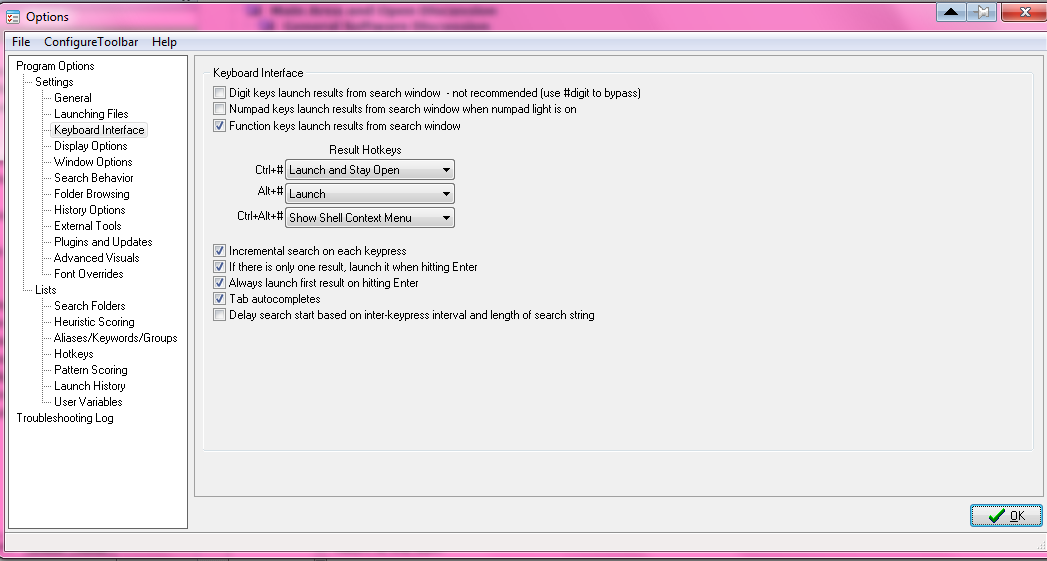
I observed three hotkeys I don't manage

In my keyboard I obtain # by the combination AltGr+3 (from the alfaphetical-numerical number zone)

But when I use Control+AltGr+3 I obtain only # and is proposed as Launch and stay open FARR

See the screenshot

Contro

  • Supporting Member
  • Joined in 2007
  • **
  • Posts: 3,947
Re: Launcher from any text editor
« Reply #4 on: January 06, 2013, 12:07 AM »
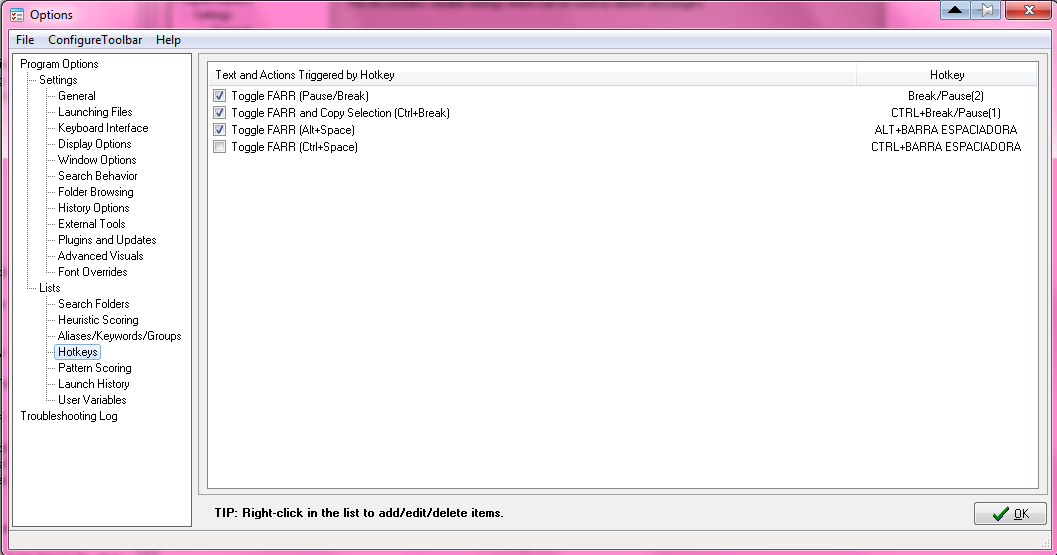
How can i define the new hotkey to launch ?

It's here ?

Best Regards


mouser

  • First Author
  • Administrator
  • Joined in 2005
  • *****
  • Posts: 40,931
    • Gathering Badge
    • Plugin Coding Medal
    • Participated in NANY Challenge Seventeen Times
    • Cody Award
    • Coding Snacks
    • Volunteers/Staff
Re: Launcher from any text editor
« Reply #5 on: January 06, 2013, 12:23 AM »
Yes, RIGHT-CLICK in that window and choose to create a new hotkey.  Use whatever keyboard shortcut you want.

Choose the following options:
Screenshot - 1_5_2013 , 6_22_28 PM - cap 00129.png

Contro

  • Supporting Member
  • Joined in 2007
  • **
  • Posts: 3,947
Re: Launcher from any text editor
« Reply #6 on: January 06, 2013, 12:26 AM »
;D
Running to try

Contro

  • Supporting Member
  • Joined in 2007
  • **
  • Posts: 3,947
Re: Launcher from any text editor
« Reply #7 on: January 06, 2013, 12:36 AM »
:-*

It's marvellous

I launch a folder
then a program
and finally an url


:P

Original address: https://www.donationcoder.com/forum/index.php?topic=33560.0