


NANY 2013 Entry Information
| Application Name | BookCrop |
| Short Description | BookCrop quickly batch crops many jpeg photos of book pages |
| Supported OSes | tested in Win7 |
| Web Page | http://nod5.dcmembers.com/bookcrop.html |
| Download Link | http://nod5.dcmembers.com/downloads/bookcrop.zip |
| Author | nod5 |
| Description | 1. Drag and drop a folder of jpeg or tif images. 2. BookCrop overlays them all into one preview. 3. Draw a rectangle and click "crop" to lossless crop all images. (4. or Ctrl+draw another rectangle to the right of the first to crop split each image to two files) Use BookCrop on folders with right and left pages before ScanTailor when book scanning. BookCrop is like Briss but for jpeg files. See the application web page for more details and usage tips. |
| Screenshots | 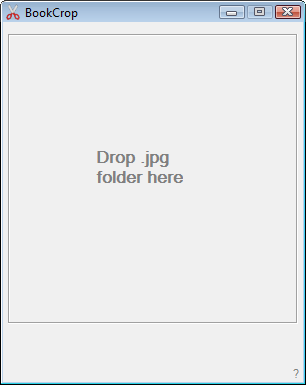 ![bookcrop2[1].png](/forum/attachments/71132/bookcrop2[1].png) 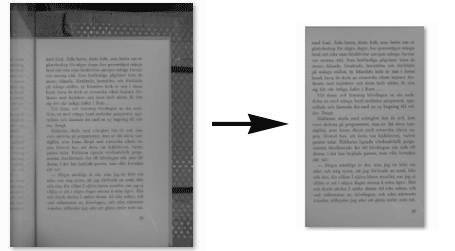 |
| Installation | Unzip BookCrop. Download and install the latest GraphicsMagick (Q8 version is faster) to any folder, BookCrop automatically finds it. Download libjpeg-turbo-1.3.0-gcc.exe (for 64bit get gcc64.exe) or newer and unzip the exe (with 7-zip) and browse to the \bin subfolder and copy jpegtran.exe and libjpeg-62.dll and place next to BookCrop.exe Run BookCrop.exe |
| Uninstallation | Delete the BookCrop application folder. |
Help me out with this:
- test it in Win xp, Vista and Win7 32bit
- let me know if you find any bugs
added updates:
- preview height now adapts to screen height.
- new option: crop to subfolder (keep originals).
edit 2013-06-22: updated the instruction above to fit new files and features
edit 2014-11-14: updated version with split batch job (left right) and rotation









