| Originally posted: | 2012-12-05 |
| Last updated | 2017-02-02 |
Basic Info
| App Name | Windows Defender (also Microsoft Security Essentials MSE) (Anti-virus, spyware, and other malicious software detection/protection) |
| Thumbs-Up Rating |  |
| App URL | http://windows.microsoft.com/en-US/windows/security-essentials-download |
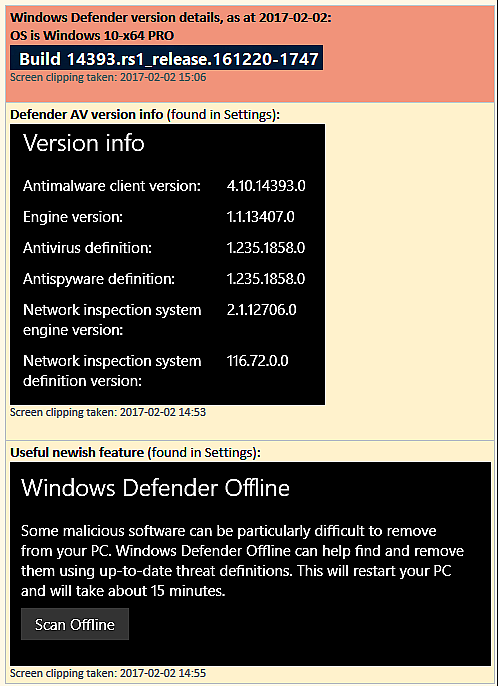
| App Version Reviewed | All $FREE versions and beta releases since Oct. 2010, including the current latest version: |
| User System Specs | Win 7-64 HP, Win8/8.1-64 and PRO, Win10-64 and PRO |
| Supported OSes | Bundled as "Defender" within Win8/8.1, and can be installed as "MSE" in Windows 7,Vista, and XP (64-bit/32-bit) |
| Support Methods | microsoft.com (link is to the download site). Updates to software and virus signature files are automatic, and can also be triggered via the Start menu to check for updates via Windows Update (in the Control Panel). Virus signature file updates can also be forced instantaneously from the application GUI. Help: is via links from the software GUI. |
| Upgrade Policy | Upgrades/updates are $FREE and loaded as above. |
| Trial Version Available? | For personal and small business use: $FREE Trial and Production version (they are one and the same). There is no PAID version. |
| Pricing Scheme | Defender is now bundled in Win8 and up, and MSE is $FREE For personal and small business use. |
Intro and Overview:
Update 2015-05-14:
Protection for your PC
Quote
Windows Defender is now built-in to the Windows OS and helps guard your PC against viruses and other malware.
For a PC running an older version of Windows, you can download Microsoft Security Essentials.
______________________
Windows Defender Help quote:
Quote
Windows Defender is included with Windows and helps keep malware from infecting your PC in two ways:_______________________________________
- Providing real-time protection. Windows Defender notifies you when malware tries to install itself or run on your PC. It also notifies you when applications try to change important settings.
- Providing anytime scanning options. Windows Defender automatically scans your PC for installed malware on a regular basis, but you can also start a scan whenever you want. Windows Defender automatically removes (or temporarily quarantines) anything that's detected during a scan.
This review follows on from a separate discussion thread in the DC Forum: Microsoft Security Essentials - new Beta out 2011-11-30 (updated 2012-07-11)
The virus-checking engine used by MSE used to be only available for businesses, and at a cost. It was regarded as being one of the best AV (Anti-Virus) tools available for business servers.
In October 2010 it was released for free for personal and small business users. I started using it as soon as the release was available, and it has been through several upgrades since then.
You can either use the released versions of MSE, or get on the beta or "pre-release" channel. (I have used both channels with no real problems.)
You can fit-and-forget MSE. The installation is straightforward. Once installed, everything is automatic, and seems to have been rock-solid stable (for me, at any rate). There are regular automatic virus signature file updates.
The user control is mainly around the setting of the default actions that are to be taken in the event of a malware detection at different threat levels - the actions are remove or quarantine. In the event, you can always tell MSE to ignore a given threat detection, thus it does not need to be blindly automatic or divorced from user control.
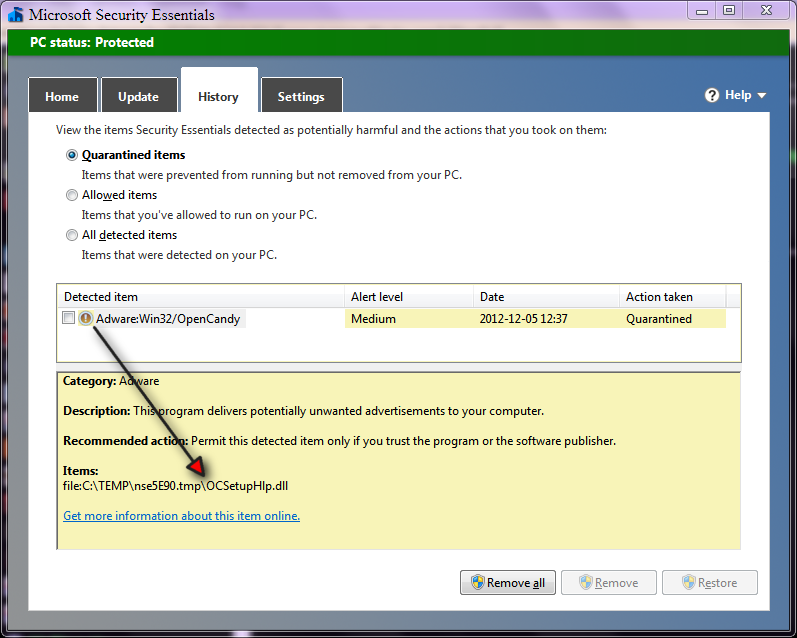
Over the time I have been using MSE on my PCs, it has detected several malwares, but my PCs have so far not been attacked by any really nasty viruses.
Description:
From the website:
Quote
Use Microsoft Security Essentials to help guard against viruses, spyware, and other malicious software. It provides real-time protection for your home or small business PCs.
Microsoft Security Essentials is free* and we designed it to be simple to install and easy to use. It runs quietly and efficiently in the background so you don't have to worry about interruptions or making updates.
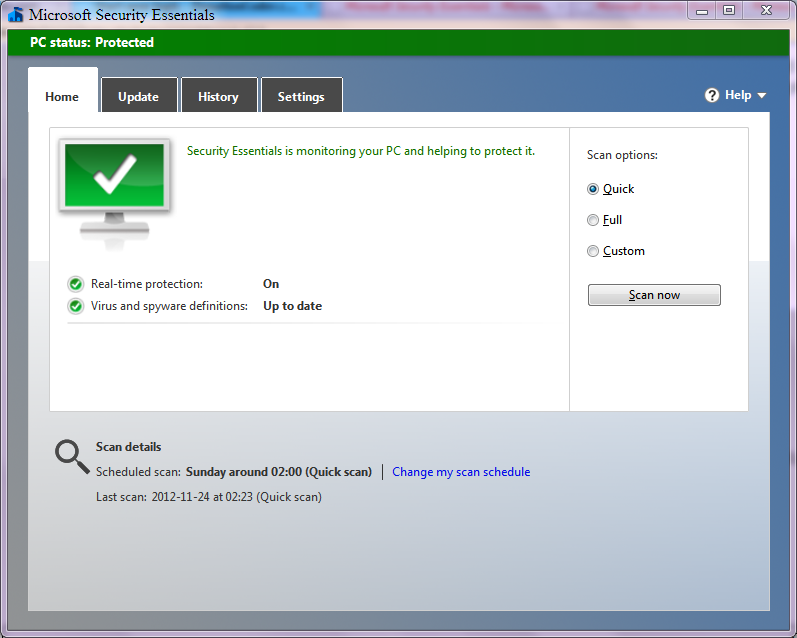
- Here is an example of the main GUI tab:
[attach]


 - carpe noctem