


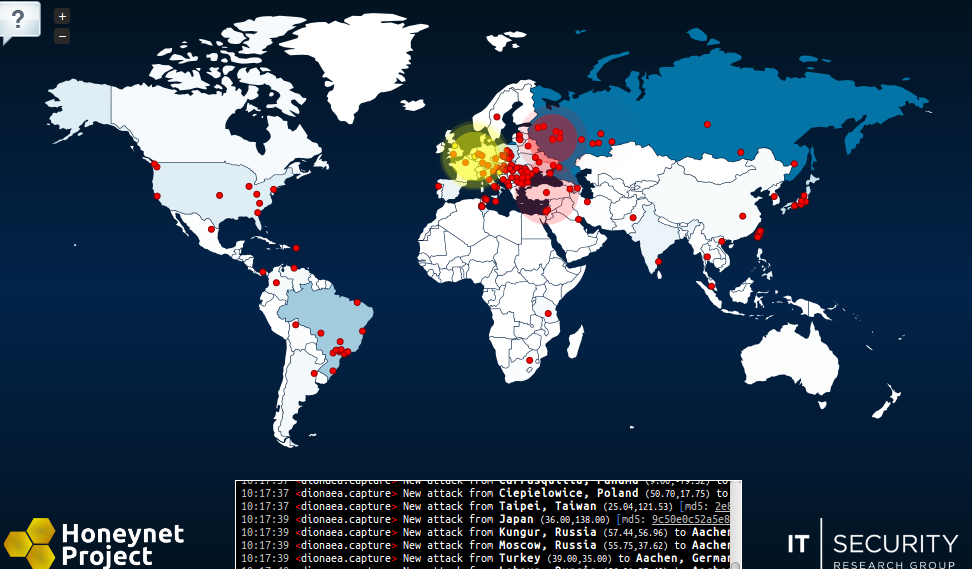
This is pretty interesting. Project Honeynet has just put up a realtime visualization of cyberattacks on locations which are hosting one or more of the project's passive sensor tools. The visualization doesn't necessarily show "targeted" (i.e. human directed against a specific target) attacks. But it does show suspicious scanning and other activities detected by their sensors. Most are likely to be automated vulnerability scans. But it does provide a sense of just how prevalent vulnerability probing is considering the relatively small number of networks that are involved with Project Honeynet compared to the total number of networks out there.
Check out their website for full details.
Link to Project Honeynet homepage here.
Direct link to the HoneyMap is here.
Here's a screenshot taken around 10:15 EST.
[attachthumb=#]
Check out their website for full details.
Link to Project Honeynet homepage here.
Direct link to the HoneyMap is here.
Here's a screenshot taken around 10:15 EST.
[attachthumb=#]
Quote
The HoneyMap shows a real-time visualization of attacks against the Honeynet Project's sensors deployed around the world. It leverages the internal data sharing protocol hpfeeds as its data source. Read this post to learn about the technical details and frequently asked questions. Before going into explanations, take a look at the map itself: map.honeynet.org!
We have seen attack visualizations for quite some time in various forms and availabilities. So far, we only had a GTK canvas based solution and a project around Google Earth and WebGL that would show attacks against our honeypot systems. The most awesome related projects are coming from our Australian folks (thanks Ben) - make sure to take a look at their site.
Despite earlier nice approaches, a pure web based one that could easily be shared was not existing. With better abstractions, more libraries and cool HTML5/CSS3 stuff becoming available for web browsers, Florian decided to try a similar visualization that could be made available as a service without any setup requirements. After the first initial proof-of-concept code, we decided to throw some real data onto the map.
Internally, the Honeynet Project uses hpfeeds for collecting data from honeypots and sharing it across different analysis components and data storage setups. Thus, we added hpfeeds support to our map back-end and translated all IP addresses of our events to geographic locations through the MaxMind IP geolocation. After a short while we had a real-time event visualization that used our already existing honeypot data - and it looked awesome!




 Happened to me just the other day, couldn't quite remember why I had downloaded
 - It actually gave me an idea given that live monitoring while one is away from the computer (e.g. SS mode) is a bit of a contradiction. So I just opened it in a browser on my second monitor and hit F11 (kiosk mode in IE) which works effectively as half a screensaver while letting me function normally on the first monitor. Give it a shot..(assuming you have multiple monitors of course)...I do believe it's exactly the effect we were after.