


Hi,
I may be missing a trick, but if I use a screen capture app to capture a screen-shot of an area of the desktop (say), although I can view the screen-shot in the main CH&S window at full size, when I paste into an e-mail (say) I get a tiny, almost thumbnail image as a result. Sure I can use the grab handles to increase the size and I find that the image is at the correct resolution but I just wondered why CH&S doesn't paste a screen-shot at the 'captured size' by default.
Thanks.
I may be missing a trick, but if I use a screen capture app to capture a screen-shot of an area of the desktop (say), although I can view the screen-shot in the main CH&S window at full size, when I paste into an e-mail (say) I get a tiny, almost thumbnail image as a result. Sure I can use the grab handles to increase the size and I find that the image is at the correct resolution but I just wondered why CH&S doesn't paste a screen-shot at the 'captured size' by default.
Thanks.


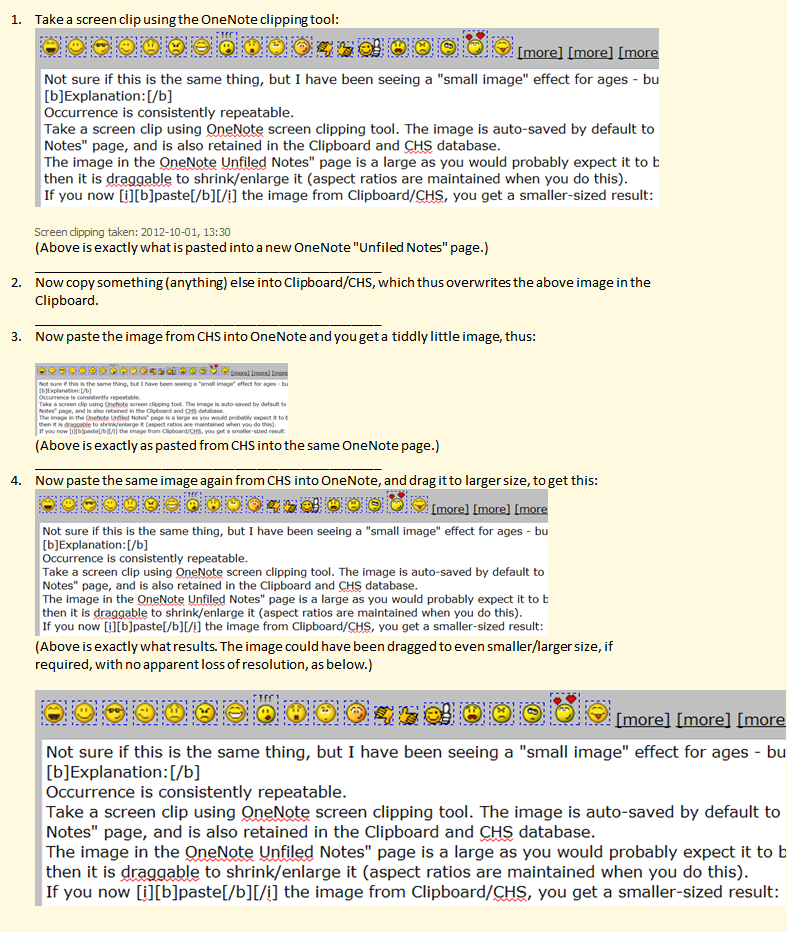

 (See my other post this morning)