


I thought I might describe the process here in case anyone found they had a similar requirement.
I have an HP ENVY 14 (Beats) laptop, which has a Matshita DVD RAM drive.
It is Region-locked, and I wanted to "Flash" the drive to make it Region-free, so as to be able to play DVDs from any region.
I was in luck, as the Matshita drives are usually most likely to be amenable to being Flashed.
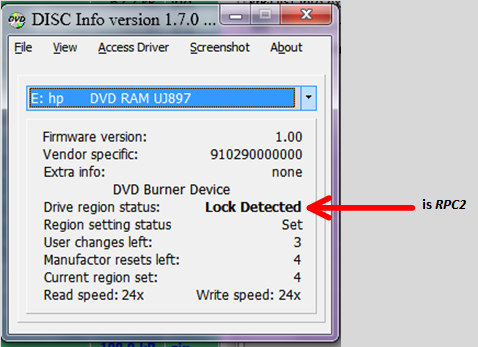
STEP 1: Check DVD status with DISK Info:
Done using DISK Info v1.7.0ß, available from discinfo.rpc1.org - here.
[attach]
I have an HP ENVY 14 (Beats) laptop, which has a Matshita DVD RAM drive.
It is Region-locked, and I wanted to "Flash" the drive to make it Region-free, so as to be able to play DVDs from any region.
I was in luck, as the Matshita drives are usually most likely to be amenable to being Flashed.
STEP 1: Check DVD status with DISK Info:
Done using DISK Info v1.7.0ß, available from discinfo.rpc1.org - here.
[attach]
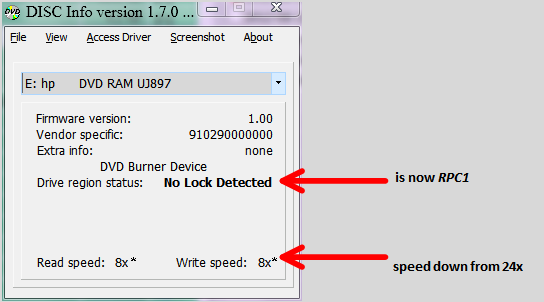


 Or did that just apply to drives sold in the USA?

 My concern was not so much that it had capped the write speed (however shouldn't vs. can't is a factor), but that it had capped the read speed also.


